

Cross-Platform Remote Recording: The 2026 Producer's Guide
Last Edited: Jul 20, 2026
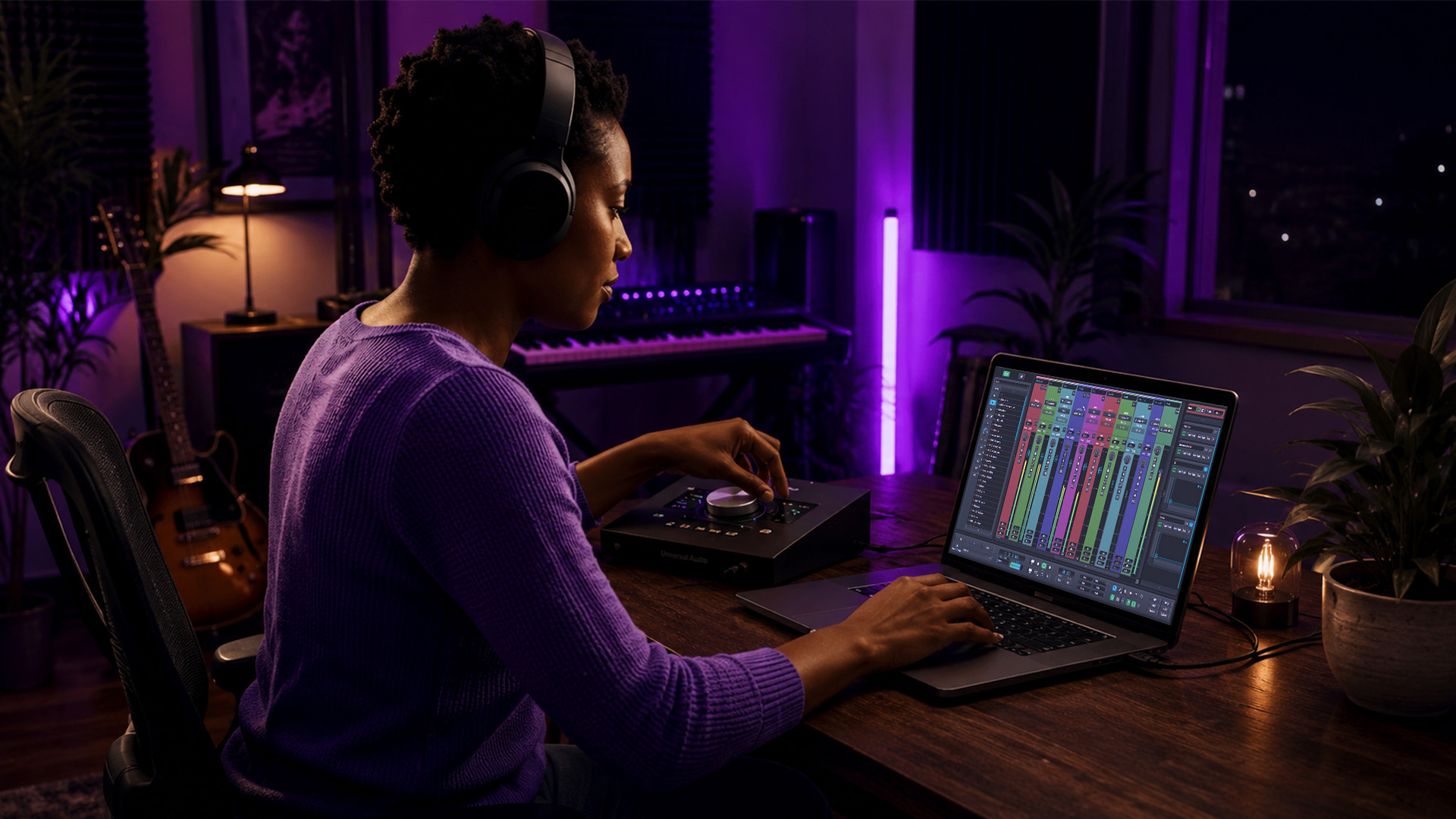
Cross-platform remote recording is the practice of capturing high-fidelity audio simultaneously from multiple users across different operating systems and devices, enabling studio-grade remote music collaboration. The professional standard for achieving this is the Double-Ender technique, where each participant records locally to preserve 24-bit/48kHz audio fidelity. Standard video conferencing compresses audio to as little as 32–64 kbps, which destroys the dynamic range your mixes depend on. Whether you are producing beats in Los Angeles while your vocalist records in Berlin, or tracking a live band session across Mac and Windows machines, the right workflow makes the difference between broadcast-ready audio and a muddy, artifact-ridden file.
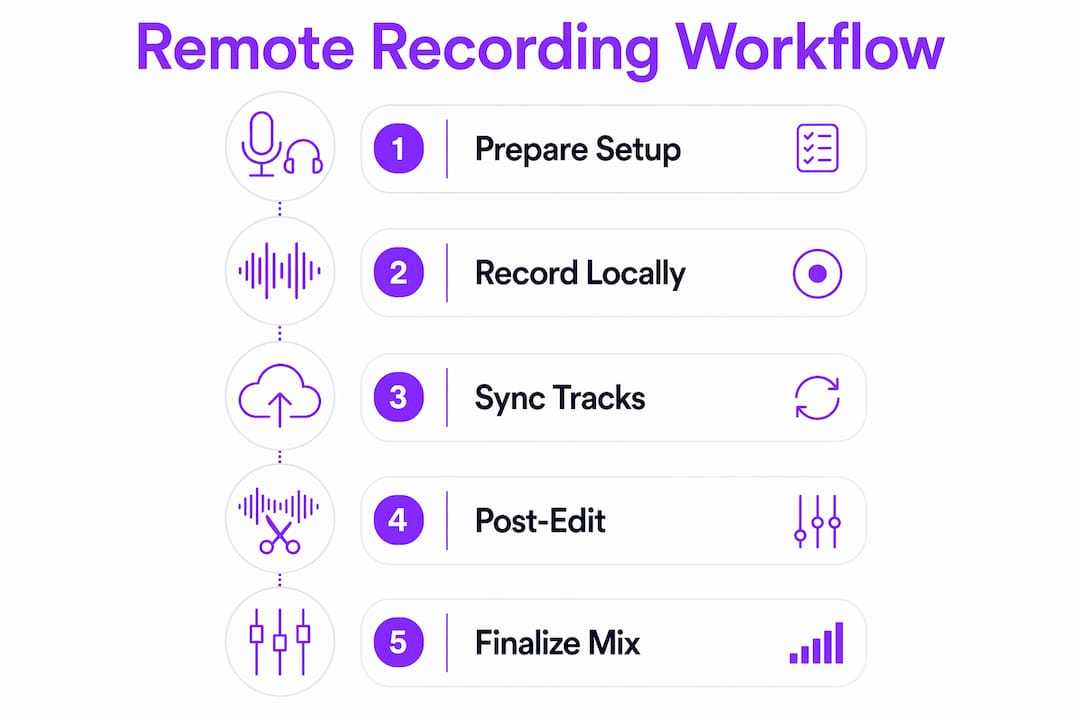
What Is the Double-Ender Technique and Why Is It the Industry Standard?
The Double-Ender technique is the foundation of professional remote audio recording. Each participant records their own audio locally, independent of the internet connection, then shares the file for post-production alignment. This bypasses the compression that video conferencing software applies in real time, which degrades audio quality through network artifacts and bandwidth throttling.
The contrast with standard streaming audio is stark. A Zoom or Teams call compresses your audio to serve the video stream, prioritizing connection stability over fidelity. A local Double-Ender recording retains the full resolution of your microphone and interface, giving you clean, editable tracks in post.
Manual Double-Ender Workflow Steps:
- Each participant opens a local recording app (QuickTime on Mac, Audacity on any OS, or a DAW like SoundBridge)
- All participants hit record simultaneously at an agreed moment
- A physical sync signal, like a hand clap, is captured on all tracks
- Files are shared via cloud storage or a file transfer service after the session
- Tracks are imported into a DAW and aligned using the sync signal
Automated Double-Ender Workflow Steps:
- A browser-based platform handles local recording on each device automatically
- Tracks upload to a shared session in the background during or after recording
- Sync is handled programmatically, removing the manual alignment step
The manual approach gives you maximum control and works with any hardware or OS. The automated approach trades some control for speed and convenience. For producers running tight session schedules, automated platforms significantly reduce post-production time.
Pro Tip: Never rely on the video call audio as your primary recording. Treat the call as a monitoring channel only. Your local file is the real session.
How Do Modern Browser-Based Platforms Enhance Cross-Platform Remote Recording?
Browser-based recording tools have changed the setup experience for remote sessions. These platforms use WebRTC for real-time monitoring and peer-to-peer track transfer, while recording audio locally in the browser using IndexedDB storage. No audio data passes through external servers during the session, which protects your unreleased material.
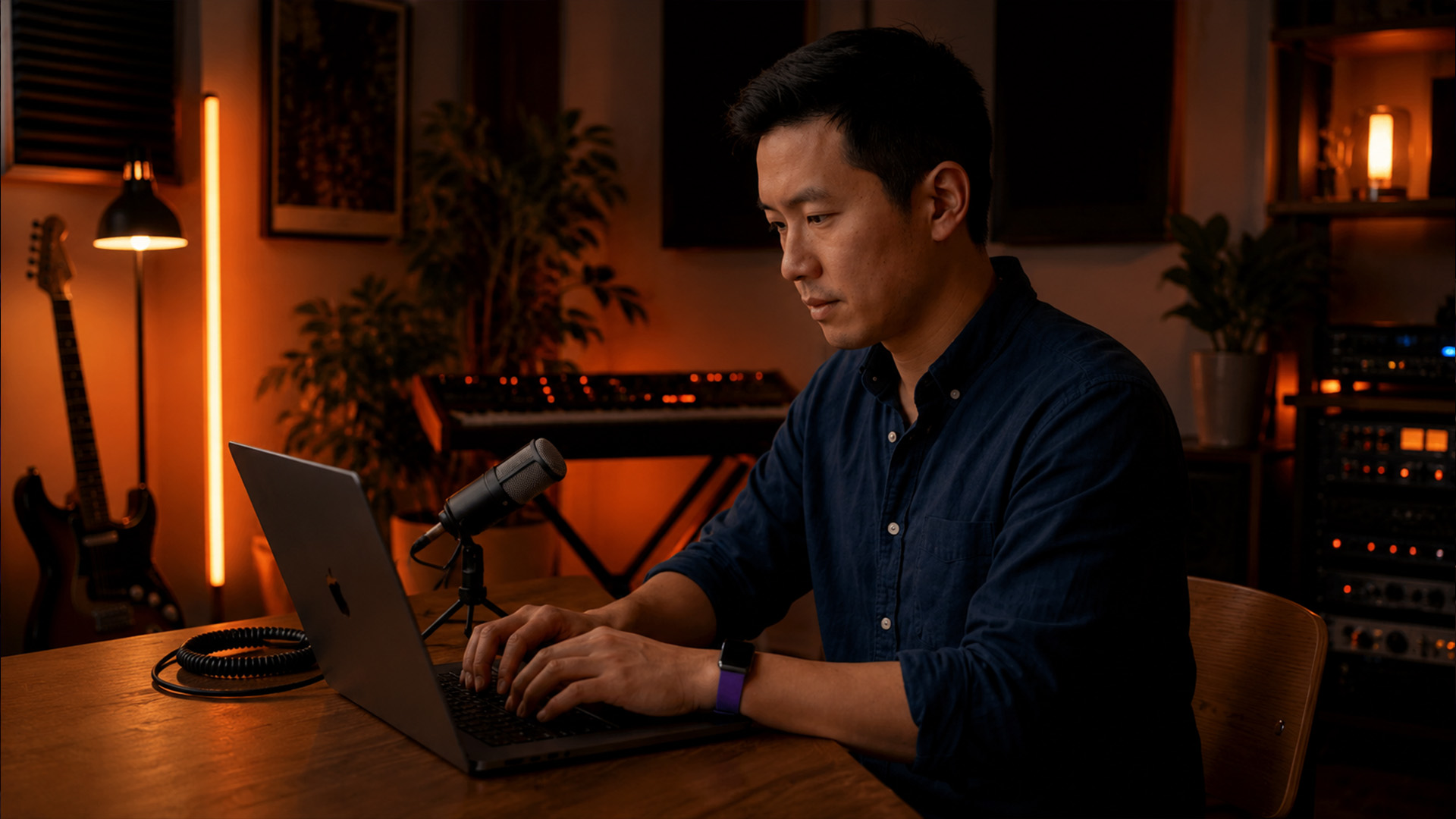
The practical benefit is speed. Guest setup time for browser-based tools runs under 2 minutes, compared to 15–30 minutes for traditional desktop software installs. That matters when you are coordinating session musicians across time zones who are not audio engineers.
Key Advantages of Browser-Based Multiplatform Audio Capture:
- No software installation required on any OS (Mac, Windows, Linux, ChromeOS)
- Works across devices including tablets and laptops without driver configuration
- Local recording preserves full audio fidelity regardless of internet speed
- Tracks are available for download immediately after the session ends
Browser and OS Compatibility at a Glance:
| Platform | Browser Support | Local Recording | Notes |
|---|---|---|---|
| macOS | Chrome, Firefox, Safari | Yes | Mic permissions required via system dialog |
| Windows | Chrome, Edge, Firefox | Yes | Generally plug-and-play |
| Linux | Chrome, Firefox | Yes | Driver setup may vary |
| iOS/iPadOS | Safari only | Partial | Limited WebRTC support in third-party browsers |
| Android | Chrome | Yes | Performance varies by device |
The iOS limitation is worth flagging. Apple restricts WebRTC access in non-Safari browsers on iOS, which can catch producers off guard when a vocalist tries to join from an iPhone using Chrome. Always test your platform on the guest’s actual device before the session.
What Practical Workflows Can Producers Use for Cross-Platform Remote Recording?
A clean workflow is what separates a productive remote session from a frustrating one. The technical setup matters, but preparation matters more. Connectivity stability is less important than the quality of the local recording file. A dropped connection mid-session does not ruin a Double-Ender recording. A poorly set input gain does.
Hardware does not need to be expensive. Entry-level microphones in the $20–$25 range combined with proper local recording technique produce results that outperform expensive gear used incorrectly over a compressed stream. The technique is the multiplier, not the price tag. Understanding how audio interfaces elevate quality is valuable, but a USB mic with correct gain staging beats a $500 condenser running through a video call.
Step-By-Step Session Preparation:
- Confirm recording software on all devices. SoundBridge runs on Mac and Windows. Browser-based tools cover the rest. Know what each participant is using before the call starts.
- Run a sound check 10 minutes before the session. Check input levels, room noise, and headphone monitoring. Fix problems before you are recording, not during.
- Handle macOS microphone permissions in advance. On macOS Sequoia 15 and later, apps must trigger the system permission dialog programmatically. Users cannot pre-grant microphone access manually in settings. Open the recording app and confirm the permission prompt appears before the session starts.
- Set a consistent sample rate across all devices. Mismatched sample rates (44.1kHz on one machine, 48kHz on another) create pitch and timing drift in post. Lock everyone to the same standard before recording.
- Agree on a sync signal method. A hand clap, a metronome click, or a transient pop at the start of the session gives you a clear alignment point in every track.
- Record a short test take. Capture 30 seconds, stop, and review the files. Confirm levels, fidelity, and that all tracks started recording simultaneously.
Pro Tip: Send your guests a one-page PDF with setup instructions before the session. Include screenshots for the macOS permission dialog. You will spend zero time troubleshooting on the call.
For producers who want to go deeper on remote music collaboration, the preparation phase is where most session quality is won or lost. The recording itself is almost mechanical once setup is solid.
How Does Synchronization Work In Remote Recording and What Are Best Practices?
Synchronization is the step most producers underestimate until they spend three hours manually aligning tracks in a DAW. The fix takes five seconds during the session. Professionals use a simultaneous transient signal at the start of every recording to create a clear visual and audible marker across all tracks.
A hand clap is the most common sync signal. It produces a sharp transient spike that appears as a clear waveform peak in any DAW. You zoom in, align the peaks across all tracks, and your session is locked. The whole process takes under a minute in post.
Sync Best Practices for Remote Sessions:
- Use a single loud clap or a snare hit at the very start of the recording, before any performance begins
- Have one person lead the clap so all participants hear it simultaneously through the monitoring channel
- Confirm the transient is visible in the waveform before the session ends. If it is buried in noise, do another sync take
- For automated platforms, verify that the platform’s sync algorithm has processed correctly before closing the session
- Keep the sync signal at the head of the file, not the tail. Aligning from the start is faster than hunting through the end of a long take.
Manual alignment without a sync signal is the most common cause of post-production delays in remote sessions. If you forget the clap, you are left comparing waveforms by ear, which is slow and imprecise. The audio editing techniques required to fix misaligned tracks manually are time-consuming and can introduce new artifacts.
One underused approach is the “count-in clap.” The session leader counts aloud (“three, two, one”) and claps on zero. Every participant hears the count through the monitoring channel and can confirm they are recording. This also gives you a verbal timestamp you can search for in the waveform if the visual transient is unclear.
Key Takeaways
The Double-Ender technique, combined with a physical sync signal and proper session preparation, is the most reliable path to studio-grade results in any remote recording setup.
| Point | Details |
|---|---|
| Double-Ender is the standard | Record locally on every device to preserve 24-bit/48kHz fidelity and avoid compression artifacts. |
| Browser tools cut setup time. | WebRTC-based platforms enable guests to record in under 2 minutes, with no software installation required. |
| Technique beats hardware cost. | A $20–$25 microphone with the correct local recording workflow outperforms expensive gear on a compressed stream. |
| Sync signals save hours | A single handclap at the start of the session creates a clear alignment marker and eliminates manual post-production guesswork. |
| macOS permissions need prep | On macOS Sequoia 15+, recording apps must trigger the mic permission dialog programmatically. Test this before the session. |
The Part of Remote Recording Nobody Talks About Enough
The conversation around cross-device recording tools almost always focuses on software features. Producers compare latency specs and browser compatibility tables. What gets ignored is the human preparation layer, and that is where most sessions actually fail.
I have seen producers invest in high-end audio interfaces and then lose a session because a vocalist in another city could not figure out the macOS permissions dialog. The technology was perfect. The preparation was not. The best remote recording workflow is the one your least technical collaborator can execute without a phone call.
The other shift I find genuinely exciting is AI integration in post-production. Structured, machine-readable recordings with embedded metadata and session context are becoming the standard for accelerating editing workflows. That means tagging your remote takes with tempo, key, participant names, and session notes at capture time, not after. Producers who build this habit now will have a real advantage as AI-assisted editing tools mature.
The future of remote audio editing is not just faster software. It is smarter session hygiene. Capture clean, tag everything, sync on the way in. The editing almost takes care of itself.
Music is also increasingly tied to platform distribution from the moment of creation. Understanding how music storytelling spans platforms in 2026 shapes how you think about the recordings you are capturing remotely today.
— Wake
SoundBridge and Zero-Latency Remote Recording Workflows
SoundBridge is built for exactly the kind of cross-platform collaboration this article covers. It runs natively on Mac and Windows, supports sample rates up to 192kHz, and offers zero-latency remote tracking with studio-accurate synchronization. Integrated video and talkback keep your session communication clean without a separate conferencing tool.

If you are ready to take your remote sessions further, SoundBridge’s cloud-based DAW guide walks you through building a full remote production workflow from scratch. For producers who want to understand the full picture of what a digital audio workstation can do for remote collaboration in 2026, that guide is the right starting point.
FAQ
What is cross-platform remote recording?
Cross-platform remote recording is the process of capturing high-fidelity audio from multiple participants on different operating systems and devices simultaneously. The Double-Ender technique, where each participant records locally, is the professional standard for achieving studio-grade results.
Why does video conferencing audio sound poor for music recording?
Video conferencing software compresses audio to as low as 32–64 kbps to prioritize connection stability, thereby destroying dynamic range and introducing artifacts. Local Double-Ender recording bypasses this compression entirely.
What sample rate should I use for remote recording sessions?
The professional standard is 24-bit/48kHz for most remote recording workflows, though 44.1kHz is also widely accepted. All participants must use the same sample rate to avoid pitch drift and timing errors in post-production.
How do I sync tracks from a remote recording session?
Use a simultaneous transient signal, such as a hand clap, at the start of every recording. The sharp waveform peak appears clearly in any DAW and lets you align all tracks in under a minute during post-production.
Does browser-based recording work on all operating systems?
Browser-based tools using WebRTC work on Mac, Windows, and Linux via Chrome or Firefox. iOS support is limited to Safari due to Apple’s browser restrictions. Always test on your guest’s actual device before the session begins.
Recommended
MASTER MUSIC PRODUCTION
Expert-led courses designed to take you from fundamentals to finished tracks.
HOUSEFrom bouncy bass and solid kicks, this course teaches you the most modern House music production techniques needed to succeed and stand out.
TRAPQuit sounding like generic Trap and produce something World with hints of the Far East. Create ethnic soundscapes to put your Trap ahead of the curve.
AMBIENTProduce relaxing, sophisticated psy-influenced ambient. Psychedelic and relaxing to listen to, create meditative soundscapes to put your listeners in Zen.