

Top 4 DAW Alternatives to Ableton 2026
Last Edited: Jun 3, 2026
Finding a digital audio workstation that matches Ableton's hands-on workflow without locking features behind subscriptions or imposing plugin format limits is tougher than expected. Many alternatives cap track counts in their free versions, restrict plugin compatibility to niche standards, or make collaborative features contingent on cloud subscriptions. This comparison lets you weigh price, collaboration tools, plugin support, and workflow orientation across four contenders so you can choose the DAW that aligns with your creative needs and budget.
SoundBridge
At a Glance
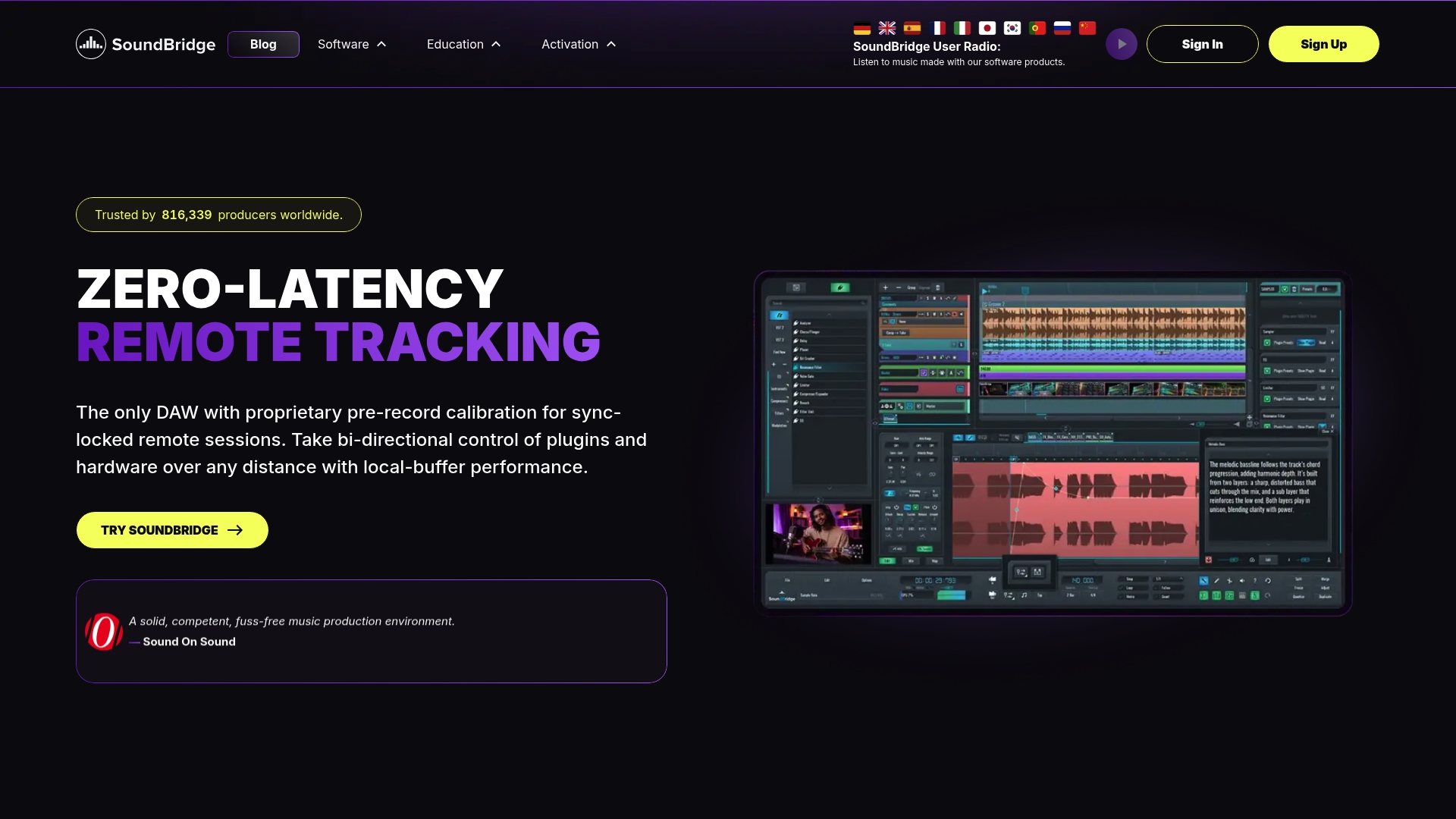
The vendor advertises a patent-pending virtual collaboration system that enables ultra-low latency remote recording and mixing. SoundBridge runs on a high-fidelity 192kHz engine and pairs zero-latency tracking with integrated video and talkback to sync musicians with the picture.
Core Features
- High-fidelity 192kHz audio engine for high-resolution recording and mastering.
- Zero-latency, real-time remote collaboration with studio-accurate synchronization and optional self-hosted servers.
- Full VST plugin support, layered native sampler, round-robin sampling, and advanced MIDI editing.
- Advanced video engine with Ultra-HD support and native time-stretching for film scoring and post work.
- Mixing and automation tools, non-destructive crossfades, comping, and bi-directional control of plugins and hardware.
Key Differentiator
The definite differentiator is the built-in collaboration stack. That collaboration claim above is tied to a virtual session model that keeps audio and video in lockstep while minimizing round-trip latency, and it offers a self-hosted option for private sessions.
Pros
-
Zero-latency tracking makes remote overdubs feel immediate, allowing performers to lock in with each other without audible delay.
-
192kHz engine preserves headroom and detail for film scoring or high-resolution releases, which benefits upstream mastering workflows.
-
The integrated video and talkback workflow keeps picture, tempo maps, and markers aligned with audio, speeding review passes on scoring projects.
-
Self-hosted server option gives teams a privacy-forward path for remote sessions and reduces reliance on third-party routing during critical takes.
-
Intuitive interface and layered editing let you comp takes and perform crossfades quickly, which shortens editing sessions.
Cons
- The free tier limits you to 10 tracks, which can constrain larger arrangements or big film mockups unless you upgrade to a paid plan.
Who It's For
Musicians, producers, and audio engineers who need studio-grade fidelity plus collaborative remote tracking. It fits bands recording from separate locations, composers working with picture, and producers who want DAW-native sync without juggling third-party tools.
Unique Value Proposition
Offering a self-hosted collaboration server changes how teams protect session privacy while recording remotely. For producers handling client stems or pre-release material, that option reduces exposure and gives control of session routing without sacrificing the vendor's low-latency workflow.
Real World Use Case
A four-piece band records drums in London, bass in New York, and vocal overdubs in Los Angeles. They use SoundBridge to sync audio and video live, comp takes, and hand-finished stems to the mix engineer, without shipping drives or manually aligning frame rates.
Pricing
SoundBridge provides a free version with limited features and a 10-track cap. The Premium tier unlocks full functionality and is available either by subscription or as a lifetime license, per the vendor's offerings.
Website: https://soundbridge.io
Bitwig Studio
At a Glance
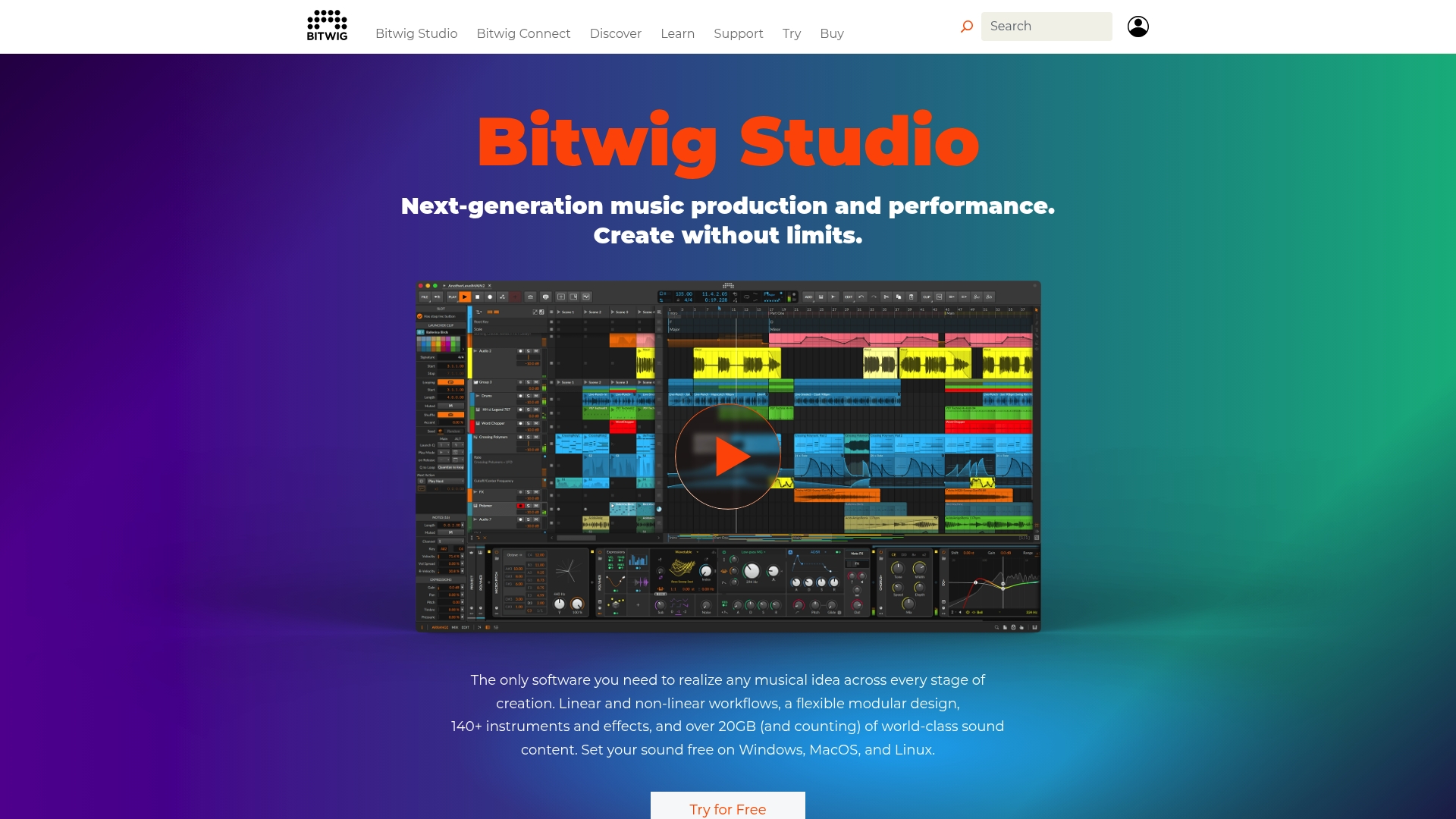
Bitwig Studio's plugin sandboxing isolates third-party plugins, so a bad plugin rarely crashes a session. The DAW also ships with a modular sound environment and cross-platform support, including Linux, which most rivals do not offer.
Core Features
Bitwig provides both linear and non-linear workflows, a visual modular device system, and deep hardware integration for MPE, MIDI, and CV.
The vendor advertises 140+ instruments and effects, over 20GB of sound content, and a built-in modular environment called The Grid for complex synthesis and signal routing.
Key Differentiator
The headline feature is the plugin sandboxing technology that isolates plugin failures from the host. That separation means you can test obscure third-party effects mid-session with far less risk of losing work, which shifts the creative tradeoff toward experimentation.
Pros
-
Stability first. The plugin sandboxing above reduces session crashes, letting you try unstable or exotic plugins without frequent project recovery.
-
Flexible workflows. You can flip between clip launching for live sets and a linear arranger for studio production without changing tools.
-
Deep sound-design tools. The Grid and modular devices give you tactile visual control as you build evolving textures and custom instruments.
-
Cross-platform reach. Native support for Linux alongside Mac and Windows makes Bitwig a rare choice for producers who run nonstandard setups.
-
Large content library. That content claim provides a fast starting point for templates, presets, and layered patches.
Cons
-
Linux setup can be fiddly. Users report driver and permission hurdles that lengthen initial configuration time.
-
Support and license management are described as limited by users, which can complicate long-term upgrades or transfers.
-
MIDI import workflows feel clumsy for some common tasks, slowing projects that rely on quick motif transfers.
When It May Not Fit
If you want a DAW with plug-and-play, immediate setup on Linux, Bitwig can be an awkward choice for novice users. If your team depends on rapid vendor support or formal license management for large installs, the reported support limits become a practical blocker.
If your primary need is basic MIDI editing without modular routing, the Grid and modular workflow add complexity rather than solve anything.
Who It's For
Producers, electronic musicians, and sound designers who prefer exploratory sound design and hardware integration over conventional linear-only workflows. Also, a smart pick for studios that value stability when using many third-party plugins.
Real World Use Case
A professional electronic producer builds layered, morphing textures in The Grid, sequences them via MPE controllers, and runs a live set using the clip launcher. Plugin crashes occur rarely, so long improvisations stay intact and require less backup planning.
Pricing
Bitwig offers tiered licensing. Pricing starts at EUR 99 for Essentials, EUR 199 for Producer, and EUR 399 for the full version that includes all features and content.
Website: https://bitwig.com
Pro Tools
At a Glance
Pro Tools ships the industry's universal session format, which makes exchanging projects between studios and post houses straightforward. The app also supports immersive mixes such as Dolby Atmos and MPEG-H, providing native paths from recording to large-format delivery.
Core Features
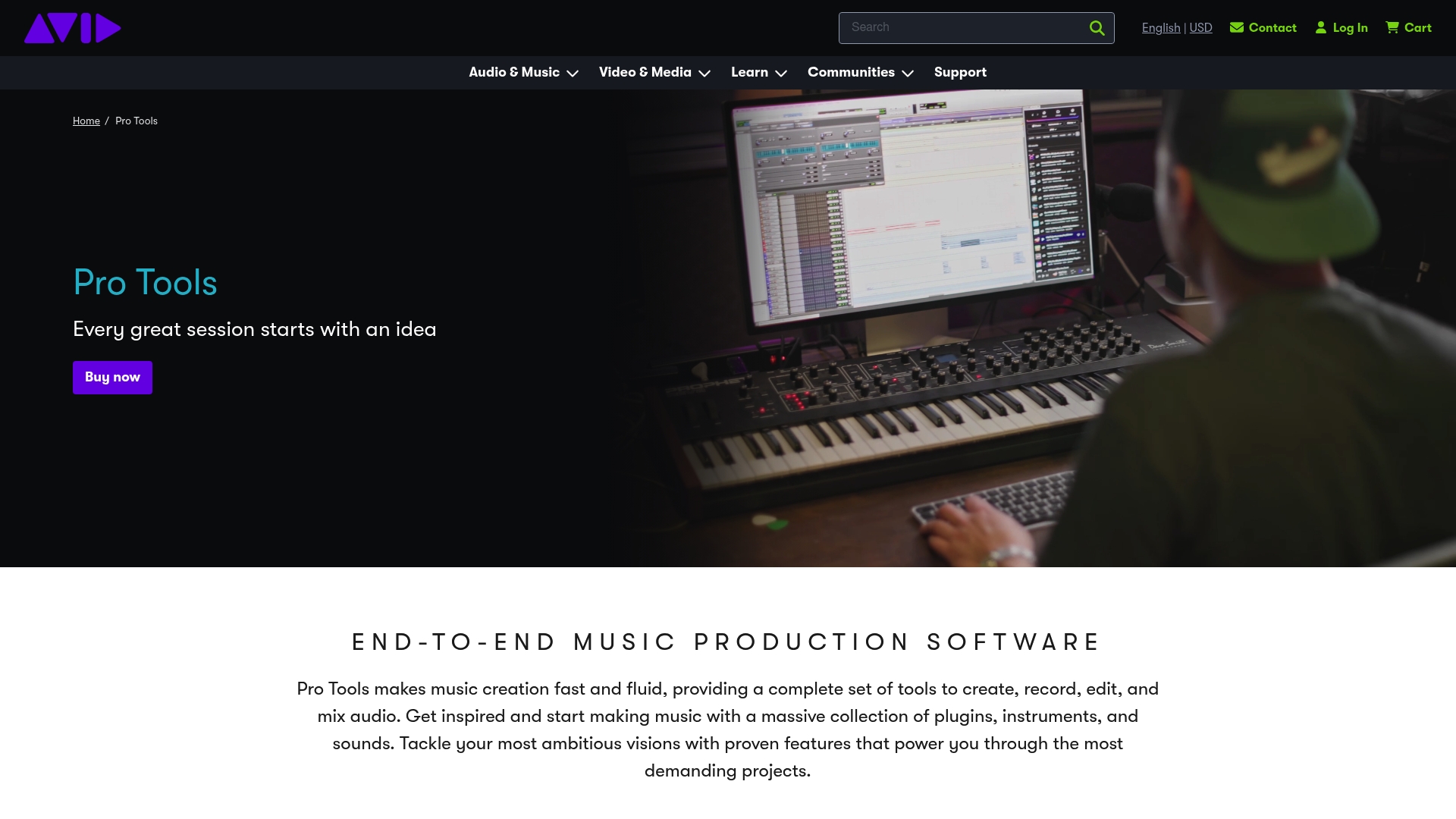
Pro Tools delivers a full set of tools for recording, editing, and mixing from tracking to final master. Expect multitrack comping, clip gain, advanced automation, and tempo-map control, all tuned for professional sessions.
The platform includes a large plugin and sound library, as well as support for immersive workflows. It also provides cloud-based collaboration tools for remote contributors and session sharing across sites.
Key Differentiator
What sets Pro Tools apart is its reputation as the production standard in professional studios and post facilities. That session format above, along with its routing, bussing, and automation model, is engineered for large, multi‑engineer projects where consistency and handoff matter.
Pros
- Industry acceptance speeds client delivery. Because many studios use Pro Tools, session handoffs and contractor collaboration are often faster than converting between formats.
- Superior audio engine delivers reliable bit‑perfect playback and headroom that engineers rely on when mixing at high channel counts.
- Customizable workflows let you tame large sessions: track folders, VCA-style control, and focused editing macros reduce repetitive work.
- Strong post tools, including dedicated editing, clip handling, and conforming features tailored for film and TV timelines.
- Native support for immersive formats simplifies Atmos and MPEG‑H mixing without third‑party routing hacks.
Cons
- Steep learning curve for users new to professional DAWs; the interface assumes familiarity with studio signal flow and post-production workflows.
- Plugin compatibility is limited to the AAX format, which narrows third‑party plugin choices compared with more common formats.
- Subscription pricing may be costly for hobbyists or small bands that only need basic recording features.
- Several users report that some virtual instrument interfaces feel dated and clumsy compared with modern soft synth hosts.
- Not focused on notation; if scoring or advanced notation layout is central to your work, Pro Tools offers only limited tools.
When It May Not Fit
If you are a bedroom producer wanting instant beat‑making with a minimal learning curve, Pro Tools is probably overkill. If you rely heavily on VST‑only plugins or prefer one-time-purchase models, the AAX limitation and subscription-based approach create friction.
If your sessions rarely exceed a dozen tracks and you avoid post workflows, lighter DAWs give faster results for less money.
Who It's For
Professional audio engineers, post‑production mixers, and advanced producers regularly exchange sessions with other facilities—ideal when fidelity, routing precision, and industry interoperability are nonnegotiable.
Real World Use Case
A post house uses Pro Tools Ultimate to record a 60‑piece orchestra, stitch takes, conform picture cuts, and deliver stems for an Atmos mix. Remote performers upload their takes to the cloud project, and the head engineer opens them in line with the studio session.
Pricing
Pricing varies by version and plan. The vendor lists entry pricing from about $99 per year for the Artist tier and up to $599 per year for Ultimate, with additional licensing options available for perpetual or enterprise arrangements.
Website: https://avid.com/pro-tools
Comparative Analysis of Leading Digital Audio Workstations
Navigating the selection of a Digital Audio Workstation (DAW) that precisely fits one's creative workflow requires understanding its unique strengths and the scenarios in which it is applicable.
Collaboration and Remote Recording
SoundBridge establishes a strong foundation for remote collaboration, offering zero-latency audio and video synchronization and self-hosted server options that prioritize project privacy during real-time sessions. While impressive, competitors like Pro Tools deliver expansive multi-user sharing ecosystems suitable for large-scale productions, albeit with reliance on cloud services.
Customization for Experimental Sound Design
Bitwig Studio excels at enabling intricate sound design through its visual modular environment, The Grid, which allows users to create complex audio textures. In contrast, SoundBridge focuses on maintaining high-fidelity audio and accessible synchronization, representing a tradeoff in customization for out-of-the-box clarity. Creative users may find Bitwig's features preferable for projects emphasizing audio modulation.
Performance-Oriented Tools
For live performers and DJs, Ableton Live leads with its intuitive clip-launching workflow and hardware integration tailored for improvisational setups. Meanwhile, SoundBridge offers a collaborative edge for remote project execution, appealing to users who prioritize session alignment over live-performance adaptability.
Best Fit Recommendations
- Choose SoundBridge if real-time, zero-latency remote collaboration is crucial, particularly for geographically dispersed recording teams.
- Opt for Bitwig Studio when advanced modular sound design is required for creating unique, experimental textures.
- Select Ableton Live for on-the-fly musical performances and setups that require quick, dynamic improvisation.
- Go with Pro Tools if standardized session interchangeability and support for immersive formats are priorities for professional studio tasks.
Our Pick: SoundBridge
SoundBridge emerges as the preferred choice for users who prioritize remote collaborative recording, with an emphasis on sonic fidelity and privacy control. While SoundBridge excels at enabling facilities to operate across distances, those focusing on live performance or experimental sound design might consider the alternatives outlined above.
Digital Audio Workstation (DAW) Comparison
Selecting the right digital audio workstation depends on your specific needs, such as collaboration, flexibility, or sound design features.
| Platform | Key Features | Best For | Pricing | Limitation |
|---|---|---|---|---|
| SoundBridge | 192kHz engine, zero-latency remote collaboration | Remote collaboration projects | Free or paid options | Free plan limits to 10 tracks |
| Bitwig Studio | The Grid modular sound environment, plugin sandboxing | Sound design, experimental MIDI workflows | €99–€399 | Complex initial setup on Linux |
| Ableton Live | Real-time looping, expansive sound library | Live improvisations and performances | Tiered packages | Steep learning curve for advanced features |
| Pro Tools | Industry-standard session formats, immersive audio tools | Professional studio and post-production work | $99–$599 annually | Limited to AAX plugins |
Discover a DAW Alternative to Ableton Designed for Collaborative Creativity
If you're looking for a DAW alternative to Ableton that combines high-fidelity audio processing with zero-latency remote collaboration, SoundBridge offers a powerful solution tailored just for you. This platform addresses common challenges such as syncing musicians across locations without delay and handling complex film-scoring projects seamlessly. With support for 192kHz sample rates and integrated video and talkback tools, SoundBridge makes remote music production feel as immediate and connected as being in the same studio.

Experience how SoundBridge's intuitive interface and real-time collaboration can transform your workflow. Visit SoundBridge now to unlock ultra-low latency tracking and simplified session comping. Take control of your next production by collaborating effortlessly across cities and continents.
Frequently Asked Questions
What makes SoundBridge suitable for remote collaboration?
SoundBridge is ideal for remote collaboration because it features a zero-latency tracking system that allows performers to synchronize in real time without audible delay. This unique capability is made possible by its high-fidelity 192kHz engine, which preserves audio quality during remote sessions. For musicians and producers working from different locations, this provides an immediate and efficient means to create music together.
How does SoundBridge compare to Bitwig Studio in terms of plugin stability?
Bitwig Studio is known for its plugin sandboxing technology, which prevents session crashes caused by third-party plugins. SoundBridge, on the other hand, offers a different value by focusing on real-time remote collaboration and high-fidelity audio recording. Those prioritizing plugin stability may prefer Bitwig, but for teams seeking a collaborative environment with minimal latency, SoundBridge is the better option.
What is a limitation of the SoundBridge free tier?
The free tier of SoundBridge is limited to 10 tracks, which may be a constraint for larger projects and arrangements. This feature restricts its use for extensive film mockups unless users opt for the paid plan. If your projects frequently exceed this limit, a premium subscription is required for full functionality.
Can SoundBridge handle multi-user recording sessions effectively?
SoundBridge is designed to support multi-user recording, thanks to its integrated video and talkback features that keep audio and video in sync. With its collaborative stack, it minimizes round-trip latency, thus enhancing the workflow during remote sessions. For teams that need seamless synchronization when recording remotely, SoundBridge is a great fit, though its track limitations in the free version are a concern.
Is the privacy aspect a significant advantage of using SoundBridge?
Yes, SoundBridge offers a self-hosted server option, giving teams a privacy-forward approach to remote recording. This feature ensures that sensitive session data remains under the team's control, minimizing exposure to third-party routing systems. For producers and engineers handling confidential material, this capability is a notable advantage of choosing SoundBridge.
Recommended
MASTER MUSIC PRODUCTION
Expert-led courses designed to take you from fundamentals to finished tracks.

HOUSEFrom bouncy bass and solid kicks, this course teaches you the most modern House music production techniques needed to succeed and stand out.

TRAPQuit sounding like generic Trap and produce something World with hints of the Far East. Create ethnic soundscapes to put your Trap ahead of the curve.

AMBIENTProduce relaxing, sophisticated psy-influenced ambient. Psychedelic and relaxing to listen to, create meditative soundscapes to put your listeners in Zen.