

Immersive Audio Remote Mixing: Your 2026 Practical Guide
Last Edited: Jul 28, 2026
What Is Immersive Audio Remote Mixing and How Does It Work?
Immersive audio remote mixing is the practice of producing spatially rich, object-based sound experiences from geographically separate locations, using spatial audio formats like Dolby Atmos and real-time streaming tools to connect engineers, directors, and clients. Unlike traditional stereo mixing, which places sounds on a flat left-right plane, immersive mixing positions audio objects in three-dimensional space: above, below, and all around the listener. Doing that remotely adds a layer of technical complexity that the right tools now make genuinely manageable.
The core workflow breaks down like this:
- Spatial Format Selection: Dolby Atmos is the dominant format for cinema, streaming, and music, encoding audio as beds (channel-based) and objects (position-based with metadata).
- Remote Streaming: Platforms like Source-Connect 4 transmit full Dolby Atmos projects, including beds, objects, and metadata, across studios in real time.
- Spatial Control Interfaces: Neumann VIS lets producers position audio objects in augmented reality using Apple Vision Pro and hand gestures, turning a technical workflow into something closer to a live performance.
- Collaboration and Talkback: Zoom, Session-Wire, and Audiomovers handle real-time client feedback, direction, and session management without requiring anyone to be in the same room.
- Monitoring: Headphone-based binaural playback with head tracking, via tools like Neumann VIS’s RIME plugin, replaces the traditional speaker array for remote engineers.
- Synchronization: GPS timecode and VPN-secured Dante streaming keep audio and control signals locked across distant nodes.
The key reason immersive audio demands a different approach than stereo is metadata. Every object in a Dolby Atmos mix carries positional data that tells any playback system where to place it, whether that’s a 7.1.4 speaker rig or a pair of AirPods. Preserving that metadata through the entire remote chain is what separates a true immersive workflow from a high-channel-count stereo session.
Core Techniques for Immersive Audio Mixing in Remote Workflows
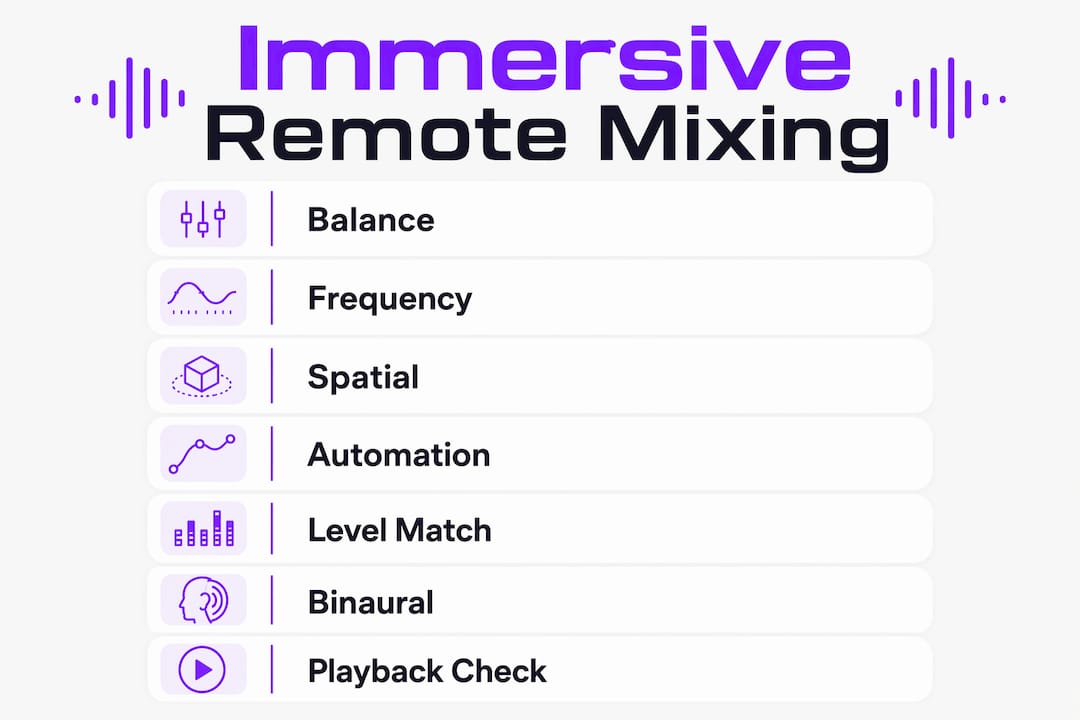
1. Build Your Static Balance Before Anything Spatial
Effective immersive mixes rely 70–75% on static fader balancing and frequency separation before spatial effects or automation enter the picture. That ratio holds whether you’re in a studio or working from a home rig. Get your levels and EQ relationships locked first, then start placing objects in space.
2. Separate Frequencies to Create Room for Spatial Objects
Frequency masking is more destructive in immersive formats than in stereo because competing elements fight for both spectral and spatial territory. Use high-pass filters aggressively on non-bass elements, carve EQ pockets for lead sounds, and treat your low end as mono-anchored. Objects placed overhead or at the sides need tonal clarity to read as spatially distinct.
3. Use Spatial Panning as a Compositional Tool, Not Decoration
Object placement in Dolby Atmos should serve the music or narrative, not just fill the room. Anchor rhythm elements like kick and bass at the center and front, push ambient textures and reverb returns to the height channels, and use movement sparingly so that automation carries emotional weight when it arrives.
4. Automate Spatial Motion as a Performance
Neumann VIS transforms spatial automation from a mouse-click exercise into a physical, gesture-driven performance inside Apple Vision Pro. Moving a sound source through 3D space with your hands produces automation curves that feel organic rather than mechanical. That expressive quality translates directly into the final mix.
5. Level-Match Before Every A/B Comparison
The golden rule in remote mixing: bypass and level-match your processed and unprocessed signals before comparing them. A processed signal that’s even 1 dB louder will almost always sound “better,” even when the processing adds nothing. This discipline is especially critical when clients are listening remotely on different playback systems.
6. Monitor in Binaural With Head Tracking for Remote Sessions
Headphone monitoring with full 3DoF head tracking, as delivered by the RIME plugin inside Neumann VIS, gives you a realistic spatial perspective without a speaker array. Head tracking prevents the “in-head” localization that makes standard headphone mixing unreliable for immersive decisions.
7. Check Your Mix on Multiple Playback Systems
A Dolby Atmos mix needs to translate from a 40-speaker cinema rig to a pair of earbuds. Build translation checks into your remote session routine: binaural headphones, stereo fold-down, and a mono sum. If the spatial image collapses in mono, your object placement is doing work that frequency balance should be doing.
Pro Tip: Before your first remote session with a new client, send them a calibration file and ask them to confirm playback level. Mismatched monitoring levels between engineer and client are the single most common source of conflicting feedback in remote immersive sessions.
Which Tools and Platforms Power Remote Immersive Mixing?
The technology stack for remote immersive audio production has matured fast. Here’s what the current generation of tools actually delivers.
Source-Connect 4
Source-Connect 4 is the first remote collaboration tool to achieve Dolby Atmos certification with full metadata connection to the Dolby Atmos Renderer. It supports up to 128 audio streaming channels in any combination of beds and objects, and streams the entire Dolby Atmos project rather than a rendered mix-down. That distinction matters practically: a mixer working on headphones can deliver directly to a 40-speaker cinema rig at the destination with no re-renders and no channel-count limitations. Source Elements’ proprietary Remote Transport Sync protocol keeps a studio and up to five reviewers fully synchronized. Currently available for macOS, it requires the standalone Dolby Atmos Renderer purchased separately from Dolby.
Neumann VIS
Neumann’s Virtual Immersive Studio is a spatial audio positioning controller for Apple Vision Pro, connecting directly to Logic Pro on Mac. Producers see audio objects as 3D elements in augmented reality and position them with hand gestures. The included RIME plugin delivers spatial audio playback on headphones with full 3DoF head tracking, making immersive production viable anywhere from a professional studio to a hotel room. VIS launched in November 2025 and represents the clearest current example of AR interfaces turning automation into live creative performance.
Zoom, Session-Wire, and Audiomovers
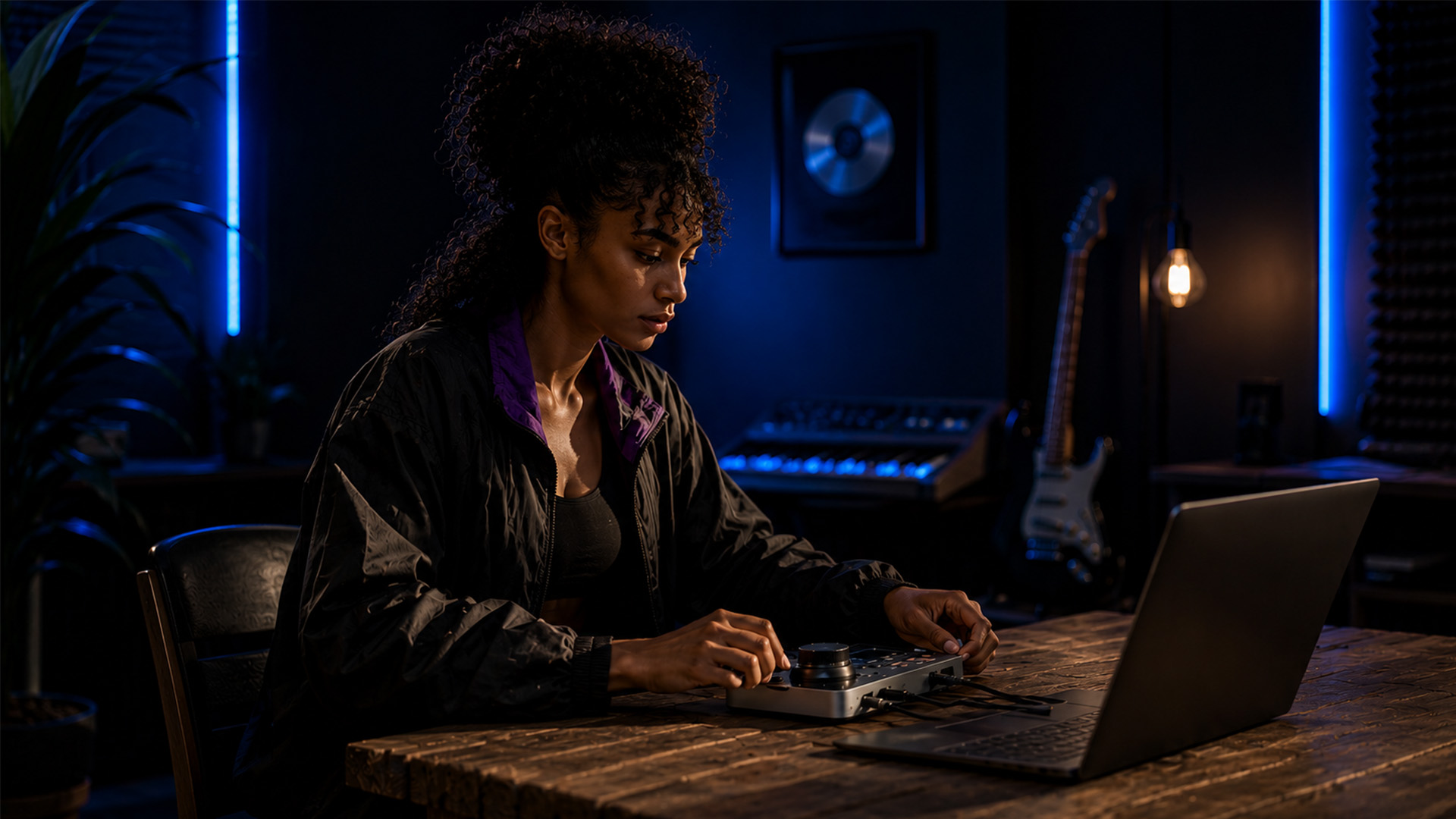
These three tools handle the human side of remote collaboration: real-time video talkback, session direction, and high-fidelity audio streaming for client monitoring. Session-Wire integrates audio and video talkback in a single subscription-based environment. Audiomovers specializes in lossless audio streaming for critical listening during mix review. Zoom handles the conversational layer. Most professional remote sessions use at least two of these in combination.
SoundBridge
Soundbridge brings zero-latency remote tracking, bi-directional plugin and hardware control, and 192kHz audio processing to the remote immersive workflow. Its integrated video and talkback features mean you can run client communication and session management from a single platform, without patching together separate tools. Soundbridge runs on both Mac and Windows, with free and paid tiers, making it accessible whether you’re setting up your first remote audio production rig or scaling an established studio operation.
| Platform | Max channels | Metadata support | Head tracking | DAW integration | OS |
|---|---|---|---|---|---|
| Source-Connect 4 | 128 | Full Dolby Atmos | No | DAW sync | macOS |
| Neumann VIS | 7.1.4 (headphones) | Logic Pro objects | Yes (3DoF) | Logic Pro | macOS + visionOS |
| Audiomovers | Stereo/multichannel | No | No | DAW plugin | Mac/Windows |
| Soundbridge | High-fidelity | DAW-native | No | Native | Mac/Windows |
Recommended Hardware for Remote Immersive Sessions:
- High-quality audio interface (RME, Universal Audio, or equivalent) for accurate monitoring and low-latency I/O
- Closed-back reference headphones with a flat frequency response, paired with a headphone correction plugin
- Apple Vision Pro for Neumann VIS gesture-based spatial control
- Stable wired Ethernet connection at the mixing workstation
How to Set Up Your First Immersive Remote Mixing Session
Getting your rig ready for remote immersive work takes more than a fast internet connection. Here’s what you actually need before the session starts.
Network Requirements:
- Minimum 10 Mbps upload and download, though 50 Mbps or higher is recommended for multichannel Dolby Atmos streaming
- Wired Ethernet at the mixing station; Wi-Fi introduces jitter that compounds latency problems in immersive workflows
- A VPN for secure audio transmission, particularly when sharing session files or streaming proprietary content
Software and Configuration Checklist:
- Install and license your chosen DAW with Dolby Atmos Renderer support (Logic Pro for VIS users, or any Renderer-compatible DAW for Source-Connect 4)
- Configure Source-Connect 4 or your preferred streaming platform and test synchronization with a remote reviewer before the paid session
- Set up Zoom or Session-Wire for talkback and video communication
- Calibrate headphones using a correction plugin (Sonarworks SoundID Reference or equivalent) to normalize your monitoring environment
- Enable remote desktop access (Google Remote Desktop or equivalent) so clients or co-engineers can observe or control the session
Communication Protocols to Establish Before Every Session:
- Agree on a reference playback level with the client and confirm it with a calibration tone
- Define revision rounds and feedback formats upfront: written notes, timestamped comments, or live verbal direction
- Test the full signal chain, talkback, streaming, and DAW sync, at least 30 minutes before the session begins
For audio interface selection and setup, the quality of your I/O directly affects how accurately you monitor spatial decisions, so don’t treat the interface as an afterthought.
Security and data privacy:
- Use VPN-secured connections for all audio streaming and file transfers
- Share session files via encrypted cloud storage rather than email
- Confirm with clients which territories’ data privacy regulations apply to their project, particularly for broadcast and streaming content.
Solving Synchronization and Monitoring Challenges in Remote Immersive Sessions
The biggest barrier in remote immersive mixing isn’t audio quality. It’s synchronization and monitoring accuracy. When an engineer in Burbank and a director in London are listening to the same Dolby Atmos mix, any timing gap between their playback systems produces conflicting feedback that wastes session time and erodes trust.
The most reliable architecture for multi-node immersive production uses GPS timecode synchronization combined with VPN-secured Dante streaming over standard IP networks. GPS-based UTC timecode stamps every audio and control packet at the source, and boundary clocks at each network switch minimize transmission fluctuations. This approach achieves low latency and high reliability even across wide geographic distances, without requiring dedicated network infrastructure.
For monitoring, the RIME plugin inside Neumann VIS delivers binaural spatial playback up to 7.1.4 with full 3DoF head tracking. That head tracking is the critical element: without it, headphone monitoring collapses the spatial image to a fixed point inside the listener’s head, making accurate immersive decisions nearly impossible.
Pro Tip: Run a level-match check at the start of every remote review pass. Ask the remote client to confirm that your calibration tone hits their target playback level before you play back any mix material. This single step eliminates the most common source of conflicting loudness-based feedback in distributed sessions.
Expert practitioners consistently flag latency and synchronization as the primary friction points in remote immersive work, not the audio format itself. Tools like Zoom, Session-Wire, and Audiomovers address the communication layer. Still, the underlying network architecture determines whether the spatial experience at the client’s end actually matches what the engineer is hearing.
Introduction to Immersive Audio Mixing Techniques
Immersive audio mixing operates on a fundamentally different spatial model than stereo. Instead of placing sounds on a two-dimensional left-right plane, you’re working with a three-dimensional sphere: front, rear, sides, and height channels all contribute to the listener’s sense of being inside the sound. Dolby Atmos, the dominant format for cinema, music, and streaming in 2026, encodes this as a combination of channel-based beds and object-based audio with positional metadata.
The practical starting point for any immersive mix is the same as for stereo: static fader balance and frequency separation. Get the tonal relationships right before you start moving things around in space. Spatial placement amplifies both the strengths and weaknesses of your underlying balance, so a muddy low-mid relationship becomes even more disorienting when elements are spread across height channels.
Object-based audio gives you the ability to place individual sounds at precise coordinates in the listening sphere, and those coordinates travel with the audio through any playback system. A sound placed 30 degrees above and to the left of the listener will appear there whether the playback system is a 9.1.6 cinema rig or a pair of headphones with binaural rendering. That portability is what makes immersive formats compelling for distribution, and it’s also what makes metadata preservation so critical in remote workflows.
Height channels deserve particular attention. Overhead placement works best for ambient textures, reverb returns, and environmental sounds. Placing lead elements or transient-heavy sounds in the height layer tends to feel disorienting rather than immersive. Think of the height channels as the room around the music, not a second stage for the performers.
Start-up Requirements for Immersive Audio Mixing
Getting into immersive audio production requires more than upgrading your DAW. The format demands specific hardware, software, and room or headphone calibration that stereo mixing doesn’t.
Minimum Requirements to Start:
- A DAW with native Dolby Atmos support: Logic Pro (Mac), or any DAW paired with the standalone Dolby Atmos Renderer
- An audio interface with enough outputs to feed a speaker array, or a headphone correction plugin for binaural monitoring
- Reference headphones with a known, flat frequency response; open-back designs generally give more accurate spatial imaging
- A stable internet connection of at least 10 Mbps for remote sessions, with wired Ethernet preferred
Recommended Additions for Serious Remote Work:
- Neumann VIS and Apple Vision Pro for gesture-based spatial control and head-tracked binaural monitoring
- Source-Connect 4 for full Dolby Atmos metadata streaming to remote reviewers
- A headphone correction plugin (Sonarworks SoundID Reference is widely used) to normalize your monitoring environment
- Remote desktop software to share session control with co-engineers or clients
The learning curve for immersive mixing is real, but the fundamentals transfer directly from stereo work. If you understand gain staging, frequency separation, and dynamic control, you already have the foundation. The new skills are spatial: learning where objects belong in the sphere, how height channels behave, and how metadata travels through the delivery chain. Soundbridge’s DAW environment gives you a platform to build those skills with real-time remote collaboration built in from the start.
How to Manage Latency in Immersive Audio Remote Sessions
Latency in immersive remote mixing is more consequential than in stereo work because spatial perception is highly sensitive to timing. A few milliseconds of offset between a sound’s position metadata and its audio can break the listener’s sense of placement entirely.
The Main Latency Sources in Remote Immersive Workflows:
- Network transmission delay between studios
- DSP processing time in the Dolby Atmos Renderer
- Audio interface buffer size at each endpoint
- Video and talkback delay creating audio-visual desync for the client
Practical Management Techniques:
- Use the Dante protocol over standard IP networks with guaranteed Quality of Service settings. Dante is purpose-built for low-latency audio transmission and handles multichannel immersive streams reliably over shared infrastructure.
- Set GPS timecode synchronization in the production room and use boundary clocks at each network switch to minimize packet timing fluctuations, as demonstrated in published research on distributed immersive audio production.
- Match buffer sizes across all endpoints before the session. Mismatched buffer settings between the mixing studio and a remote reviewer’s DAW are a common and easily overlooked source of sync drift.
- Use Source-Connect 4’s Remote Transport Sync protocol to lock DAW timelines between the engineer and up to five remote reviewers, eliminating the need for manual sync corrections during playback.
- Keep talkback and video on a separate network path from audio streaming when possible. Routing all traffic through the same pipe creates congestion that affects audio timing unpredictably.
For sessions where ultra-low latency is non-negotiable, a VPN-secured Dante network with GPS timecode achieves performance that standard streaming approaches can’t match. The tradeoff is setup complexity, which is why most music and post-production sessions use Source-Connect 4 or Audiomovers for the audio layer and accept slightly higher latency in exchange for simpler configuration.
Real-World Examples of Remote Immersive Mixing in Practice
The shift to remote immersive workflows isn’t theoretical. It’s happening across cinema, music, and live event production right now.
Cinema post-production across continents: Mark Binder, CEO at IMN Creative, completed a Dolby Atmos mix for a major streaming title with the director attending remotely from Leavesden, UK, while the mix team worked from their stage in Burbank, California. Using Source-Connect 4, the director heard the full Dolby Atmos mix on a well-equipped remote stage with no compromises and no re-renders. Mathew Knight at Pinewood Studios described the same workflow as enabling “a full Dolby Atmos experience for the filmmakers, allowing them the confidence in the decisions they make.”
Distributed live immersive production: A research case study published in 2024 demonstrated a three-node immersive production spanning Bergamo, Italy, and Erlangen, Germany. A live electronic musician performed in the Production Room while engineers in the Control Room monitored and adjusted the immersive mix in real time, with the result simultaneously reproduced in a separate Event Room. The system used Dante over IP with GPS timecode synchronization and VPN-secured connections, achieving low latency and high reliability across geographic distances that would have required physical travel in any previous workflow.
Remote music production with full session control: Producers using Google Remote Desktop to share DAW control with remote engineers have replicated the traditional engineer-artist dynamic entirely over the internet, with the engineer handling all technical aspects of the session while the artist focuses on performance. This approach works for stereo and scales directly into immersive formats when paired with a spatial streaming layer.
These examples share a common pattern: the technology now exists to replicate studio-quality immersive collaboration at distance. The remaining variables are network reliability, monitoring calibration, and the communication protocols you establish with your remote collaborators.
Troubleshooting Common Issues in Remote Immersive Mixing
Even well-configured remote immersive sessions hit problems. Here’s how to diagnose and fix the most common ones.
Spatial image collapses at the client’s end: The client is almost certainly listening on a stereo or binaural fold-down rather than a true immersive playback system. Confirm their monitoring setup before the session. If they’re on headphones, verify that binaural rendering is active and that head tracking is enabled if their hardware supports it.
Sync drift between engineer and reviewer: Check buffer sizes at both ends first. If they match, verify that Remote Transport Sync is active in Source-Connect 4. Persistent drift usually points to a network congestion issue; move audio streaming to a wired connection and separate it from video traffic.
Client feedback contradicts what the engineer hears: Run a level-match calibration immediately. Send a reference tone and confirm the client’s playback level matches your monitoring level. Loudness differences of even 2–3 dB produce dramatically different spatial impressions, particularly in height channels.
Metadata not reaching the reviewer: This happens when the streaming path includes a render step that strips object metadata and replaces it with a fixed speaker mix. Source-Connect 4 avoids this by streaming the full Dolby Atmos project rather than a rendered output. If you’re using a different streaming tool, check whether it passes metadata or renders to a fixed channel count.
Talkback latency disrupting session flow: Route talkback audio on a separate, lower-latency path from the main audio stream. Zoom and Session-Wire both handle talkback efficiently when configured correctly. If talkback delay is still disruptive, switch to a dedicated low-latency voice channel and keep the high-fidelity audio stream for mix playback only.
For deeper remote collaboration strategies, the combination of solid network architecture, calibrated monitoring, and clear communication protocols resolves the vast majority of issues before they affect session quality.
Key Takeaways
Immersive audio remote mixing works best when static mix balance, metadata preservation, and synchronized monitoring are treated as non-negotiable foundations before spatial effects or client review begin.
| Point | Details |
|---|---|
| Static balance first | Effective immersive mixes rely 70–75% on fader balance and frequency separation before spatial effects are applied. |
| Metadata preservation | Streaming the full Dolby Atmos project with metadata, as Source-Connect 4 does across up to 128 channels, prevents quality loss at any endpoint. |
| Synchronization architecture | GPS timecode with VPN-secured Dante streaming achieves low latency and high reliability across geographically distributed nodes. |
| Level-match every comparison | Bypass and level-match processed and unprocessed signals before A/B testing to avoid loudness-based misjudgments in remote review. |
| Monitoring calibration | Headphone correction plugins and 3DoF head tracking via RIME make binaural immersive monitoring reliable outside a speaker-equipped studio. |
Recommended
MASTER MUSIC PRODUCTION
Expert-led courses designed to take you from fundamentals to finished tracks.

HOUSEFrom bouncy bass and solid kicks, this course teaches you the most modern House music production techniques needed to succeed and stand out.
TRAPQuit sounding like generic Trap and produce something World with hints of the Far East. Create ethnic soundscapes to put your Trap ahead of the curve.

AMBIENTProduce relaxing, sophisticated psy-influenced ambient. Psychedelic and relaxing to listen to, create meditative soundscapes to put your listeners in Zen.