

Mac or Windows DAW? Workflow, Stability, and Value Compared
Last Edited: May 13, 2026
Many producers assume their platform choice comes down to brand loyalty or studio tradition. The reality cuts much deeper. The OS you run your DAW on shapes your latency floor, your plugin library, your ability to upgrade hardware on a budget, and how smoothly your sessions hold together under pressure. Whether you’re building dense, plugin-heavy electronic tracks at home or tracking live instruments in a professional studio, the Mac vs. Windows decision has real, measurable consequences for your workflow. This article gives you a clear-eyed breakdown so you can choose with confidence.
Key Takeaways
| Point | Details |
|---|---|
| Macs offer seamless stability | CoreAudio and tight hardware-software integration make Macs exceptionally reliable for DAWs and live use. |
| Windows delivers value and power | Windows DAWs shine for upgradability, customization, and cost-effective performance. |
| Plugin formats influence your choice | AU plugins are Mac-exclusive, while VST options span both platforms but may vary in support. |
| Real-world performance is nuanced | Benchmarks show both platforms excel under different DAW and plugin loads, so workflow needs should guide your decision. |
| Best DAW depends on workflow | Let your music production style and preferred DAW features decide the right platform for you. |
Core Audio Performance: What Makes Macs Stand Out?
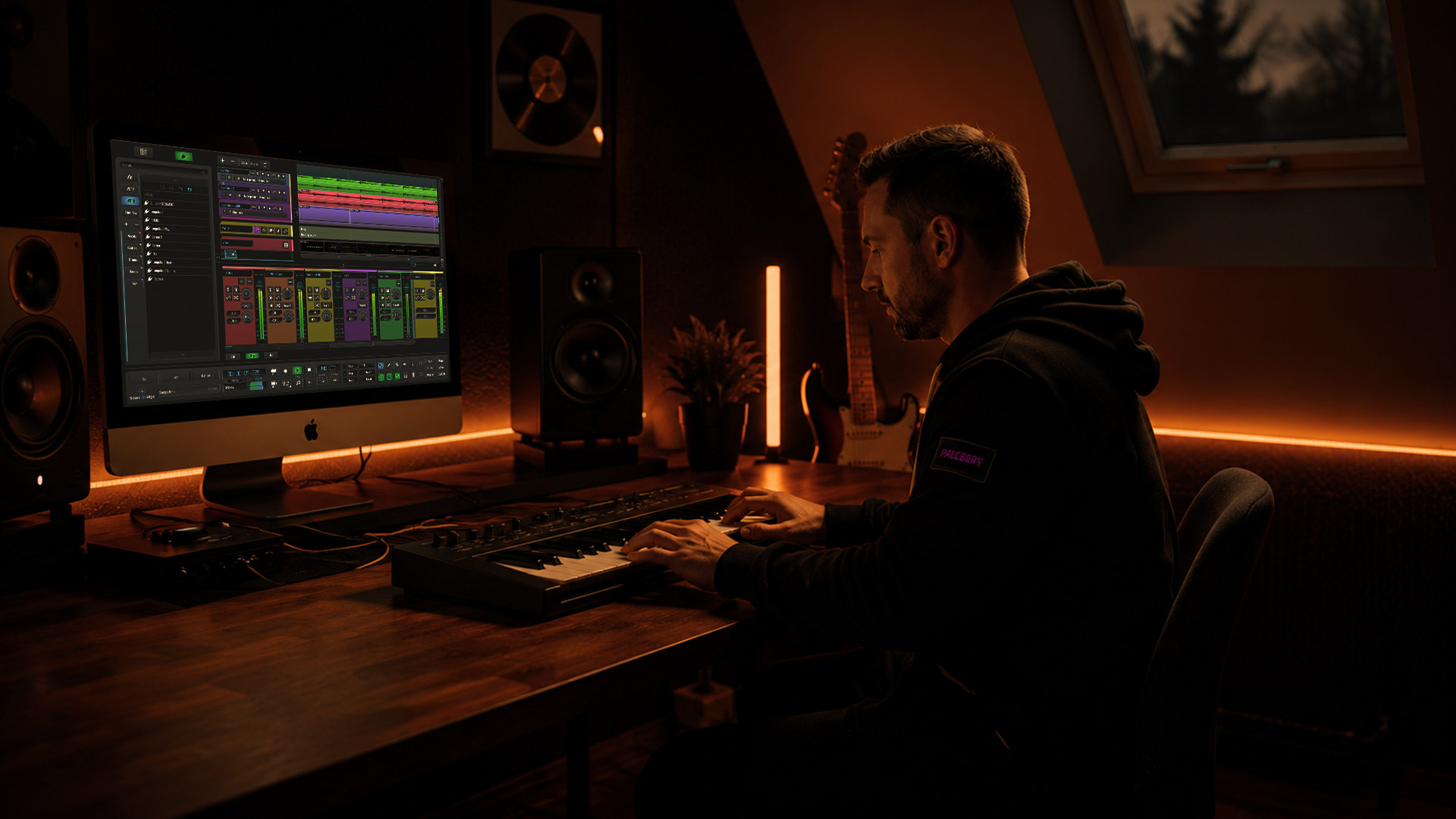
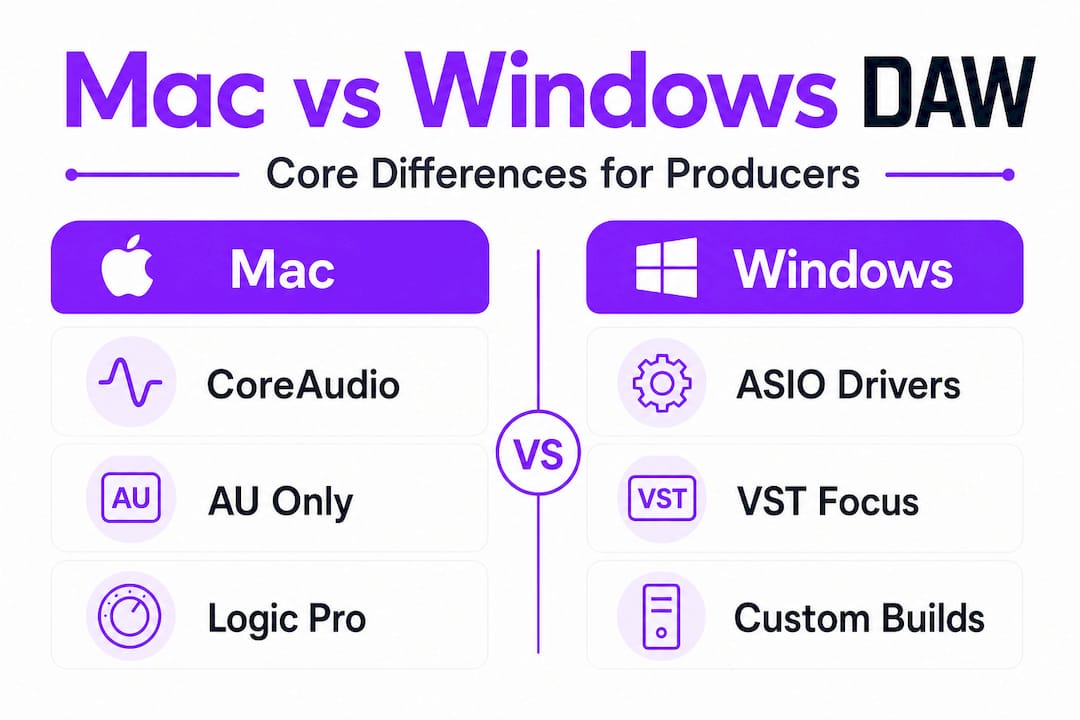
When producers talk about Macs feeling “solid,” they’re not just being sentimental. There’s a technical foundation behind that reputation. CoreAudio, built natively into macOS, handles audio routing at the OS level, with no additional drivers required. You plug in your interface, and it works. Simple as that.
This matters more than you might expect in a real session. Macs provide superior audio stability and low latency via CoreAudio, which is native, plug-and-play, allows multiple apps to share MIDI devices, and requires no extra drivers. That last detail is a genuine workflow advantage: you can run your DAW alongside a video player, a reference-track plugin, or a virtual-instrument standalone app, and they all share the same MIDI and audio devices without fighting for control.
Tight hardware and software integration means fewer surprises. Mac’s hardware-software integration leads to fewer crashes, better reliability for live performances, and a more intuitive workflow, especially with Logic Pro (Mac-exclusive). If you’re touring or performing live, that stability isn’t a luxury. It’s the whole game.
Here’s what the Mac DAW environment gives you out of the box:
- Zero-driver setup for most audio interfaces via CoreAudio
- Multi-app MIDI and audio sharing without routing workarounds
- AU plugin format access, which includes some of the most refined virtual instruments available
- Logic Pro, a fully professional DAW available at a one-time cost, is deeply optimized for Apple Silicon
- A consistent OS update cycle that audio developers target and test thoroughly
Pro Tip: If you rely heavily on audio editing techniques like comping, time-stretching, and pitch correction in your sessions, a Mac running Logic Pro offers one of the most tightly integrated environments available, especially on M-series chips, where efficiency cores handle background tasks without stealing audio headroom.
For producers who want a platform that runs, especially those focused on home studio production and live performance setups, Mac delivers a reliable foundation from the first session.
Why Choose Windows for Your DAW Workflow?
While Mac excels in plug-and-play simplicity, Windows offers other strengths hard to ignore. And for producers who want maximum control, custom builds, and serious processing power at lower cost, Windows is where things get interesting.
The key audio layer on Windows is ASIO (Audio Stream Input/Output). Windows uses ASIO drivers for low-latency audio, which are stable and offer high-quality interfaces (for example, RME achieves 32-sample buffers), but require setup, lock MIDI to a single app, and can cause troubleshooting issues. That setup step is a real difference from CoreAudio, but once configured correctly, Windows with a quality interface performs at the absolute top level. RME interfaces on Windows, for instance, are widely regarded as some of the most stable, lowest-latency audio setups available to any producer.
“Windows gives you the freedom to build exactly the machine your music demands. More RAM, faster storage, custom cooling — the ceiling is yours to set.”
Windows provides better value, upgradability, hardware choice, and lower cost for comparable power, and supports the same cross-platform DAWs excellently. That upgradability is critical for producers who need to scale. When your sessions get heavier, you add RAM. When you need faster sample loading, you swap in a faster SSD. With most Mac configurations, those options don’t exist.
The Windows DAW ecosystem looks like this in practice:
- ASIO drivers deliver professional low-latency performance with the right interface
- Full VST plugin ecosystem, the largest available on any platform
- Hardware freedom: build for your exact budget and performance needs
- Upgradable RAM and storage for scaling your rig over time
- Custom builds allow you to optimize core count, clock speed, and thermal performance for your DAW of choice
- Competitive pricing for equivalent processing power compared to Apple hardware
Your music production workflow on Windows benefits most when you’re running plugin-heavy sessions, working with large orchestral templates, or producing genres that demand track counts in the hundreds. Hip-hop, EDM, and film scoring studios with demanding Vienna Ensemble Pro or Kontakt setups often lean toward Windows for this exact reason.
Pro Tip: On Windows, always install your ASIO driver directly from your audio interface manufacturer’s website, not from a third-party source. This single step eliminates the majority of driver-related troubleshooting issues that give Windows a bad reputation in some audio forums.
Plugin Formats and Software Compatibility: The Deciding Factor?
After hardware and workflow, your software and plugin needs may tip the balance. This is where platform choices have the most practical, day-to-day impact on how you actually work.
The core distinction is straightforward. AU plugins are Mac-only; VSTs work on both, but some Windows plugin support lags. What does that mean for your sessions? If you’ve built your sound around a particular AU instrument or effect that has no VST equivalent, you’re locked into Mac. That’s not a weakness. It’s a feature, if that’s the sound you need.
VST, and now VST3, is the universal format. Nearly every developer releases VST versions of their plugins, and compatibility is strong across both platforms. The gap has narrowed significantly. However, some developers still prioritize their AU builds for optimization, particularly those who design specifically for Logic Pro workflows.
Here’s a direct comparison to clarify your decision:
| Feature | Mac | Windows |
|---|---|---|
| AU plugin support | Yes | No |
| VST / VST3 support | Yes | Yes |
| Logic Pro availability | Yes (exclusive) | No |
| Custom hardware builds | No | Yes |
| Driver setup complexity | Minimal | Moderate |
| Plugin library breadth | Large | Largest |
| Apple Silicon efficiency | Exceptional | Not applicable |
| RAM upgradability | Limited | Full |
DAWbench tests show Windows PCs scaling well in plugin-heavy sessions, while Apple Silicon excels in efficiency and single-core tasks. This means that if you’re running a UAD-heavy mix template, for example, Windows with a high-core AMD processor can load more plugin instances before you hit the wall. Apple Silicon counters with remarkable efficiency, letting you run complex sessions on less power draw, which matters for mobile studios and laptop-based producers.
Key compatibility points to consider before you commit:
- If you use Waves, Fabfilter, iZotope, or Eventide, you’re covered on both platforms
- Native Instruments Komplete runs identically on Mac and Windows
- Some boutique developers release Mac builds first, with Windows following months later
- AAX plugins for Pro Tools work on both platforms equally
For essential audio editing workflows that rely on specific plugin combinations, make a list of your must-have tools and verify compatibility before switching platforms. It sounds obvious, but this step alone saves producers from painful mid-project surprises.
Real-World Daw Performance: Benchmarks, Stability, and Workflow
Understanding the benchmarks and hands-on results helps us make an informed decision. Let’s look at what real-world testing actually shows, because the spec sheet only tells part of the story.
Empirical benchmarks indicate no clear winner; performance depends on DAW, plugins, and workload. For example, the M3 Ultra dominates multicore tasks in Logic Pro, while Windows scales threads efficiently with high-core-count AMD builds. That finding challenges the narrative on both sides. Neither platform has a blanket performance advantage. Context is everything.
Here’s how real-world session production performance breaks down by use case:
-
Logic Pro on Apple Silicon: Exceptional for large Logic sessions. The M-series chips process audio with remarkable efficiency, and Logic is written to take full advantage. Producers running 100-plus track sessions with heavy bus compression and mastering chains report smooth playback that desktop-class Windows rigs struggle to match at the same price point.
-
Windows with a high-core AMD processor: Scales impressively for plugin-heavy work. DAWbench tests confirm that Windows PCs with high-core AMD processors handle parallel plugin processing at the top level, particularly in CPU-hungry sessions involving large reverb tails, multiple convolution processors, or heavy virtual instrument stacks.
-
Live performance stability: Mac wins here in most scenarios. CoreAudio’s consistent driver behavior means fewer unexpected stops during performance. Windows can match this with the right interface and a properly tuned system, but it requires deliberate setup.
-
Cross-platform DAW sessions: Virtually identical performance. If you’re running the same DAW on equivalent hardware, the workflow feels the same on both platforms for most session types.
-
Budget-to-performance scaling: Windows wins decisively. At the $1,500 to $2,000 price point, a custom Windows build will outperform any Mac in that range in raw processing power, which directly translates into more plugins, larger sample libraries, and faster rendering.
The key takeaway: match your DAW, your genre, and your session demands to the platform that aligns with your priorities. A touring DJ who needs zero-failure stability on a MacBook is making a completely rational choice. A film composer running 400-instrument virtual orchestras on a custom Windows tower is also making a completely rational choice.
Why There’s No Universal Answer: The Producer’s Workflow Trumps Platform Hype
Armed with evidence and benchmarks, here’s what producers and engineers really need to hear. The Mac vs. Windows debate is mostly noise unless you anchor it in your actual workflow.
We’ve seen producers switch platforms in pursuit of the “better” option, only to spend weeks rebuilding their plugin collection, reconfiguring templates, and learning new keyboard shortcuts, all for marginal real-world differences. That time cost is real. Don’t underestimate it.
For producers prioritizing stability, minimal setup, and Logic Pro integration, Mac is the preferred choice, especially for live and touring scenarios where reliability isn’t negotiable. If you’re a Logic Pro user, nothing on Windows comes close to replicating that integrated experience. The DAW, the OS, and the hardware are designed together. That cohesion shows in daily use.
Audio engineers who need maximum power-per-dollar, custom builds, upgradability, or specific Windows-optimized DAWs clearly benefit from Windows. If your studio runs primarily on Ableton Live, and you need to max out your polyphonic synth counts while staying under a tight budget, a custom Windows build is the smarter investment.
The uncomfortable truth is this: producers who spend most of their time debating platforms are often avoiding the harder work of developing their craft. Follow the expert production insights that matter most: build fluency in your DAW, develop your ear, and choose the platform that removes friction from your process. That’s the only criterion that deserves your energy.
Switching platforms isn’t trivial. Your AU-only plugins won’t follow you to Windows. Your Logic Pro project templates don’t open in other DAWs. Your muscle memory, keyboard shortcuts, and signal-flow intuition are all platform-dependent. Factor that into your decision with the weight it deserves.
Boost Your Production With Advanced Daw Techniques and Resources
Now that you’re equipped to choose your platform, it’s time to level up your production skills and workflow. Choosing the right OS is only the beginning. What you build on that foundation is what defines your sound.

SoundBridge works natively on both Mac and Windows, offering zero-latency recording, real-time remote collaboration, and high-fidelity audio processing up to 192kHz. Whether you’ve just committed to a Mac setup or you’re running a custom Windows tower, SoundBridge adapts to your workflow without friction. Sharpen your essential audio editing skills, get precise with critical frequency ranges and EQ fundamentals, and explore what zero-latency DAW solutions can do for your sessions. Your platform choice puts the room together. SoundBridge puts the work into motion.
Frequently Asked Questions
Is Mac or Windows better for music production in 2026?
Neither is categorically better. Benchmarks show no clear winner; performance depends on your DAW, plugins, and workload. Mac offers seamless stability and Logic Pro integration, while Windows wins on value, customization, and raw processing power per dollar.
What is the main audio driver difference between Mac and Windows DAWs?
Mac uses CoreAudio, which is plug-and-play with no extra drivers needed and allows multiple apps to share MIDI devices. Windows relies on ASIO drivers for low latency, which perform excellently with high-quality interfaces but require manual setup and can lock MIDI to a single application at a time.
Which plugins work on both Mac and Windows DAWs?
VST and VST3 plugins work across both platforms, while AU plugins are exclusive to Mac. Most major developers release VST versions of their tools, but some boutique plugins or Mac-first releases may not have immediate Windows equivalents.
Does hardware upgradability matter for DAW users?
Absolutely. Windows machines offer full upgradability for RAM, storage, and components, letting you scale your rig as your sessions grow without replacing the entire machine. This makes Windows the stronger long-term investment for budget-conscious producers who want to expand their setup over time.
Can DAW session files be transferred from Mac to Windows?
Most cross-platform DAWs transfer session files cleanly between operating systems. The main complication is AU-only plugins, which won’t open on Windows, meaning any AU-dependent tracks or effects will need to be replaced with VST equivalents before the session is fully functional on the new platform.
Recommended
MASTER MUSIC PRODUCTION
Expert-led courses designed to take you from fundamentals to finished tracks.

HOUSEFrom bouncy bass and solid kicks, this course teaches you the most modern House music production techniques needed to succeed and stand out.

TRAPQuit sounding like generic Trap and produce something World with hints of the Far East. Create ethnic soundscapes to put your Trap ahead of the curve.

AMBIENTProduce relaxing, sophisticated psy-influenced ambient. Psychedelic and relaxing to listen to, create meditative soundscapes to put your listeners in Zen.