

Make Your Drums Sound Warmer
Last Edited: Feb 1, 2024
Many drummers want their drums to provide the rich and resonant sound frequently sought after in high-quality recordings. Effective audio processing techniques can accomplish this. The following tutorial will show you how to make your drums sound warmer.
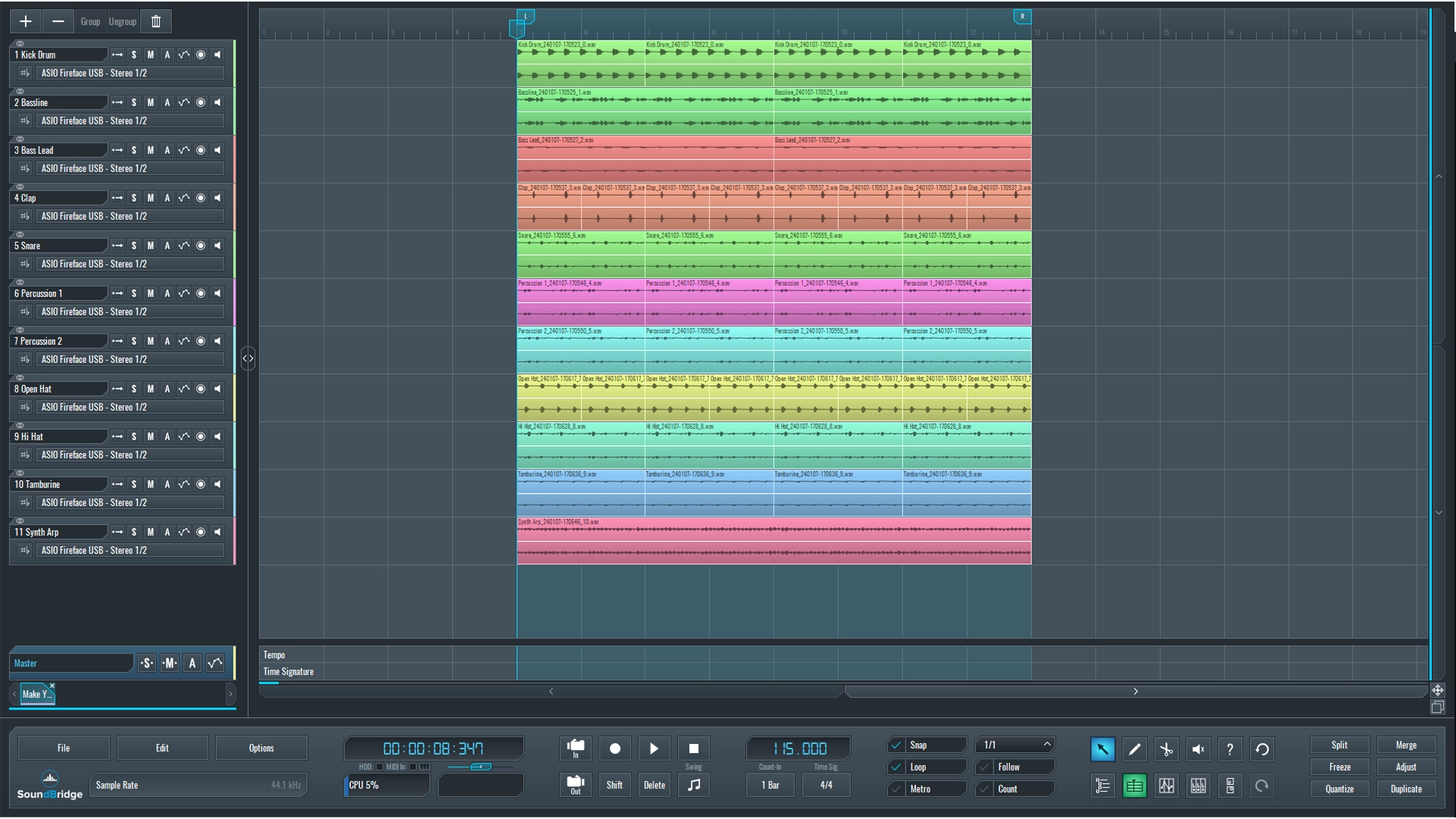
We created this short sequence in our SoundBridge: DAW as an illustration. It contains most of the full mix's elements and drums and percussion section.
~Full Mix - Drums (Unprocessed)
As you may have noticed from the audio example above, the drums, particularly the mid-frequency content, can sound better (warmer, thicker). Let's start by listening to the drum section solo.
~Drums - Solo (Unprocessed)
Use Saturation to Make Your Drums Sound Warmer
One of the most useful audio effects to improve the sound of drums and percussions is definitely saturation. Saturation enhances the thickness and fullness of your drums. It operates by gently reducing the audio signal's amplitude, introducing distortion, and creating pleasing harmonics. We will apply saturation on our drums in a couple of ways.
To isolate all of the drum elements, we will group them. To do so, select all drum channels and then hover over the Group icon at the top of the sequencer window within SoundBridge: DAW and name the newly created group "DRUMS."
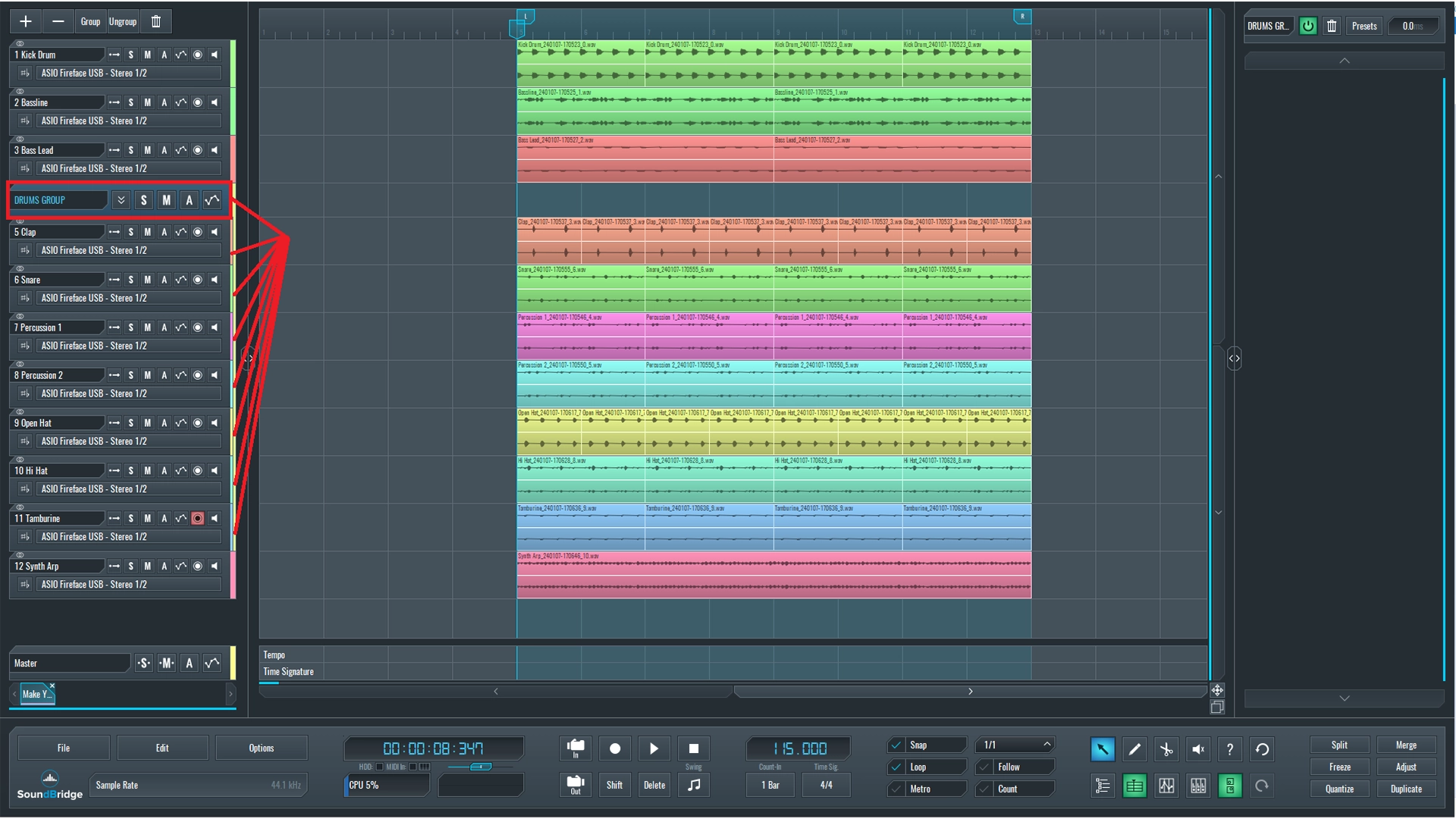
When we select the DRUMS group, we can see the empty effect rack on the right side of the SoundBridge: DAW interface. The first effect will be a saturation effect, in this case, TG12345 by Waves audio. Many other options are on the market, so pick the one that works best for you. The TG12345 is an analog emulation of a hardware unit with a compressor, EQ, and drive, the latter of which is the most important parameter we'll deal with.
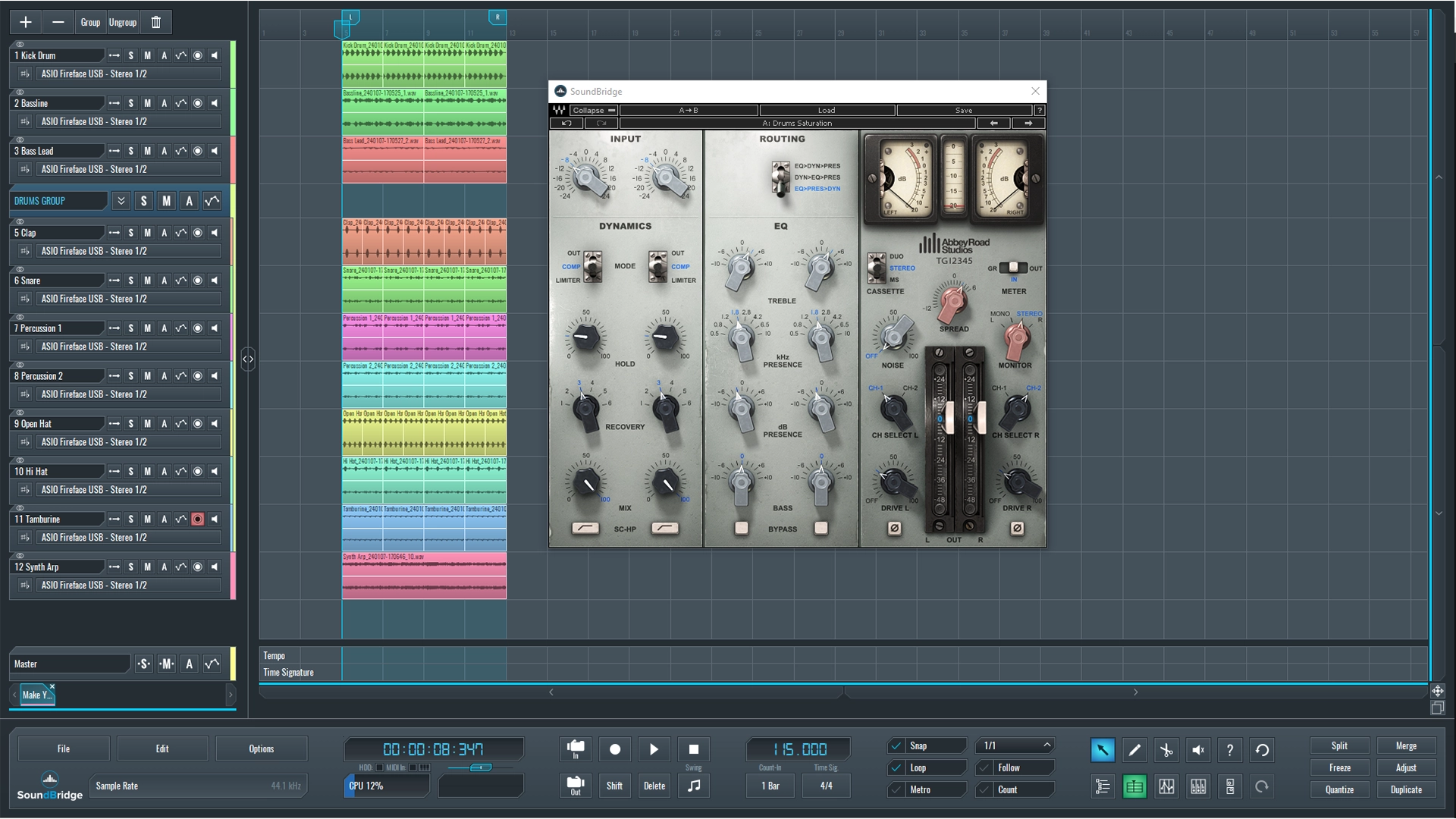
You'll notice that we used some EQ followed by compression. We increased the drive amount on the bottom right of the effects interface to around 30%, which was enough to polish the high frequencies that were too harsh.
~Drums - Solo (Processed With Saturation 1 Effect)
You Can Always Use a Combination of Different Saturation Types.
At this point, we feel that the 1st saturation processing is insufficient, and other types of saturation could be used to improve the sound of our drums. We chose to add another layer of saturation from T-Racks' Saturator X. The key is to choose the desired saturation type and then find the ideal balance between the input and output values, which are displayed by the large knobs on the left side of the interface. This effect offers a variety of saturation modes, including tape, tube, and other types.
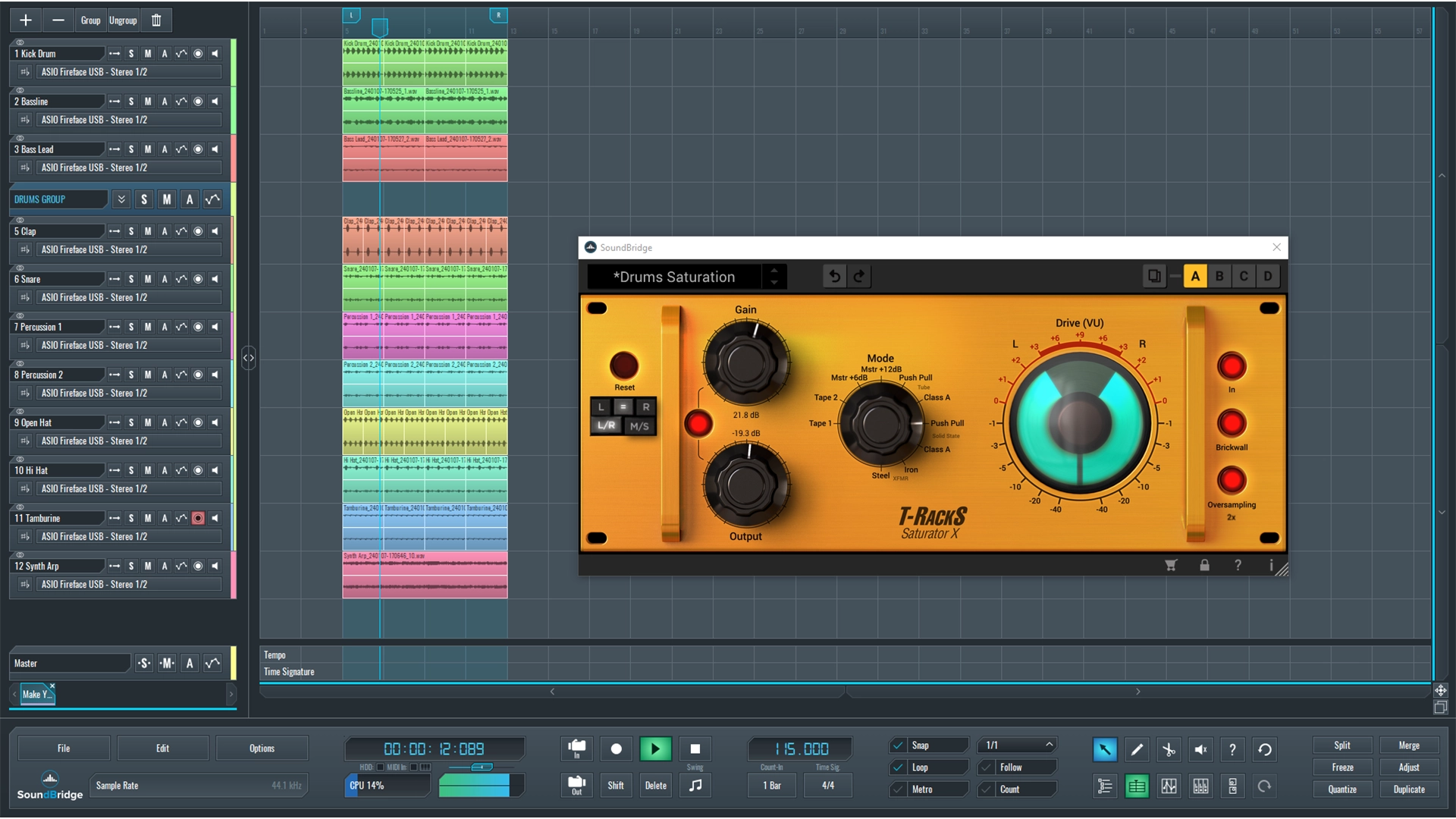
~Drums - Solo (Processed With Saturation 1&2 Effects)
When comparing the unprocessed DRUMS group audio example above with the last one processed with both saturation units, you will notice that we went from a thin-sounding drum section with harsh high frequencies to a warm and balanced sound where mid frequencies came to life, which is exactly what we wanted. Finally, let's listen to the processed drums with the rest of our mix.
~Full Mix - Drums (Processed)
If you liked this article on audio processing, here are some more on the same subject:
MASTER MUSIC PRODUCTION
Expert-led courses designed to take you from fundamentals to finished tracks.

HOUSEFrom bouncy bass and solid kicks, this course teaches you the most modern House music production techniques needed to succeed and stand out.

TRAPQuit sounding like generic Trap and produce something World with hints of the Far East. Create ethnic soundscapes to put your Trap ahead of the curve.

AMBIENTProduce relaxing, sophisticated psy-influenced ambient. Psychedelic and relaxing to listen to, create meditative soundscapes to put your listeners in Zen.