

Version Control in Music Projects: DAW Snapshots and Cloud History
Last Edited: Aug 18, 2026
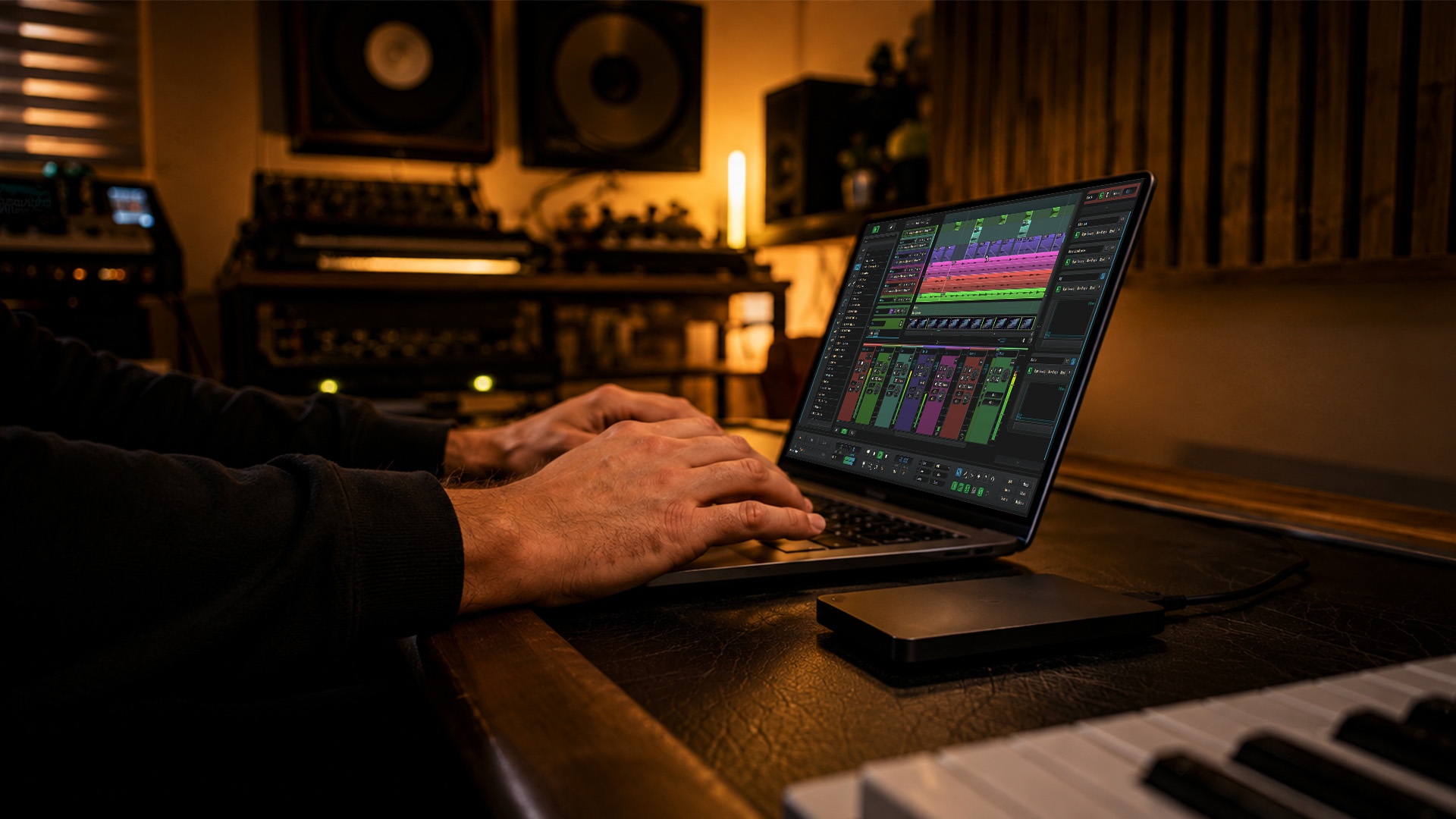
Managing version control in music projects means using DAW-integrated revisions for local iteration, exporting milestone stems and bounces, and maintaining a cloud project history that provides a permanent, shareable audit trail. That three-part system is the verdict. Here is what to do right now:
- Enable revisions or built-in session backups in your DAW
- Create your first milestone labeled with an incremental version number and a short note (tempo, key, stage)
- Upload to cloud project history and tag any collaborators
Those three steps take under ten minutes and protect every creative decision you make from that point forward.
Key Takeaways
DAW-integrated versioning, combining local revisions with cloud project history and named milestones, is the most reliable system for keeping music sessions auditable, collaborative, and recoverable.
| Point | Details |
|---|---|
| Use revisions plus cloud history | Local revisions handle fast iteration; cloud history provides a permanent, shareable audit trail. |
| Consolidate before every share | Run Save to prevent missing audio, the most common collaboration pitfall. |
| Name every milestone clearly | Use incremental labels (v001, v002) and a one-line changelog entry with tempo, key, and plugin versions. |
| Apply the 3-2-1 backup rule | Keep three copies across two media types, with one offsite, for every completed project archive. |
| SoundBridge for the full workflow | SoundBridge provides revisions, cloud project history, rollback, and zero-latency remote collaboration in one DAW. |
What Does DAW-Integrated Versioning Actually Cover?
DAW-integrated versioning captures the full state of a session at a point in time. That includes:
- Arrangement and region layout
- Automation curves and clip gain
- Plugin chains and their parameter states
- Tempo maps, time signatures, and markers
- Track routing and bus assignments
- Consolidated audio assets when saved
What it does not cover: full binary diffs, line-by-line change tracking, or code-style version control. As Audome explains, treating audio versioning like code leads to avoidable errors in most music workflows. The deliverables that belong in your project history are mix bounces, stems, session revision IDs, and changelog entries, not raw Git commits.
Why DAW-Integrated Versioning Beats Manual File Juggling
Manual file juggling, the kind where you save “Song_FINAL_v3_REALLYFINAL.wav,” costs you time and creative momentum. Sonarworks’ workflow research confirms that a disciplined session structure reduces search time, errors, and friction across playback systems and collaborators.
The distinction between autosave and cloud versioning matters more than most producers realize. Autosave is crash recovery. It keeps you from losing the last five minutes of work when your CPU spikes. Cloud versioning is a permanent, collaborative audit trail. You can roll back to the rough mix from three weeks ago, share a specific revision with a mixing engineer, or prove to a client which version they approved. Dedicated audio platforms attach timestamped comments and version metadata to each upload, so teams avoid the manual renaming chaos entirely.
DAW revisions are powerful for solo work but have a ceiling. They are session-internal and can become liabilities when collaborators use different software. Cloud project history is what makes versioning collaborative.
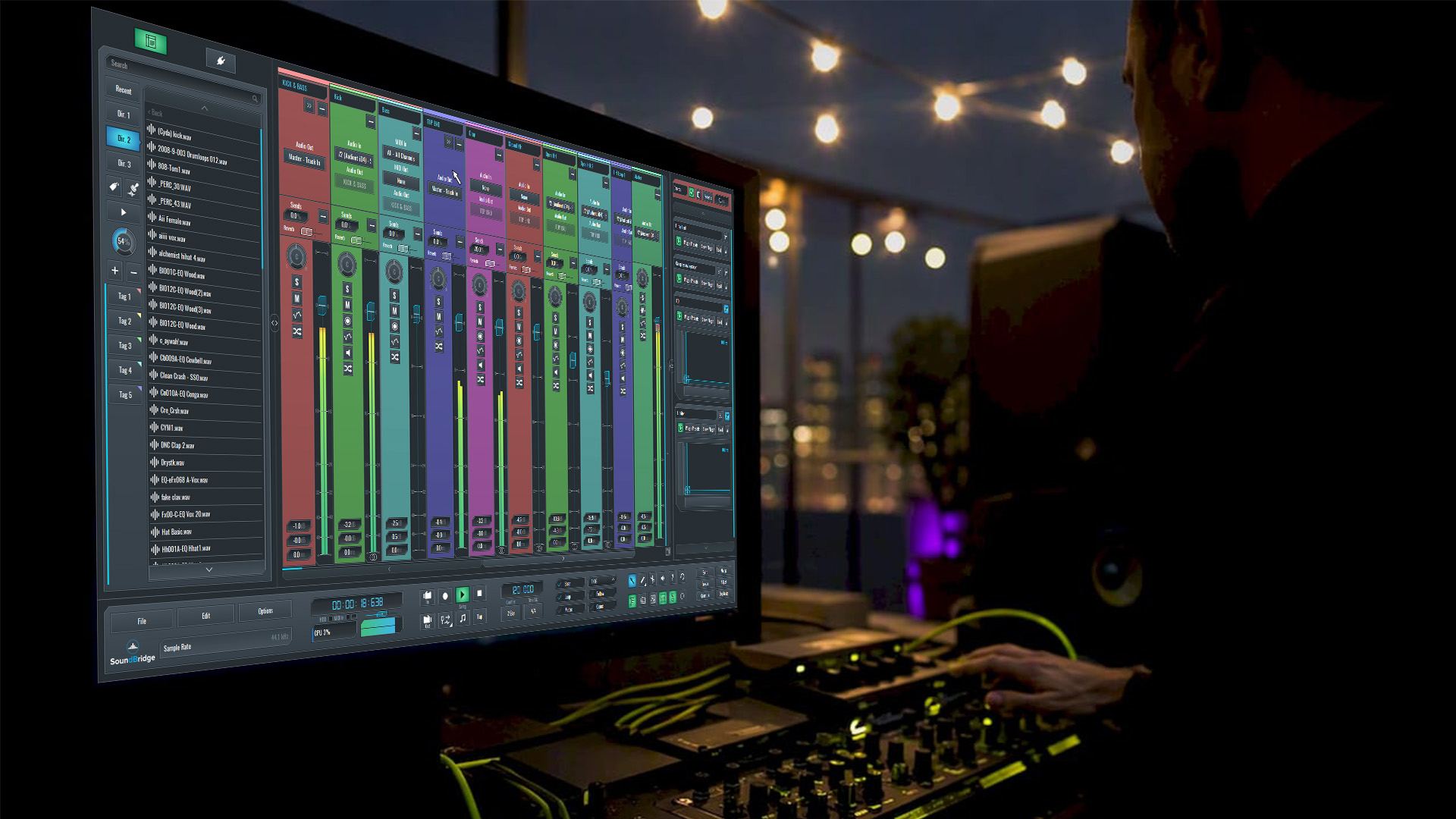
What Features Should You Expect From a DAW's Version Control?
A reliable versioning setup has two tiers: local and collaborative. Here is the must-have checklist:
Local / session-level features:
- Named revisions with timestamps
- Automatic incremental session history (v001, v002…)
- Per-version notes or changelog fields
- Selective asset bundling (include only referenced files)
- Restore and rollback to any prior revision
Collaborative features:
- Shared project root with permission controls
- Version comments tied to specific revisions
- Timestamped feedback attached to audio versions
- Selective sync so large sample libraries do not upload unnecessarily
- Exportable stems and bounces per milestone
Pro Tip: Save plugin preset revisions alongside your session file and include plugin version numbers in your changelog. A session that opens with mismatched plugin versions sounds different, and a version number in the changelog is the fastest way to diagnose that mismatch.
Sonarworks recommends incremental saves and milestone tagging in filenames and changelogs for reproducibility. Pair that habit with per-version notes, and you have an auditable history any collaborator can follow.
Practical Workflows for Solo Producers and Collaborative Teams
Solo Workflow (Fast Iterative)
- Open your session and work normally
- At each creative decision point, save a named revision:
ProjectName_v003_roughmix - Run Save to bundle referenced assets
- Export a reference MP3 and labeled stems for the milestone
- Update your changelog:
v003 | rough mix | 128 BPM | A minor | added lead synth - Upload the bundle to cloud project history
Collaborative Workflow (Shared Root + Milestone Cadence)
- Agree on a single shared project root folder before session one
- One producer owns the “merge” role per milestone; others submit feedback only
- At each milestone (tracking, rough mix, final mix), the merge owner runs Save, exports stems, and uploads with a version tag
- Collaborators attach timestamped comments to the uploaded version, not to email threads
- The merge owner reviews feedback, applies changes, and increments to the next version
For remote music collaboration across time zones, establish a single source-of-truth rule: only one person pushes a new version at a time. Use a simple shared doc or project README to log who holds the “active edit” token. That prevents two producers from working on divergent v004s simultaneously.
A changelog entry looks like this: v004 | 2026-03-14 | final mix | approved by client | 44.1kHz/24-bit | Plugins: Fab-Filter Pro-Q 3 v3.22, Valhalla Room v1.5
Pro Tip: Attach a low-res MP3 reference to every milestone upload. Non-DAW reviewers (artists, A&R, directors) can listen without opening the session.
How Do You Resolve Conflicts and Missing Assets?
Prevention beats resolution every time. The single fastest fix is to consolidate before sharing. Missing audio is the most common collaboration pitfall, almost always caused by relative file paths pointing outside the session folder.
Prevention Checklist:
- Run Save before you ever share
- Include plugin preset files in the session bundle
- Add a plugin version list to the session README
- Consolidate all takes to the session folder before zipping
- Export a reference MP3 so reviewers can verify the correct version without the DAW
When a conflict does occur:
- Compare the version changelog to identify the last clean shared state
- Open the prior revision and the conflicting version side by side
- Restore missing audio by checking file paths against the session manifest
- Re-link audio from the
session_versionsfolder if files moved
Pro Tip: Keep a small CSV or JSON manifest with file checksums and plugin version numbers for every milestone. One text file saves hours of forensic work when a session breaks.
Storage, Bandwidth, and Performance Planning
Use a tiered approach: local SSD for active sessions, a local NAS or external drive for backups, and cloud project history for milestone archives and collaboration. That structure keeps your DAW fast while protecting every deliverable. Cloud-based DAW workflows work best when you treat cloud sync as a deliberate milestone action, not a continuous background process.
Practical storage tactics:
- Exclude raw multi-track recordings from everyday cloud sync; upload only consolidated milestone bundles
- Store lossless masters (WAV/AIFF) in cloud history; use compressed MP3 previews for quick client review
- Apply lifecycle or archiving rules to move old milestones to cold storage after project delivery
- At 192kHz/32-bit float, a single stereo stem can exceed 100 MB per minute; budget accordingly before inviting five collaborators to download
The cost drivers for cloud project history are retention period, high-resolution master storage, and collaborator download volume. Keep raw session backups local and push only milestone bundles to the cloud to control costs without sacrificing history depth.
Best Practices for Archiving and Delivering Versioned Projects
When a project wraps, create a milestone archive: zip the session folder with stems, the changelog, and the session README. That single archive is reproducible and deliverable.
Client deliverable checklist:
- Final mix(es) labeled with version number and approval status
- Stems for the approved mix, organized by stem type (drums, bass, synths, vocals)
- Session README with tempo, key, plugin list, and export settings
- Optional low-res MP3 preview for client records
Archiving rules:
- Apply the 3-2-1 backup rule: three copies, two different media types, one offsite
- Store at least one long-term offsite copy (cloud archive or physical drive at a separate location)
- Document export settings used for the delivered version in the changelog so the mix can be reproduced exactly
The Workflow That Actually Protects Your Sessions
Most producers treat versioning as a chore they will set up “later.” Later usually arrives when a client asks for the version from three weeks ago and you are staring at a folder of files named _FINAL2_USE_THIS_v2b. The consolidate-before-sharing rule alone has saved more sessions than any other single habit. Pair it with named milestones and a one-line changelog entry, and you have a system that works whether you are solo or running a five-person remote team. Creative friction drops because you stop second-guessing which file is the current one. You open the changelog, find the version, and get back to making music.
SoundBridge Gives You Version Control and Live Collaboration in One Place
SoundBridge maps directly to every item on the checklist above: version control and real-time remote collaboration at studio-accurate quality. You do not need a separate file-sharing tool or a manual rename system.

Features that match the workflow you just read:
- Zero-latency remote tracking up to 192kHz
- Integrated talkback and video for live session feedback
- Project sharing permissions (view, comment, edit)
- Version control and save for clean milestone bundles
Ready to put this into practice? Explore SoundBridge’s remote collaboration features and enable your first revision workflow today. New to the platform? The SoundBridge DAW overview walks you through every capability from the ground up.
Sources
- DAW Session Organization: Pro Workflow & Asset Management - Sonarworks Blog
- How to Track Song Versions Without Losing Your Mind | Songkeeper
- Audio version control: tools, pitfalls, and best practices – Audome
Recommended
MASTER MUSIC PRODUCTION
Expert-led courses designed to take you from fundamentals to finished tracks.

HOUSEFrom bouncy bass and solid kicks, this course teaches you the most modern House music production techniques needed to succeed and stand out.
TRAPQuit sounding like generic Trap and produce something World with hints of the Far East. Create ethnic soundscapes to put your Trap ahead of the curve.

AMBIENTProduce relaxing, sophisticated psy-influenced ambient. Psychedelic and relaxing to listen to, create meditative soundscapes to put your listeners in Zen.