

192kHz Sessions: When Stock Plugins Beat Third Party for Producers
Last Edited: Oct 13, 2026
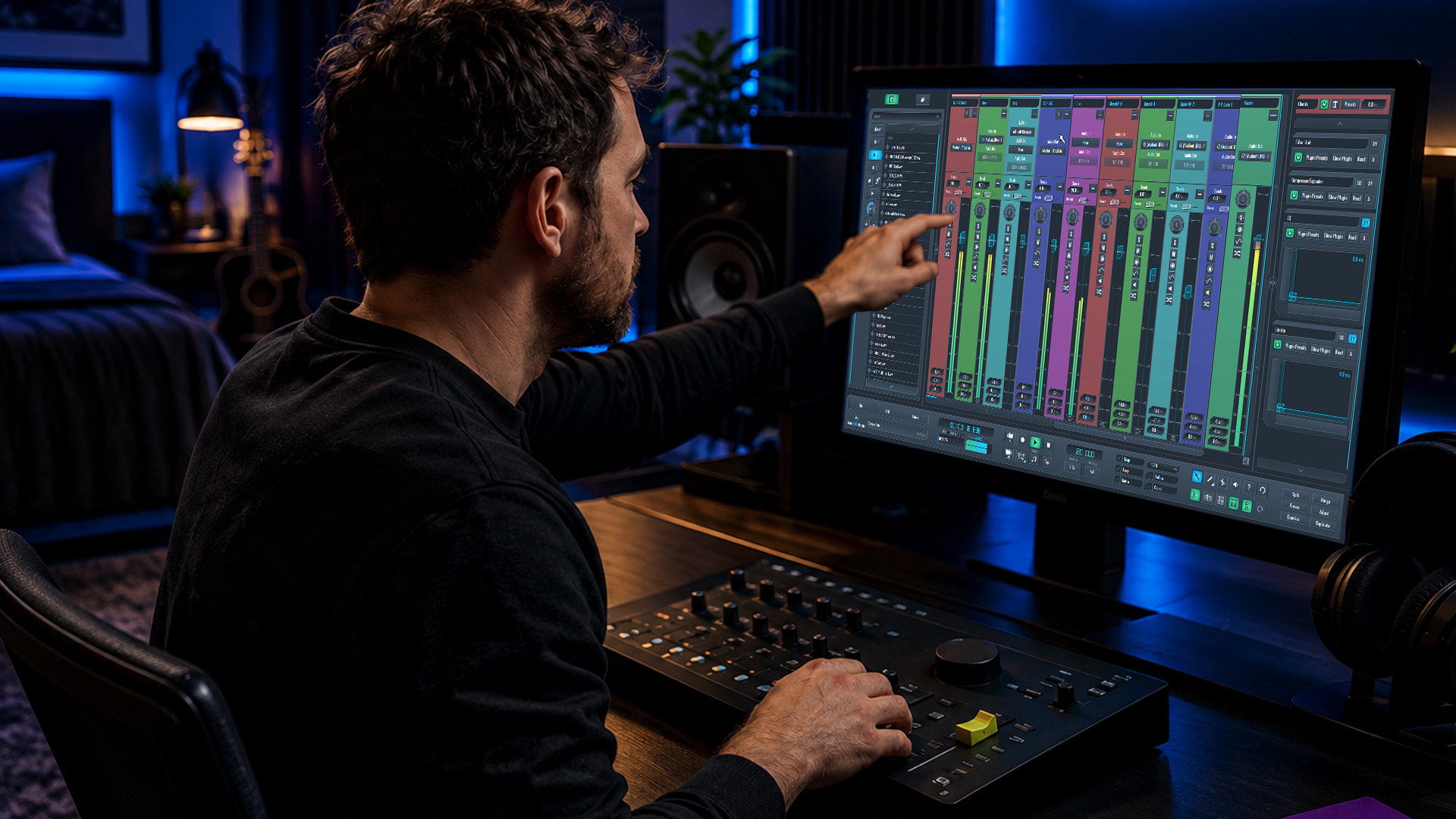
Use stock plugins for tracking, low-CPU sessions, and quick drafts where speed and stability matter more than character. Reach for third-party plugins when you need a specific sonic signature: a saturation algorithm, a reverb tail, or a mastering tool that stock bundles can’t replicate. The trade-off is simple: stock wins on cost and reliability, third-party wins on sound and specialized features. Keep reading for a scenario-by-scenario breakdown you can apply to your next session.
TL;DR:
- Stock plugins are ideal for tracking, basic mixing, and sketching ideas due to their stability, low latency, and CPU efficiency.
- Third-party plugins excel in sound design, reverb nuance, saturation, and mastering, providing specialized sonic character that stock tools often lack.
- Compatibility, preset ecosystems, and active support are key factors influencing the long-term reliability of third-party plugins.
- Testing third-party plugins through blind A/B comparisons, monitoring CPU impact, and waiting for sales can prevent costly, unnecessary purchases.
- Building sessions with stock tools first and adding third-party plugins only for specific needs ensures efficiency, stability, and safe collaboration.
Ta
At-a-glance guide: when to use stock plugins and when to buy third-party
Every producer hits this fork eventually: stick with what came in the box or spend on something new. Here’s the fast version before you dig into the details.
- Tracking vocals or instruments: stock plugins, because low latency and CPU headroom matter more than tone shaping at this stage.
- Mix bus glue: stock compressors and EQs handle transparent corrective work fine for most genres.
- Mastering: third-party limiters and multiband tools often add the loudness control and harmonic polish stock chains lack.
- Sound design: third-party synths and modulation effects open up textures stock instruments were never built to create.
- Sketching ideas fast: stock plugins, since you want speed and recallability, not tone hunting.
The pattern holds across genres: stock plugins get you through the functional stages of a project, and third-party tools earn their price tag when a specific sound is the whole point. If you’re building bouncy bass lines or layering ethnic soundscapes, you’ll likely need at least one specialized instrument or effect that your DAW doesn’t ship with.
Technical Differences That Affect Your Sound and Workflow
Most stock and third-party EQs and compressors share the same underlying math. A high-pass filter behaves the same whether it ships with your DAW or costs $199. What changes is everything built on top of that math: modeling choices, coloration, saturation curves, and modulation engines that give a plugin its personality.
Third-party developers often spend years refining how a single reverb tail decays or how a saturation stage adds harmonics, and that specialization is where the sonic difference actually lives. A convolution reverb modeled on a specific hall, or a tape saturation plugin tuned to emulate a particular machine, carries character that a general-purpose stock reverb rarely matches.
Latency and CPU load matter more during tracking than mixing. When you’re recording a vocalist or a guitarist through a plugin chain, even a few milliseconds of round-trip delay throws off their timing and feel. Stock plugins are optimized by the DAW’s own developers specifically for that host, which typically makes them lighter and more stable under pressure. Third-party plugins, especially ones with heavy oversampling or complex modeling, can tax your CPU harder and introduce more latency, which is why many engineers reserve them for mixing and mastering rather than live tracking.
Compatibility and preset ecosystems add another layer. Third-party plugins often ship with large factory preset banks and active user communities sharing settings, which shortens the learning curve. Stock plugins integrate seamlessly since they’re built for the host, but their preset libraries tend to be smaller. Think of it the way charting libraries extend a core platform with specialized add-ons: the base product handles the fundamentals, and third-party extensions add the specialized layer most users eventually want.

Plugin Categories Where Third-Party Typically Adds the Most Value
Not every category benefits equally from a third-party purchase. Some are worth the investment far more often than others.
- Reverb: convolution and algorithmic reverbs from specialized developers offer longer, more nuanced tails and modulation options that most stock reverbs simplify away.
- Saturation and analog modeling: dedicated saturation plugins give you granular control over harmonic content, letting you dial in warmth without the guesswork of a generic stock drive knob.
- Specialty synths and instruments: when you need a specific ethnic soundscape, a psy-influenced ambient texture, or a highly detailed acoustic instrument, stock virtual instruments usually fall short of that level of realism or sound design depth.
- Mastering limiters and multiband processors: the transparency versus character trade-off is sharpest here, since a stock limiter might clamp peaks cleanly but a third-party mastering chain can add loudness and glue that stock tools struggle to deliver.
Reverb and saturation top the list because they’re the categories where subtle differences in algorithm design translate directly into audible character. A modular add-on approach, similar to how modular chart add-ons extend a base library with specialized analysis tools, is a useful way to think about it: you’re not replacing your whole toolkit, you’re filling specific gaps where the stock version reaches its ceiling.
When Stock Plugins Are Enough: Save Money and Stay Fast
Plenty of professional work never needs a third-party plugin at all. Recording and latency-sensitive tracking sessions are the clearest case: stock plugins are tuned for your specific DAW, so they impose less delay and use CPU more efficiently when you’re monitoring through effects in real time.
Fast deadlines favor stock tools too. When a client needs a mix back in a few hours, recallability and stability outweigh the marginal tone improvement a boutique plugin might offer. A session built entirely on stock plugins opens reliably on any machine running the same DAW, with no missing third-party components to track down.
Basic corrective mixing tasks, like taming a harsh frequency or evening out dynamics, rarely need more than what’s built in. Transparency and familiarity beat novelty here: you already know how your stock EQ responds, and that familiarity speeds up decision-making. Producers working on laptops or lower-powered rigs also benefit, since loading several CPU-hungry third-party plugins can eat headroom that a session needs for tracks and virtual instruments. For a deeper look at building efficient sessions around built-in tools, see this mixing workflow guide.
How to Choose: An Audition and Purchase Checklist
Buying a plugin should feel like solving a specific problem, not chasing a demo video. Here’s a process that keeps you honest.
- Define the gap first. Name exactly what your stock tools can’t do: is it a missing harmonic character, a thin-sounding reverb tail, or a synth that can’t create the texture you’re after?
- Run a blind A/B test. Match input gain between your stock plugin and the third-party candidate, use identical settings where possible, and toggle between them without looking at which one is active.
- Check CPU and latency impact. Load the plugin in a real session and watch your CPU meter, since a plugin that sounds great but chokes your rig isn’t a good trade.
- Evaluate the preset library. A strong factory bank or active user community can turn a mediocre plugin into a fast, usable tool.
- Confirm support and update history. Look for a changelog, an active support page, and a trial or demo version before you commit any money.
- Wait for the right price. Sales, bundles, and multi-plugin deals are common, so unless you need it today, timing your purchase saves real money.
Pro Tip: Buy plugins that replace multiple weak links in your chain at once, not single-purpose tools you’ll use twice a year.
Vendor support matters more than most beginners realize. A plugin backed by active development and clear documentation, the way official integrations support long-term reliability in other software ecosystems, tends to hold its value and stay compatible with new DAW versions far longer than one from a developer who’s gone quiet.
Workflow Tips: Integrate Stock and Third-Party for Speed and Reliability
Mixing stock and third-party plugins in the same session works fine as long as you build habits that protect your sessions from breaking later.
- Build templates with frozen chains. Set up your go-to stock chains as templates so third-party plugins only get added where they earn their CPU cost.
- Name presets consistently. A clear naming convention for saved presets prevents confusion when you revisit a session months later.
- Freeze or render CPU-heavy tracks. Committing a third-party synth or effect to audio once you’re happy with it frees up processing power for the rest of the mix.
- Keep a safe-bypass habit. Bypass rather than delete plugins you’re unsure about, so you can always recall the original decision.
Pro Tip: Version your session files before adding a new third-party plugin, so a compatibility issue never costs you a finished mix.
These habits matter most in collaborative work, where someone else might open your session without the same plugins installed. A session built mostly on stock tools travels safely between collaborators, while heavy third-party dependence increases the chance of a missing plugin breaking playback entirely.
Publisher Perspective: How DAW Features Affect Plugin Choice and Collaboration
A DAW’s own architecture shapes how safely you can experiment with third-party tools. SoundBridge’s zero-latency remote tracking and high-fidelity processing up to 192kHz reduce the latency concerns that normally push engineers toward stock-only tracking sessions, even when collaborators are recording remotely.
Stable plugin hosting and bi-directional control also change the risk calculation. When a DAW manages plugin state reliably across a remote session, testing a new third-party reverb or synth during a high-stakes collaborative take becomes less of a gamble. Practically, that means auditioning a plugin candidate inside a real collaborative session, not just in isolation, gives you a truer read on whether it holds up under actual working conditions before you spend money on it.
Examples of Popular Stock Plugins by Major DAWs
Every major DAW ships with a capable core set of tools, and most professional mixes still lean on them heavily. Ableton Live includes EQ Eight, Compressor, Glue Compressor, and Reverb, all of which handle everyday mixing tasks without ever opening a third-party plugin. Logic Pro’s stock lineup covers Channel EQ, Compressor, Space Designer for convolution reverb, and a deep collection of synths like Alchemy and Sculpture.
Pro Tools bundles the classic Avid EQ III, Dyn 3 compressor, and D-Verb, tools that have shaped countless commercial releases despite being fully stock. Studio One offers Pro EQ2, Compressor, and Room Reverb, all tightly integrated with the host’s workflow. Cubase includes Frequency, Compressor, and REVerence, its own convolution reverb engine.
The common thread across all of these bundles is integration: stock plugins are built by the same team that built the DAW, so they’re optimized for that specific engine’s audio pipeline. That’s part of why they tend to run lighter and behave more predictably than third-party alternatives, even when the third-party tool offers a more distinctive sound.
Examples of Widely Used Third-Party Plugins
Certain third-party plugins have become close to industry standards because they solve a specific problem better than most stock alternatives. FabFilter’s Pro-Q and Pro-C are common upgrades for producers who want more visual feedback and surgical precision than stock EQs and compressors typically offer. Valhalla DSP’s reverb plugins, including VallhallaRoom and ValhallaVintageVerb, are frequently reached for when a stock reverb’s tail feels too generic.
For saturation and analog modeling, plugins from developers like Soundtoys and Waves are common choices when a mix needs specific harmonic coloration that stock drive or saturation tools don’t capture. Serum, a wavetable synth, shows up constantly in electronic music production because its modulation depth goes well beyond what most stock synths attempt. On the mastering side, iZotope’s Ozone suite is a frequent choice for multiband processing and loudness control when a stock limiter’s transparency isn’t enough on its own.
None of these tools replace a full stock arsenal, they fill specific, well-defined gaps. That’s the pattern worth remembering: the plugins that become genuinely popular tend to solve one problem exceptionally well rather than trying to do everything.
Security and Trustworthiness Considerations for Third-Party Plugins
Downloading plugins from outside your DAW’s official ecosystem introduces risks that stock tools simply don’t carry. Always download third-party plugins directly from the developer’s official site or an authorized reseller, never from a forum link or a file-sharing service, since counterfeit installers are a known vector for malware in the plugin space.
Check for code-signing certificates on Mac and Windows installers, since an unsigned installer is a warning sign worth taking seriously. Reputable developers also publish clear licensing and activation systems, whether that’s a challenge-response license, an iLok dongle, or a simple serial key, and any plugin that asks for unusual system permissions during installation deserves a second look before you proceed.
Trustworthiness also shows up in smaller ways: an active support forum, a visible changelog, and consistent compatibility updates for new operating systems all signal a developer who stands behind the product. A plugin that hasn’t been updated in years, especially one running as a 32-bit process on a modern system, is more likely to cause crashes or compatibility conflicts down the line. When in doubt, a demo or trial version lets you test stability in your own sessions before installation on a machine you depend on for paid work.

Update Frequency and Support Differences
Stock plugins update on the same schedule as the DAW itself, which means you’re rarely dealing with the plugin in isolation. When your DAW ships a new version, its stock plugins get tested and patched as part of that same release cycle, giving you a predictable maintenance rhythm and a single point of support if something breaks.
Third-party plugins operate on their own independent timelines, which cuts both ways. A developer with an actively maintained product might push compatibility updates faster than the DAW vendor does, particularly for new operating system releases or Apple Silicon transitions. But a smaller developer, or one that’s since been acquired or shut down, may leave a plugin without updates for years, eventually causing crashes as host DAWs evolve around it.
Support quality varies more widely with third-party tools too. Some developers offer responsive direct support and active user forums, while others rely entirely on documentation with no direct contact option. Before buying, check the developer’s support page and look at how recently the plugin was updated. That single data point tells you more about long-term reliability than almost anything else you’ll find in a spec sheet, and it directly affects how confidently you can build the plugin into a session you plan to revisit years later.
Author Perspective: Common Mistakes and Pro Habits
The most common mistake I see is treating plugin count as a proxy for mix quality. A crowded chain of ten plugins rarely beats a well-gain-staged chain of three, and the fastest way to level up is mastering a smaller palette before adding anything new.
Reserve third-party purchases for clear gaps: a specific character you can’t get otherwise, an instrument that needs more realism, or a mastering chain that needs more transparency than your stock limiter delivers. Before buying on impulse, ask yourself: can I name the exact problem this solves? Have I tried solving it with what I already own? Am I buying because of a demo video or because of an actual need in a current project? If the honest answer to any of those is “I’m not sure,” wait.
— Wake
Getting the Most Out of Both Plugin Types With SoundBridge
Building a session around stock tools first, then adding third-party plugins only where they solve a clear problem, gets easier when your DAW doesn’t fight you on latency or stability. A DAW with zero-latency remote tracking and bi-directional plugin control means you can test a third-party candidate in a real collaborative session, with a bandmate or client on the line, before deciding it earns a permanent spot in your chain. High-fidelity processing up to 192kHz also means your stock tools hold up on demanding sessions, so you’re not forced into a third-party purchase just to get clean, professional results.
Whether you’re tracking vocals with a collaborator across the country or mastering a final mix, SoundBridge’s Free Version, Premium Version, and Lifetime License options at Soundbridge give you a stable foundation to build your plugin decisions on. If you need enhanced collaboration features, STUN/TURN access may be available for a monthly fee. Start with the Free Version and see how far a well-built stock chain takes you before you spend a dollar on anything else.
Sources
For deeper context on DAW-hosted tools and platform choice, see essential DAW features, Mac versus Windows stability, and core editing techniques that reduce reliance on extra tools.
FAQ
Are Ableton stock plugins good enough?
Ableton Live’s stock plugins, including EQ Eight, Compressor, and Reverb, handle most everyday mixing tasks professionally and are widely used in finished commercial tracks. They tend to fall short only in specialized categories like character saturation, complex modulation synths, or highly detailed convolution reverb tails.
What does “third-party plugins” mean?
Third-party plugins are audio processing tools created by independent developers rather than the company that built your DAW. They often offer specialized algorithms, unique sonic coloration, and interface features that stock plugin bundles don’t include.
What do stock plugins mean?
Stock plugins are the audio processing tools that come bundled directly with your DAW at no extra cost. They’re built specifically for that host, which generally makes them lighter on CPU and more stable, though often less specialized in sound than dedicated third-party alternatives.
Who makes the best plug-ins?
There’s no single best developer, since the right plugin depends on the specific gap you’re trying to fill, whether that’s reverb character, saturation, or synthesis depth. Widely used third-party developers include FabFilter, Valhalla DSP, Soundtoys, and iZotope, each known for excelling in a particular category rather than everything at once.
Recommended
MASTER MUSIC PRODUCTION
Expert-led courses designed to take you from fundamentals to finished tracks.

HOUSEFrom bouncy bass and solid kicks, this course teaches you the most modern House music production techniques needed to succeed and stand out.

TRAPQuit sounding like generic Trap and produce something World with hints of the Far East. Create ethnic soundscapes to put your Trap ahead of the curve.

AMBIENTProduce relaxing, sophisticated psy-influenced ambient. Psychedelic and relaxing to listen to, create meditative soundscapes to put your listeners in Zen.