

Top 6 DAW options in 2026
Last Edited: May 18, 2026
Finding the right platform can make a huge difference when you want to learn and grow. New options appear every year, and each one claims to offer something unique. Some focus on ease of use, while others spotlight in-depth features. With so many choices out there, it can be hard to know which one will really fit your needs. If you are looking for a change or curious about what else is available, you might be surprised by what you discover next.
SoundBridge
At a Glance
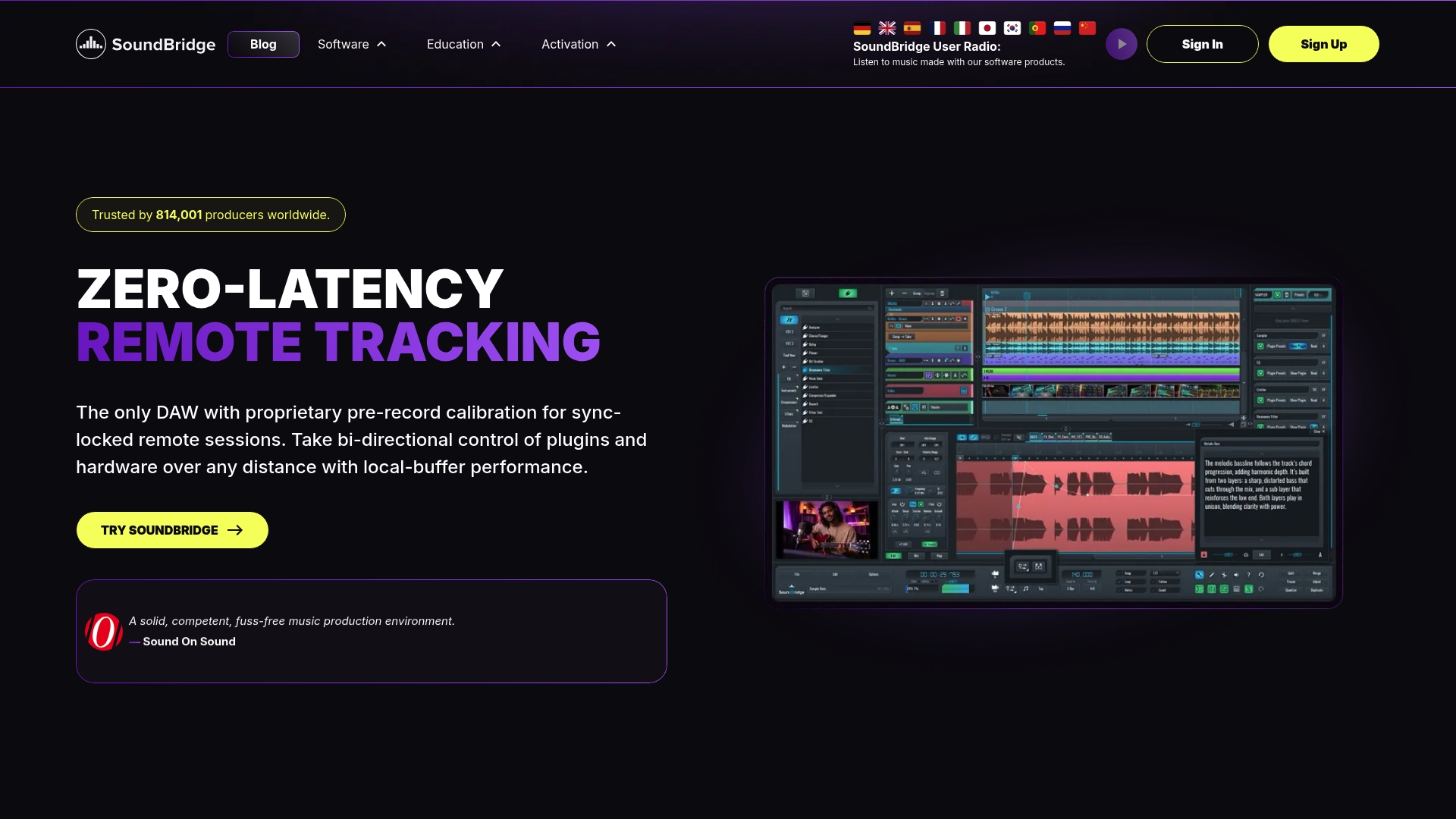
SoundBridge is a professional, intuitive DAW built for music production, audio editing, and collaboration. It combines high-fidelity audio processing with user-friendly workflows, so you spend more time creating and less time wrestling with settings.
Core Features
SoundBridge delivers zero-latency remote tracking, proprietary calibration, and a 192 kHz high-fidelity audio engine for transparent processing and mastering-grade results. It supports full VST plugin compatibility plus native sampler and MIDI sequencing for complete production workflows.
The platform includes an industry-standard video engine for frame-locked SFX, comprehensive mixing and editing tools, and real-time, studio-accurate remote sessions with video and talkback features. The GUI is customizable with designer presets and detachable widgets for focus-driven layouts.
Pros
-
High-quality audio processing: The 192kHz engine and built-in effects produce clean, professional results suitable for release and post work.
-
Leading collaboration tools: Zero-latency remote tracking and studio-accurate remote sessions with video and talkback let musicians work together as if they were in the same control room.
-
Intuitive, customizable interface: The GUI and detachable widgets let you build workflows that match your studio habits and speed up routine tasks.
-
Extensive plugin and MIDI support: Full VST compatibility, native sampler support, and advanced MIDI routing accommodate hybrid hardware and software setups.
-
Robust session management: Auto backups, version history, and nested grouping keep projects safe and organized during complex collaborations.
Who It’s For
SoundBridge fits musicians, producers, audio engineers, film scorers, and content creators who need a versatile DAW with advanced collaboration features. It works for users who value studio-grade audio plus easy remote sessions without sacrificing creative tools.
Unique Value Proposition
SoundBridge stands out by fusing studio-accurate remote collaboration with a production-ready audio engine and video sync. That combination makes it uniquely suited for bands tracking across cities, composers scoring locked picture, and producers managing remote sessions with tight timing requirements.
The platform balances depth and approachability. Advanced routing, tagging, and flexible control options satisfy engineers, while an intuitive layout and presets lower the learning curve for producers and filmmakers. Competitors offer pieces of this puzzle. SoundBridge assembles them into one cohesive environment.
Real World Use Case
A band records drums in one city and vocals in another while the producer mixes in a third location. Everyone connects in a studio-accurate session, uses video and talkback to align takes, and relies on auto-backups and version history to preserve alternate mixes and stems.
Pricing
SoundBridge offers a free version with limited features, as well as a premium tier available via subscription or a lifetime license. The free tier is practical for lightweight projects, while the paid options unlock full track counts and premium collaboration tools.
Website: https://soundbridge.io
Reaper
At a Glance
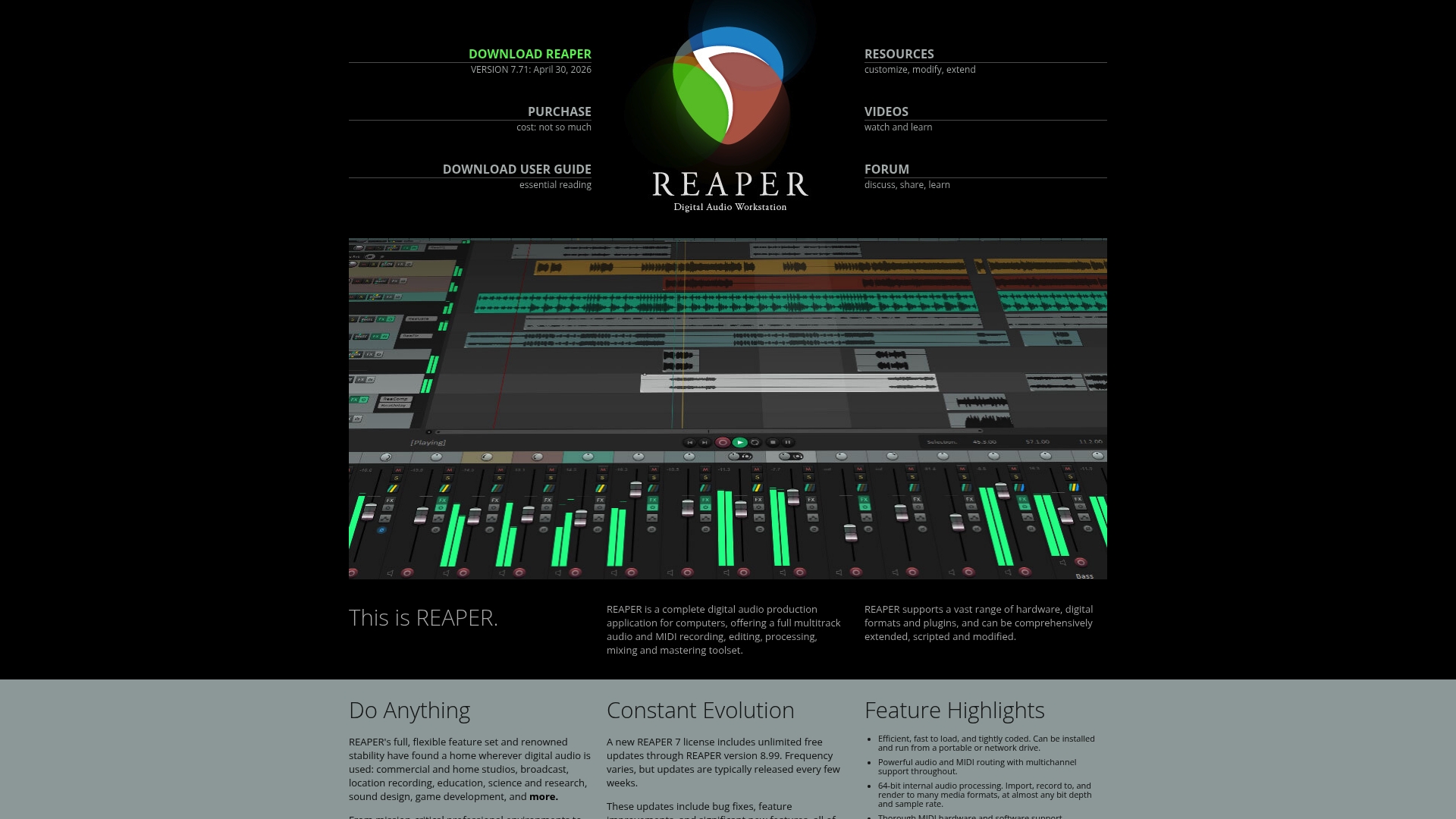
Reaper is a complete digital audio workstation built for deep control and high performance. It offers multitrack audio and MIDI recording plus editing, mixing, and mastering in a compact, efficient package.
Reaper rewards time invested with unmatched customization and scripting options, making it ideal for producers who want to shape their own workflow.
Core Features
Reaper delivers a full set of tools for recording, editing, processing, mixing, and mastering across audio and MIDI. It supports a wide range of hardware, digital formats, and plugin types, including VST, VST3, LV2, AU, CLAP, DX, and JS.
The application is highly extensible and scriptable, loads fast from portable or network drives, and provides powerful routing with support for multichannel audio and MIDI buses up to 128 channels in flexible configurations.
Pros
- Full-featured with no artificial limits. Reaper does not restrict track counts or core features, so professionals and hobbyists get the same capabilities.
- Frequent updates and active maintenance. The developers release steady improvements and bug fixes, keeping the tool current and stable.
- Broad plugin and format support. Wide compatibility with third-party plugins and formats minimizes workflow friction when importing projects or using specialized tools.
- Deep routing and automation. The routing matrix and automation options let you build complex signal paths and advanced modulation setups without external hardware.
- Highly customizable interface and scripting. You can tailor the UI and automate repetitive tasks with scripts to shave hours off routine sessions.
Cons
- The learning curve is steep for beginners because the interface exposes advanced controls and many customization options that require time to master.
- The license is affordable and DRM-free, but the software is not free after the evaluation, which may deter users seeking a permanently free DAW.
- Some users prefer a more polished, out-of-the-box experience and may find Reaper less opinionated and more raw compared to simpler DAWs.
Who It’s For
Reaper suits audio professionals, music producers, sound designers, researchers, and students who need a powerful, flexible DAW. It fits users who value customization, scripting, and a lightweight installer over a heavily prescriptive interface.
Unique Value Proposition
Reaper stands out for its combination of extensibility, efficiency, and affordability. The DRM-free license and deep scripting ecosystem let you build a tailored production environment that scales from a laptop to a multichannel studio.
Real World Use Case
An independent music producer records and mixes a multitrack album in Reaper, using extensive plugin support and custom scripts to automate track prep, batch process stems, and manage complex routing during mix sessions.
Pricing
A single license is affordably priced and DRM-free, with a full 60-day evaluation. The model lets you test the complete feature set before purchase.
Website: https://www.reaper.fm
Ableton Live
At a Glance
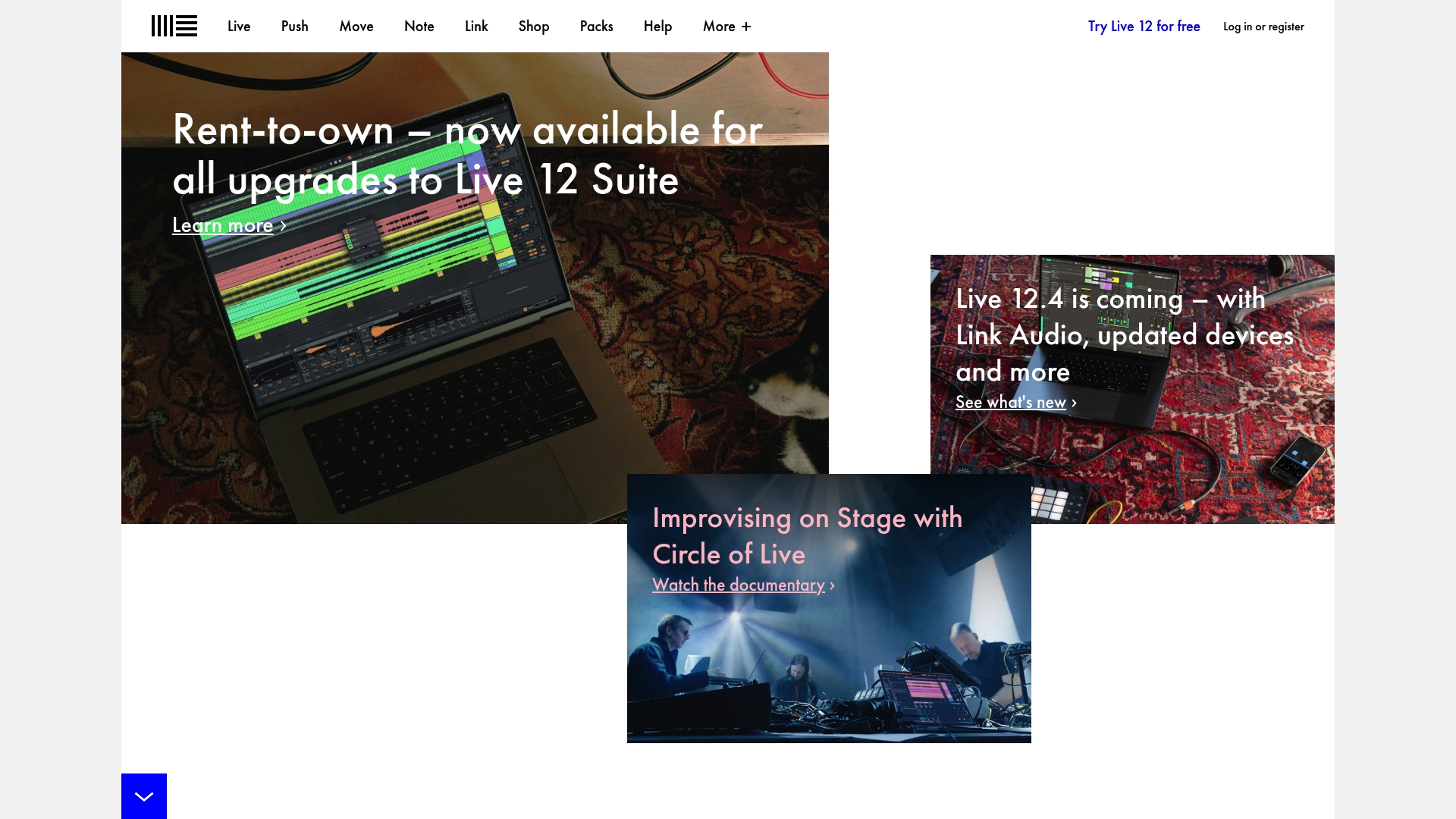
Ableton Live is a bold digital audio workstation (DAW) built for both music production and live performance. It pairs an intuitive interface with a broad library of sounds so you can move quickly from sketch to stage.
Core Features
Ableton Live provides a workstation for music production, creation, and performance with tools for recording, automation, mixing, and mastering. It also includes built-in instruments and effects, flexible workflow options for live sets and studio recording, and full compatibility with MIDI controllers and hardware.
Pros
- Intuitive interface: The layout and controls let you launch clips and edit arrangements quickly, which works well during live sets and fast production sessions.
- Rich instrument library: Built-in instruments and sounds reduce the need to buy third-party packs when you start new tracks.
- Flexible workflow options: The platform adapts to both linear arrangement work and clip-based live performance styles so that you can shift between studio and stage without friction.
- Strong community resources: A large user base produces tutorials, presets, and templates that accelerate learning and creative problem-solving.
- Regular updates: Ableton releases feature updates that expand tools and keep the software current for producers and performers.
Cons
- High system demands: Ableton Live can be resource-intensive, and performers will need a powerful computer to avoid audio dropouts and long load times.
- Price can be steep: The tiered edition model means the most complete feature set comes at a higher cost that hobbyists may find hard to justify.
- Advanced features take time to master: While basic workflows are accessible, deeper sound design and complex routing require a significant time investment to learn.
Who It’s For
Ableton Live targets musicians, producers, and performers who need a single environment for studio production and live shows. It suits electronic artists and sound designers who value hands-on control and quick iteration.
Unique Value Proposition
Ableton Live stands out by combining a production DAW with a performance-oriented workflow so you can build tracks and trigger them live from the same project. That tight integration between studio tools and stage features shortens the path from idea to performance.
Real World Use Case
An electronic music producer composes with Ableton Live using its extensive sound library, programs scenes on a MIDI controller, and runs a live set that blends pre-arranged clips with spontaneous improvisation. Collaboration happens by sharing projects and stems with other artists.
Pricing
Ableton Live is available in multiple editions: Intro, Standard, and Suite with different feature sets and pricing. Specific prices and upgrade options are listed on the official site.
Website: https://www.ableton.com
Bitwig Studio
At a Glance
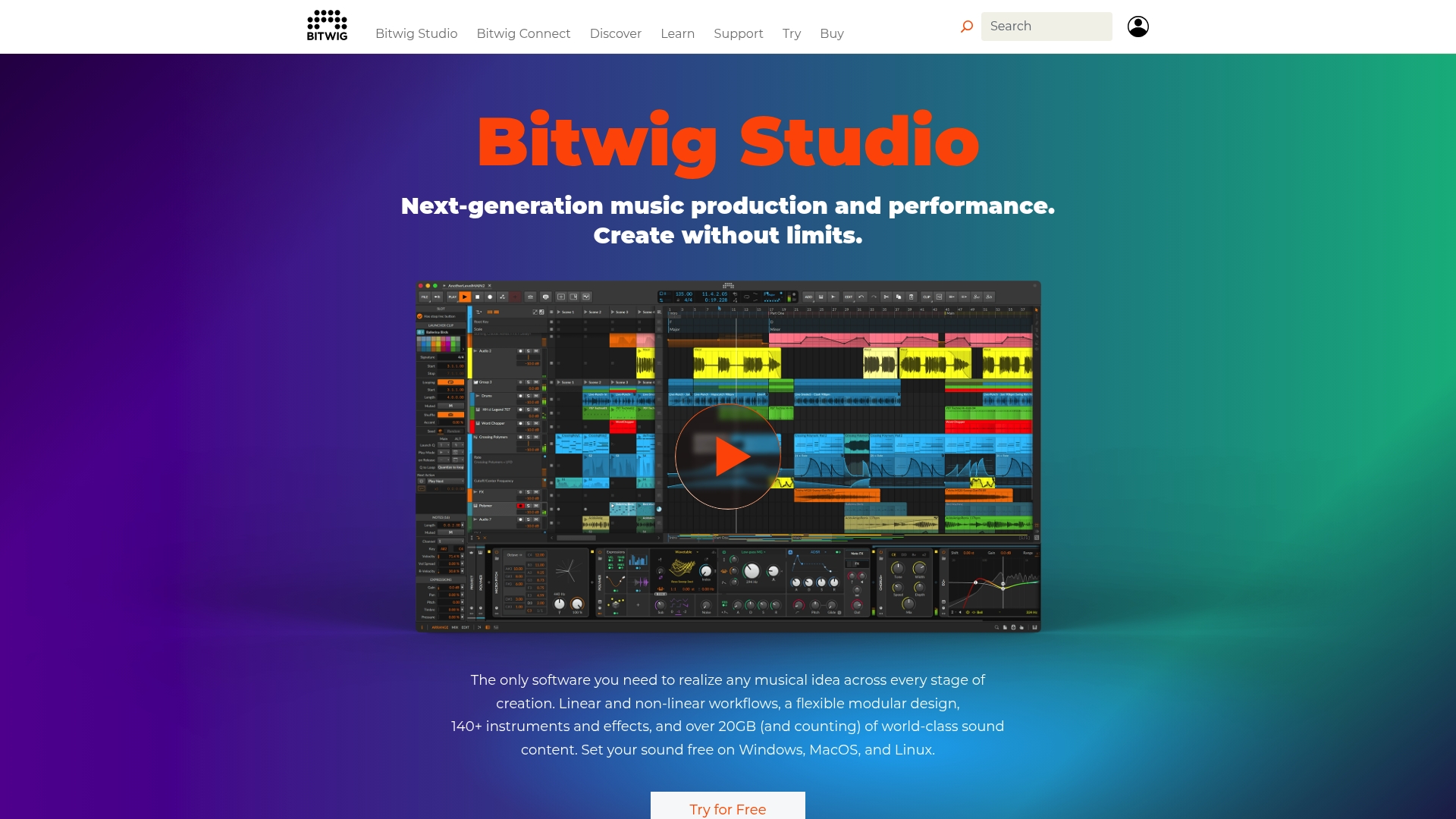
Bitwig Studio is a flexible, performance-ready digital audio workstation built for musicians who want deep sound design and live control. Its modular design and wide sound library make it a strong choice for producers who push creative boundaries.
Core Features
Bitwig combines linear and non-linear workflows with a flexible modular design to suit both studio sessions and live sets. It ships with over 140 instruments and effects and 20GB of sound content for instant inspiration. The Grid and sandboxed plugins add stability and custom device creation across Windows, macOS, and Linux.
Pros
- Cross-platform support is robust. Bitwig runs on Windows, macOS, and Linux, so that you can move projects between machines without format gymnastics.
- Rich sound content speeds production. The included 20GB of samples and presets gives you a large palette for quickly composing and arranging.
- Modular design enables customization. The Grid lets you design custom devices and signal flows that are hard to replicate in other DAWs.
- Sandboxed plugins improve reliability. Running third-party plugins in isolated processes reduces crashes and preserves creative momentum.
- Award-winning pedigree adds credibility. Bitwig has earned industry recognition for its innovation and performance features.
Cons
- Purchase model details are unclear. The product information does not state whether a subscription is available and instead suggests a direct purchase route, which may surprise users expecting a monthly option.
- System requirements are not listed. The page does not provide specific CPU, memory, or disk recommendations, which complicates planning for studio hardware purchases.
- Pricing info is not specified on the product page. You are directed to a buy page for options, but no clear pricing tiers appear in the primary description.
Who It’s For
Bitwig Studio targets creative musicians, producers, and performers who require a DAW that supports both deep sound design and reliable live performance. If you build custom devices, route audio through hardware controllers, or perform electronic sets, this program fits well.
Unique Value Proposition
Bitwig stands out by combining a powerful modular environment with rock-solid plugin isolation and an extensive built-in sound library. The combination of The Grid and sandboxed plugins delivers a unique balance of experimentation and stability.
Real World Use Case
A producer composes an electronic album in Bitwig, sculpting original synth textures in The Grid, then routes those devices to external hardware for live shows. The same project opens on a Linux studio machine for final mixing and mastering.
Pricing
Pricing details are not specified on the product page, and the site directs visitors to a buy page for purchasing options and license types. Check the buy page for current license models and upgrade policies.
Website: https://bitwig.com
Reason by Reason Studios

At a Glance
Reason delivers a full music production environment built around a virtual rack that lets you wire instruments and effects with tactile control. It balances deep sound-design tools with a traditional DAW workflow for producers who like modular routing and hands-on creation.
Core Features
Reason combines a track-centric workflow with major sequencer improvements and the new RV-9 Reverb Station device to expand sonic options. You can run Reason as a plugin or as a full DAW for recording, sequencing, mixing, and effects, and use Reason Rack as a standalone instrument collection.
Pros
-
Comprehensive production environment: Reason provides instruments, effects, and a sequencing engine that cover songwriting, sound design, and mixing in a single application.
-
Flexible usage modes: You can work with Reason as a plugin inside another host or as a complete DAW when you need a dedicated session.
-
Active development: The product receives continuous updates and new devices, which keep the toolkit growing over time.
-
Strong community support: A large user base shares patches, templates, and workflow tips, shortening the learning curve for intermediate users.
-
Sound design-focused tools: The virtual rack and modular routing encourage experimentation and unique signal chains that you cannot easily arrange in linear workflows.
Cons
-
Pricing may still be a barrier for some users, despite recent reductions and new options, especially for those who want the full suite rather than the rack alone.
-
Beginners face a steep learning curve because the environment exposes many devices and routing choices that require time to master.
-
Some advanced features demand significant system resources, which can stress older machines during dense sessions or high-sample-rate work.
Who It’s For
Reason suits music producers, sound designers, musicians, and students who want a creative sandbox with deep routing control and a growing library of devices. If you value modular signal flow and a single integrated environment for sketching and finishing tracks, you will benefit.
Unique Value Proposition
Reason stands out by combining a hands-on virtual rack approach with modern DAW capabilities. That duality makes it appealing to producers who want tactile modular design plus conventional sequencing and mixing without switching apps.
Real World Use Case
A producer collaborates on a track using Reason 14 as a plugin inside a host to access the sequencer and RV-9 Reverb Station while partners record stems in a separate DAW. The modular routing helps craft unique reverbs and textures quickly.
Pricing
Reason 14 has reduced prices, and Reason Rack is available separately as VST3, AU, and AAX. Reason+ subscription unlocks additional features, tools, and services for users who want continuous access to the expanding device library and updates.
Website: https://www.rebirthapp.com
FL Studio
At a Glance
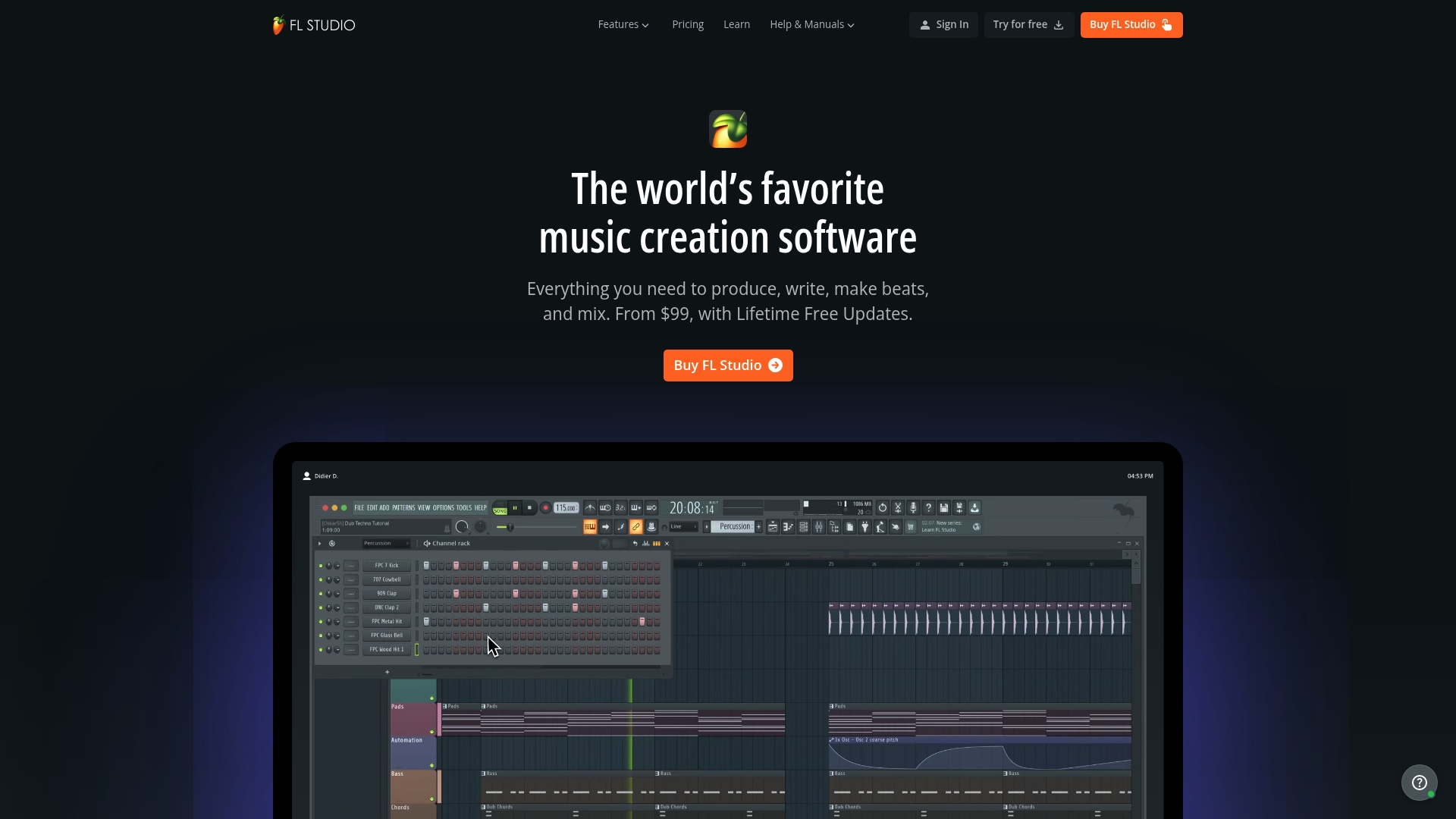
FL Studio is a fast, feature-rich digital audio workstation from Image-Line that supports beat making, full song arrangement, and high-quality mixing. Its appeal lies in a massive sound library, flexible editions, and lifetime free updates that keep the app current without extra upgrade costs.
Core Features
FL Studio enables users to build beats, sketch melodies, and arrange full songs quickly while supporting the recording of vocals and instruments. It ships with over 100 instruments, effects, and sounds, offers automation clips, and delivers a large royalty-free library through FL Cloud.
Pros
- Widely used by professionals: Many producers and artists use FL Studio, which creates abundant presets, templates, and community content to accelerate workflow.
- No hidden update costs: Lifetime free updates mean you do not pay again for future releases that Image-Line issues for supported editions.
- Flexible purchase options: Multiple editions and rent-to-own plans let you pick the level of features you need without overspending.
- Beginner-friendly interface: The interface balances quick beat creation with deeper tools so both new users and experienced producers can work efficiently.
- Strong learning ecosystem: A large online community and many tutorials make it easier to get unstuck when tackling advanced techniques.
Cons
- Resource-intensive on some systems: FL Studio can demand significant CPU and memory resources, affecting performance on older computers.
- Advanced tools locked behind higher editions: Certain plugins and capabilities require purchasing the Signature Bundle or All Plugins edition.
- Learning curve for complete beginners: New users may need time to master the pattern-based workflow and routing options.
Who It’s For
FL Studio suits musicians, producers, beatmakers, and sound designers who want a comprehensive, expandable DAW. It suits hobbyists building beats at home and professionals who need a fast sketch to finish a track pipeline in studio sessions.
Unique Value Proposition
FL Studio stands out for combining a fast creative workflow with a vast bundled instrument and effect library, plus lifetime free updates. That mix gives long-term value for producers who prefer owning their DAW rather than subscribing.
Real World Use Case
An electronic music artist sketches a track using pattern-based sequencing, swaps in royalty-free samples from FL Cloud, records vocal takes, and completes a mix using bundled effects. The artist upgrades to a higher edition only when a specific plugin is required.
Pricing
Pricing starts from $99 with Lifetime Free Updates and scales by edition, including Producer, Signature Bundle, and All Plugins. Rent-to-own options and annual purchase plans are available for users who prefer installment-style payments.
Website: https://www.image-line.com
Digital Audio Workstations Comparison
To assist users in selecting the optimal digital audio workstation (DAW), the following table compares various DAWs based on their features, advantages, target audience, and pricing. This detailed overview helps make informed decisions tailored to specific needs.
| DAW Name | Core Features | Pros | Cons | Pricing |
|---|---|---|---|---|
| SoundBridge | High fidelity audio engine, zero latency remote tracking, customizable GUI | Studio-grade audio, advanced collaboration tools, plugins, and MIDI support | Limited feature set in the free version | Free tier, premium subscription, or lifetime license |
| Reaper | Multitrack audio/MIDI, extensive plugin support, customizable scripting | No feature limits, frequent updates, customizable workflows | Steep learning curve for beginners | Affordable single-DRM-free license; full evaluation available |
| Ableton Live | Music production and live performance, built-in instruments and effects | Intuitive interface, flexible workflows, strong community support | High system demands, expensive for full features | Tiered editions: Intro, Standard, Suite |
| Bitwig Studio | Linear/non-linear workflows, modular design, sandboxed plugins | Modular sound design tools, extensive sound content, and cross-platform support | Ambiguous pricing structure, unclear requirements | Pricing shown on the buy page directly |
| Reason | Virtual rack, modular routing, sequence, and mixing capabilities | Comprehensive environment, active updates, modular signal chains | Steep learning curve, advanced tools require resources | Reduced standalone prices; Reason+ subscription available |
| FL Studio | Beat making, song arrangement, over 100 instruments and effects included | Lifetime free updates, community resources, beginner-friendly interface | Resource-intensive, higher editions lock advanced tools | Editions start at $99; flexible rent-to-own plans |
Experience Seamless Remote Collaboration and High-Fidelity Audio with SoundBridge
Finding the right DAW that combines powerful audio processing with smooth remote collaboration can be challenging. Many alternatives struggle with latency during recording.
If you want to break free from technical frustrations and streamline your music production or film scoring projects, explore how SoundBridge can help.
Recommended
MASTER MUSIC PRODUCTION
Expert-led courses designed to take you from fundamentals to finished tracks.

HOUSEFrom bouncy bass and solid kicks, this course teaches you the most modern House music production techniques needed to succeed and stand out.

TRAPQuit sounding like generic Trap and produce something World with hints of the Far East. Create ethnic soundscapes to put your Trap ahead of the curve.

AMBIENTProduce relaxing, sophisticated psy-influenced ambient. Psychedelic and relaxing to listen to, create meditative soundscapes to put your listeners in Zen.