

-1 dBTP Ceiling: ITU Backed True Peak Metering for Mastering Engineers
Last Edited: Oct 21, 2026
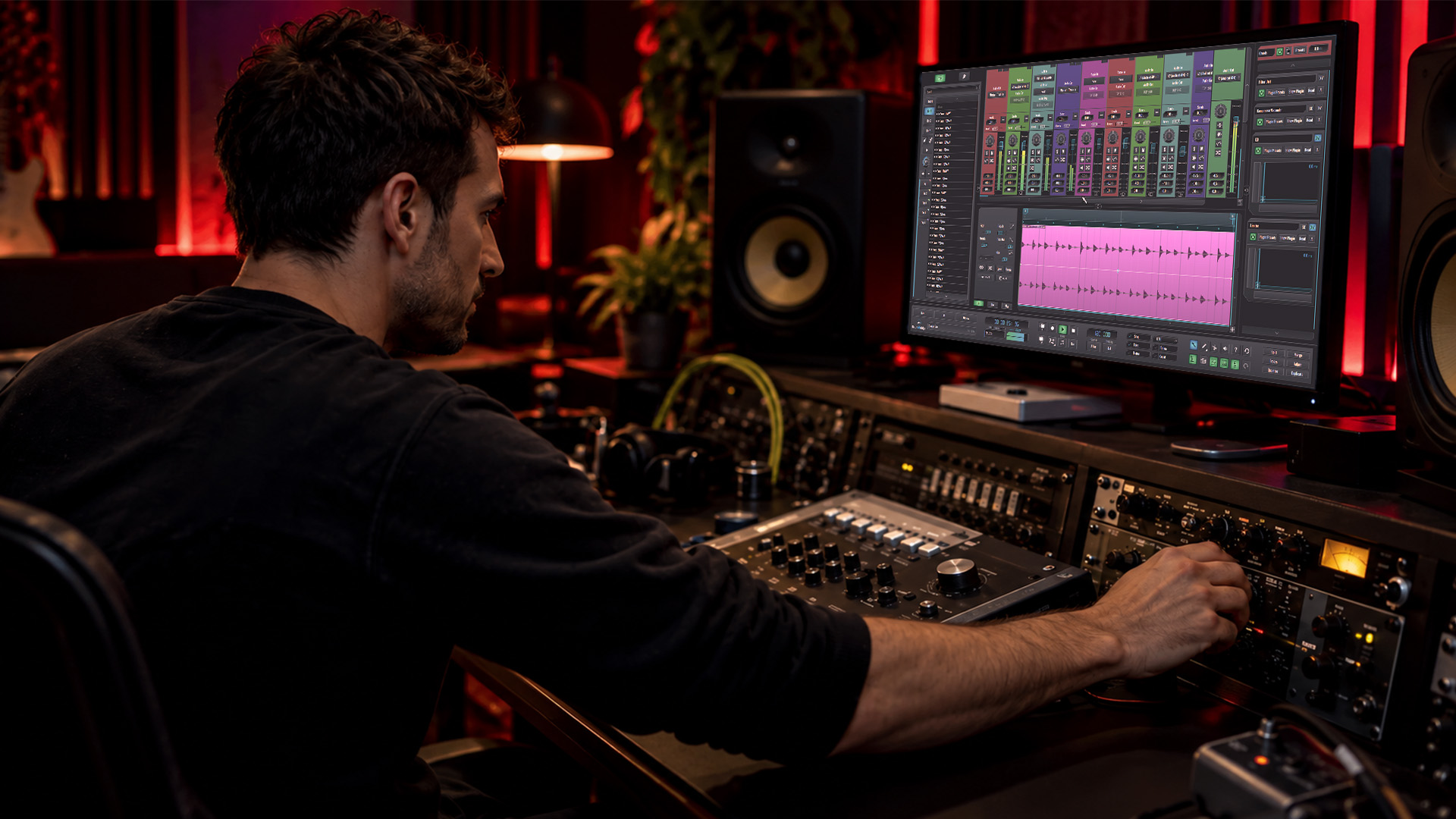
True peak metering measures the actual reconstructed waveform peak, including the inter-sample peaks that ordinary meters miss, and it’s what keeps your master clean after streaming platforms encode it. Aim to keep your master’s true peak at or below -1 dBTP, and drop to -2 dBTP when your integrated loudness exceeds -14 LUFS. That headroom protects your mix from inter-sample clipping once lossy encoding reshapes your waveform.
TL;DR:
-
Inter-sample peaks can be several decibels above what sample-peak meters show, especially in dense or high-frequency material, risking clipping during lossy encoding.
-
Keep true peak levels at or below -1 dBTP for most streaming, dropping to -2 dBTP if your integrated loudness exceeds -14 LUFS, to prevent audible distortion during platform normalization.
-
Controlling true peak involves a two-stage limiting process: a loudness maximizer followed by a dedicated true-peak limiter, with gain adjustments and spectral shaping if needed.
-
Validate final files by re-measuring true peaks after rendering and lossy encoding, and test playback on everyday devices to catch artifacts that meters might miss.
What True Peak Is and How It Differs From Sample Peak
Your sample-peak meter only reads the discrete digital samples in your file. True peak reconstructs the continuous analog waveform those samples represent, the same reconstruction your digital-to-analog converter performs on playback. When that reconstruction curve rises above the highest sample value between two points, you get an inter-sample peak, a spike your sample meter never shows you.
These gaps aren’t rare edge cases. Music with dense high-frequency content, aggressive limiting, or hard-panned transients can produce inter-sample peaks that sit several decibels above what your meter reports, a difference confirmed by testing described in the ITU-R BS.1770-5 recommendation. That gap matters because:
-
A track reading -0.3 dBFS on a sample-peak meter can carry a true peak well above 0 dBTP.
-
Dense, brickwalled masters tend to produce more inter-sample peaks than sparse acoustic material.
-
Higher sample rates narrow the gap somewhat, but they never eliminate the risk entirely.
Mastering based on sample-peak numbers alone provides incomplete information. True Peak gives you the full picture before your track leaves your session.
Why True Peak Matters for Streaming and Consumer Playback
Here’s where the risk becomes real. Streaming platforms apply loudness normalization, turning your playback level up or down to hit a target average. If a platform raises the gain on a track that’s already riding close to digital full scale, any inter-sample peaks ride up with it, and now they’re loud enough to cause audible distortion during decoding.
Platform guidance exists precisely because of this interaction:
-
Spotify targets -14 LUFS integrated for its Normal playback mode and recommends keeping true peak at or below -1 dBTP, dropping to -2 dBTP if your master runs louder than -14 LUFS.
-
Apple Music applies similar loudness normalization during playback, so the same headroom logic protects your masters there.
-
YouTube re-encodes nearly everything you upload, which means any uncontrolled inter-sample peak gets a second chance to cause trouble during transcoding.
Keep true peak below -1 dBTP, or -2 dBTP for masters above -14 LUFS integrated, according to Spotify’s loudness guidance. This single rule covers the majority of practical mastering decisions you’ll make for streaming delivery.
The audible result of ignoring this is unmistakable: crackling, clipped transients, and digital-sounding distortion that shows up only after upload, not in your own playback chain. Since streaming now accounts for the bulk of how listeners hear your work, a clean true-peak reading on your end is meaningless if the platforms’ re-encoding introduces artifacts on their end.
How True-Peak Metering Works and the Standards Behind It
True-peak measurement isn’t a guess. ITU-R BS.1770-5 defines the algorithm: oversample your audio, typically 4x, bringing a 48 kHz signal up to 192 kHz, then interpolate between samples to estimate the reconstructed waveform’s actual peak. The result gets reported in dBTP, decibels relative to true peak, distinct from the dBFS scale you use for sample peaks.
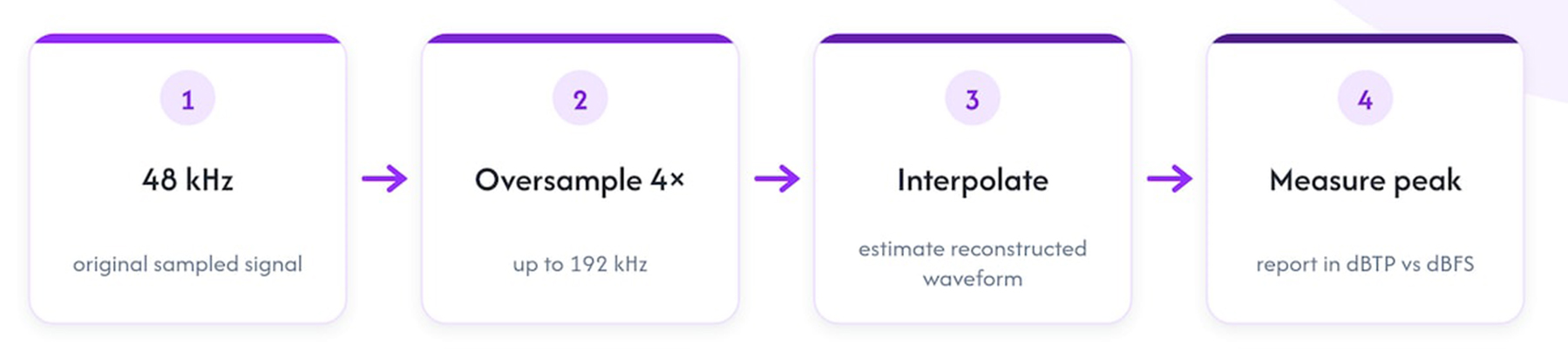
This is why two meters can disagree on the same file. Oversampling ratio, interpolation filter design, and peak-hold ballistics all vary across plugin implementations, and BS.1770’s own documentation acknowledges that a meter doesn’t need to reproduce converter-grade interpolation quality, only to meet a defined accuracy target for peak estimation. The practical takeaway: pick one BS.1770-compliant meter and trust it consistently rather than chasing numbers across different plugins.
EBU R128 builds on this same measurement foundation and sets -1 dBTP as a production-level reference for uncompressed audio maximum true peak and -2 dBTP when lossy encoding is expected. This aligns closely with what streaming platforms now recommend independently.
Meter differences are normal. Pick a BS.1770-compliant meter and use it consistently for your decisions, then verify the final rendered file rather than relying on limiter displays alone.
That consistency matters more than any single reading. A meter you trust and understand beats a “better” meter you second-guess every session.
Measuring True Peak in Your DAW: Setup and Checks
Getting a trustworthy true-peak reading starts with where you place your meter and how you configure it.
-
Insert your true-peak meter last in your signal chain, after every process that runs during final rendering, including dither and any sample-rate conversion.
-
Confirm your meter’s oversample setting matches or exceeds BS.1770’s 4x recommendation; some plugins let you push to 8x or 16x for extra confidence on dense material.
-
Watch peak-hold behavior during playback, not just the live needle, since brief inter-sample peaks can pass faster than your eye catches them.
-
Render your file, reopen it in a fresh session, and re-measure, since this is the only reading that reflects what actually left your session.
-
Run a lossy-encode comparison (AAC or Ogg Vorbis) on the rendered file to check whether the codec introduces new peaks beyond what you measured.
Pro Tip: Keep the same true-peak meter across every project so your -1 dBTP judgment call stays calibrated instead of shifting with every plugin you try.
Listening on a few representative devices — phone speakers, earbuds, a basic Bluetooth speaker — catches artifacts that a meter alone won’t flag, especially on cheaper D/A converters more prone to audible inter-sample distortion.
How to Reduce True Peak: Efficient Limiter and Gain-Staging Workflows
Controlling true peak is less about one plugin setting and more about a sequence of decisions that work together.
-
Run your primary loudness maximizer first to hit your target LUFS, then follow it with a dedicated true-peak limiter set to your -1 or -2 dBTP ceiling as a safety net, not your main loudness tool.
-
Set your true-peak limiter’s ceiling first, then bring the threshold down only as far as needed, using look-ahead so the limiter catches transients before they clip, rather than reacting after the fact.
-
Favor slower attack and moderate release on your safety limiter when the material allows it, since overly fast settings tend to pump and color the transients you worked to preserve.
-
If you’re still seeing stubborn peaks, back off your overall gain slightly before the limiter stage rather than pushing the limiter harder, which often sounds cleaner than chasing the last fraction of a dB through brute force.
-
Consider a clipper for isolated peak events, used sparingly, alongside multiband transient control if a particular frequency range is driving most of your inter-sample peaks.
-
Add a high-pass filter early in your chain to remove subsonic energy that contributes nothing musically but eats into your available headroom; see our breakdown of equalization and frequency management for more on shaping that low end before it reaches your limiter.
Pro Tip: When a two-stage limiter still can’t hold your ceiling without obvious pumping, the problem usually isn’t the limiter; it’s too much gain being asked of it upstream.
Multiband transient shaping, covered in more depth in our guide to OTT-style compression, gives you another lever when a narrow frequency band is responsible for the bulk of your inter-sample peaks, letting you tame that range without flattening the rest of your mix.
Final Checks: Verifying Your Render Before Delivery
Your work isn’t done when the limiter looks clean. Render at your final sample rate and bit depth, then reopen that exact file and re-measure true peak, since plugin metering during playback can differ subtly from what gets baked into the file.
-
Encode your rendered file to AAC and Ogg Vorbis and compare true-peak readings before and after, watching for new peaks the codec introduces during transcoding.
-
Listen to both the lossless render and the lossy encode on at least one consumer-grade playback device.
-
Confirm your final checklist: LUFS target hit, true peak at or below your chosen ceiling, codec comparison clean, playback test passed.
Skipping this step means your limiter settings are a guess rather than a verified result.
SoundBridge Tips and Supporting Resources
Consistency is the real safeguard here: use the same BS.1770-compliant meter and the same render path every time, so your -1 dBTP judgment calls stay comparable across projects. A few factual notes on tools that support this workflow:
-
High sample-rate processing up to 192kHz gives you finer resolution when checking true peak against the BS.1770 oversampling target.
-
Reliable internal routing keeps your gain staging predictable from the mix bus to the final limiter, reducing unexpected peaks at render time.
-
Flexible export options let you render at the exact sample rate and bit depth your delivery target requires, which you can read more about in our guide to real-time audio routing and export workflows.
For more on preparing a session before you ever reach the limiter stage, our article on essential audio editing techniques covers the groundwork that makes true-peak control easier later.
A Mastering Engineer’s Mindset: Loudness and Safety Aren’t the Same Decision
We treat LUFS and dBTP as two separate judgment calls, not one combined dial. Chasing loudness without checking your rendered, encoded file afterward is how clean sessions turn into distorted streams. Our one habit worth adopting: pick a meter, trust it, verify every render.
How SoundBridge Supports Mastering With True-Peak Awareness
High-fidelity processing up to 192kHz gives your true-peak metering finer resolution to work with, and flexible routing means you can insert a dedicated true-peak limiter exactly where your chain needs it, with export options that let you render and verify at your target sample rate and bit depth without a workaround.

If you’re setting up a session to test any of this firsthand, our Free Version gets you into the workflow immediately, and Premium unlocks the full routing and processing toolkit for when you’re ready to master at a professional level.
-
Process and export at up to 192kHz for finer true-peak resolution.
-
Route a dedicated true-peak limiter precisely where your mastering chain needs it.
-
Export at your exact target sample rate and bit depth to verify before delivery.
Keeping your streams distortion-free matters for more than just sound quality too. Clean masters give platforms like Spotify less reason to flag or deprioritize your tracks during playlist consideration; one more reason true-peak discipline pays off beyond the mastering session itself.
FAQ
What should my true peak max be?
Keep your master’s true peak at or below -1 dBTP for most streaming delivery, dropping to -2 dBTP if your integrated loudness runs louder than -14 LUFS. This headroom accounts for inter-sample peaks that emerge during lossy encoding and platform loudness normalization.
What is the difference between peak and true peak?
Sample peak measures only the discrete digital sample values in your file, whereas true peak estimates the reconstructed continuous waveform that your converter actually produces during playback. That reconstruction can reveal inter-sample peaks sitting several decibels above what a sample-peak meter ever shows you.
How do I reduce true peak?
Run a two-stage limiting approach: your primary loudness maximizer first, then a dedicated true-peak limiter set to your target ceiling as a safety net. Supporting moves include backing off gain slightly before the limiter, using a careful clipper on isolated peaks, and high-passing subsonic energy that eats into your available headroom.
What should my master peak at?
For most streaming platforms, keep your final master’s true peak at or below -1 dBTP, or -2 dBTP if your master exceeds -14 LUFS integrated loudness. Always verify this reading on the final rendered file rather than trusting your limiter’s live display alone.
Sources
Recommended
MASTER MUSIC PRODUCTION
Expert-led courses designed to take you from fundamentals to finished tracks.

HOUSEFrom bouncy bass and solid kicks, this course teaches you the most modern House music production techniques needed to succeed and stand out.

TRAPQuit sounding like generic Trap and produce something World with hints of the Far East. Create ethnic soundscapes to put your Trap ahead of the curve.

AMBIENTProduce relaxing, sophisticated psy-influenced ambient. Psychedelic and relaxing to listen to, create meditative soundscapes to put your listeners in Zen.