

VST Plugins Guide: Master Your Music Production
Last Edited: Jul 12, 2026
VST Plugins Guide: Master Your Music Production

VST plugins are defined as software instruments and effects that run inside a digital audio workstation (DAW) to generate or process sound. Virtual Studio Technology, the standard developed by Steinberg in 1996, gave producers the ability to run synthesizers, compressors, reverbs, and dozens of other tools entirely in software. This VST plugins guide covers every stage of the process: what each plugin type does, how to install them correctly, which formats to prioritize, and how to build a toolkit that actually serves your creative workflow. Whether you are building your first home studio or refining a professional setup, mastering plugins is the single fastest way to expand your sonic palette.
What are the different types of VST plugins and their roles?
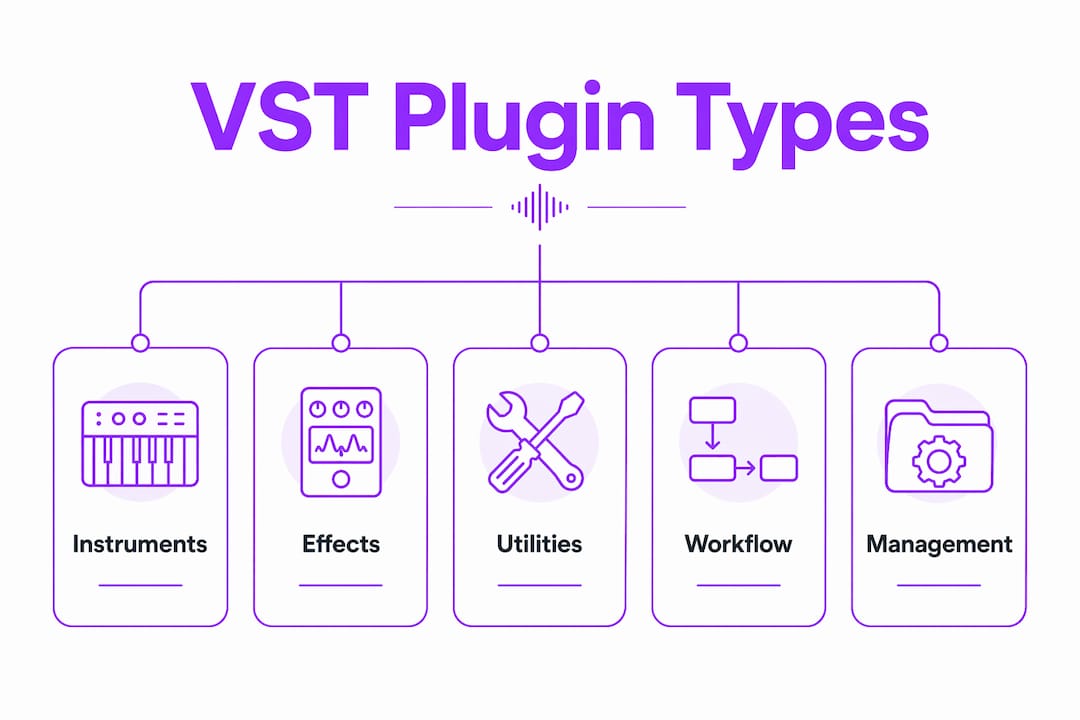
VST plugins fall into three distinct categories, and knowing which is which saves you hours of confusion when building sessions.
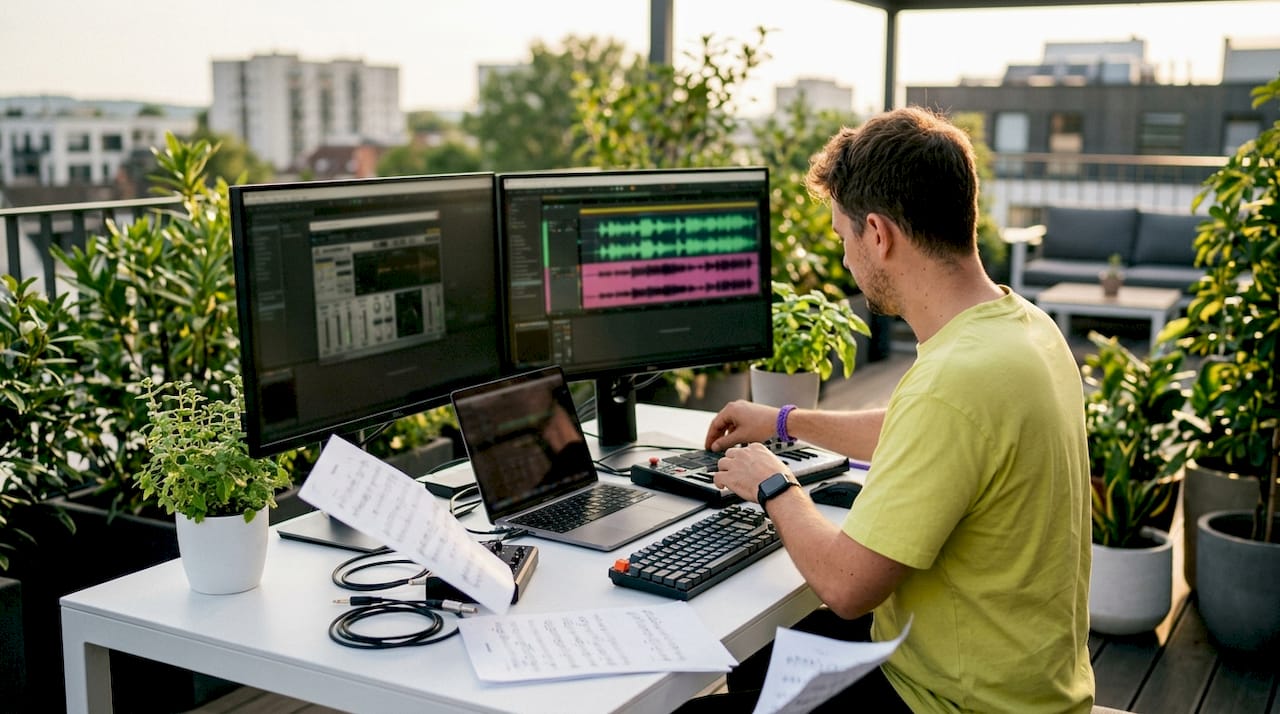
VST instruments generate sound from MIDI data. You play a note on your keyboard or draw it into a piano roll, and the plugin produces the audio. Common examples include software synthesizers, samplers, and drum machines. A polyphonic synthesizer like Vital or Surge XT can produce everything from warm pads to aggressive leads, all without a single piece of hardware.
VST effects process audio that already exists on a track. They do not create sound on their own. Instead, they shape, color, or transform it. The most common types include:
- EQ plugins: Cut or boost specific frequency ranges to clarify a mix
- Compressors: Control dynamic range and add punch to drums or vocals
- Reverb and delay: Add space and depth to any sound source
- Saturation and distortion: Add harmonic warmth or grit to a signal
- Modulation effects: Chorus, flanger, and phaser for movement and texture
Utility plugins handle the behind-the-scenes work. Metering tools like spectrum analyzers show you what your mix looks like in real time. Signal routing plugins let you send audio to multiple destinations. Mid-side processors split a stereo signal into its center and side components for surgical control. These tools rarely get the spotlight, but they keep your sessions organized and your mix decisions accurate.
Understanding all three categories gives you a clear mental map. When you need a new sound, you reach for an instrument. When you need to fix or shape audio, you reach for an effect. When you need control over your signal flow, you reach for a utility.
How to install and manage VST plugins properly in your DAW
Plugin installation is straightforward when you follow a consistent process. Skipping steps is where most producers run into trouble.
- Download the installer from the developer’s official website. Always use the official source to avoid corrupted or malicious files.
- Run the installer and choose the correct format for your DAW and operating system. VST3 works on both Mac and Windows. AU is Mac-only. AAX is exclusive to Pro Tools. Selecting the wrong format means the plugin will never appear in your DAW.
- Install to the standard folder path. On Windows, VST3 plugins go to
C:\Program Files\Common Files\VST3. On Mac, the path is/Library/Audio/Plug-Ins/VST3. Deviating from these paths is the most common reason plugins go missing. - Open your DAW and navigate to the plugin manager or preferences. Add the installation folder to your plugin search paths if it is not already listed.
- Rescan your plugin directories. Plugin failures to appear are often due to incorrect folder paths in DAW settings. A rescan after confirming the correct path resolves the issue in most cases.
- Activate your license. Most paid plugins use iLok, a challenge-response system, or a simple serial number. Complete activation before opening a session to avoid the plugin loading in demo mode.
- Test the plugin in a new session before committing it to a real project. Confirm it loads, produces sound or processes correctly, and does not cause your DAW to crash.
Pro Tip: Create a dedicated folder on your hard drive called “Plugin Installers” and keep every downloaded installer there. When you upgrade your operating system or move to a new machine, you can reinstall everything in under an hour without hunting down download links.
Keeping your plugin library organized from day one prevents the chaos that builds up after a year of random installs. Group plugins by category in your DAW’s browser: instruments, dynamics, EQ, reverb, and so on. The time you invest in organization pays back every single session.
Which VST plugin formats and standards should producers prioritize?
VST3 is the current industry-standard plugin format for Mac and Windows due to improved CPU efficiency and MIDI handling. AU and AAX remain Mac-only and Pro Tools-only formats respectively. Choosing the right format from the start prevents compatibility headaches down the road.
| Format | Platform | DAW Compatibility | Key Advantage |
|---|---|---|---|
| VST3 | Mac and Windows | Most modern DAWs | CPU efficiency, auto-suspend, MIDI 2.0 support |
| VST2 | Mac and Windows | Legacy DAWs only | Wide historical support, now being phased out |
| AU | Mac only | Logic Pro, GarageBand | Native Apple integration |
| AAX | Mac and Windows | Pro Tools only | Required for Pro Tools sessions |
VST3 replaced VST2 as the preferred standard for good reason. Its automatic suspend feature stops a plugin from consuming CPU cycles when no audio signal flows through it. That single feature can free up meaningful processing headroom in dense sessions. CPU bottlenecks caused by multiple heavy plugins can be mitigated by freezing tracks or bouncing to audio, and VST3’s auto-suspend adds a third layer of relief without any manual effort.
The 64-bit versus 32-bit distinction also matters. Every modern DAW runs in 64-bit mode, and 32-bit plugins require a bridge application to function. That bridge adds latency and instability. If a plugin you want is only available in 32-bit, treat that as a red flag. Stick to 64-bit plugins across the board for a stable, reliable setup. Your platform choice also affects which formats you can use, and DAW platform differences between Mac and Windows are worth understanding before you commit to a plugin collection.
How to select and build an effective VST plugin toolkit
The most common mistake producers make is buying plugins before mastering the ones they already have. Your DAW ships with stock instruments and effects that cover the fundamentals. Learn those first.
A practical toolkit builds outward from a core set of plugin types:
- One synthesizer: Learn its architecture deeply before adding a second. Vital and Surge XT are free and offer professional quality at zero cost.
- One parametric EQ: Understand how to cut mud, add presence, and shape tone before reaching for anything else.
- One compressor: Master threshold, ratio, attack, and release on a single plugin before exploring character compressors.
- One reverb: A single great reverb covers most mixing needs. Valhalla VintageVerb at $50 outperforms several competitors priced two to five times higher in real mixing scenarios.
- One delay: Tempo-synced delay handles everything from subtle depth to rhythmic effects.
Beginners should master a core plugin set first to avoid decision fatigue and CPU overload caused by over-purchasing. That principle holds true at every level. A producer who knows five plugins deeply will always outwork a producer who owns five hundred plugins they barely understand.
When you are ready to invest, a solid production toolkit costs about $600 and covers 95% of production needs. A premium setup around $1,100 removes most remaining limitations. Free tools like Vital, Surge XT, and TDR Nova deliver professional results at no cost, making them the right starting point for any budget. The essential DAW features built into modern platforms also reduce how many third-party plugins you actually need.
Pro Tip: Before buying any paid plugin, use its free trial for a full week on a real project. If you reach for it every session, buy it. If you forget it is there, skip it.
Successful producers prioritize plugins that enable quick sound creation over complex interfaces. Workflow integration drives actual usage more than feature count. A plugin you open and use in 30 seconds beats one with 400 presets that takes 10 minutes to navigate. Plugins that support modern features like polyphonic aftertouch and MPE also tend to stay relevant longer, giving you better long-term value for your investment.
How to optimize your VST workflow and fix common issues
A well-organized plugin workflow keeps your sessions fast and your creativity uninterrupted. Most performance problems trace back to a handful of fixable causes.
Managing CPU load is the most common challenge in plugin-heavy sessions. Three techniques handle it reliably:
- Freeze tracks: Temporarily render a track with its plugins to audio, freeing the CPU from recalculating in real time. Unfreeze when you need to make edits.
- Bounce to audio: Commit a rendered version of a track permanently. This is the right move for sounds you have finalized.
- Use VST3’s auto-suspend: VST3’s automatic suspend feature saves CPU when no audio signal flows through a plugin. Load VST3 versions of your plugins whenever the option exists.
Troubleshooting missing plugins follows a simple checklist. Confirm the plugin installed to the correct folder path. Check your DAW’s plugin search paths and add the folder if it is missing. Run a full rescan. If the plugin still does not appear, check whether it requires a specific format your DAW supports. Reinstall using the correct format if needed.
Organizing your plugin library reduces the mental friction of choosing tools mid-session. Tag plugins by category in your DAW’s browser. Mark your most-used plugins as favorites. Reliable plugins solve specific problems efficiently without adding session bloat that hinders performance. That principle should guide every addition to your library.
License management deserves a dedicated system. Keep a spreadsheet or password manager entry for every plugin serial number, iLok account, and activation email. Losing a license when you upgrade your machine is a frustrating, avoidable problem. Back up your license files alongside your project files. Your future self will thank you.
The way you present your music to the world matters as much as how you produce it. Understanding how short-form video promotes music in 2026 gives you context for why your production choices, including the plugins you use to shape your sound, connect directly to how your tracks perform on platforms built for discovery.
Key Takeaways
Mastering a small, well-chosen set of VST plugins delivers more creative output than owning a large, underused collection.
| Point | Details |
|---|---|
| Know your plugin types | Instruments create sound, effects process it, and utilities manage signal flow and metering. |
| Prioritize VST3 format | VST3 offers CPU auto-suspend, MIDI 2.0 support, and cross-platform compatibility on Mac and Windows. |
| Install to standard paths | Use the correct OS folder path and rescan your DAW to prevent missing plugin errors. |
| Build a core toolkit first | Master one synth, one EQ, one compressor, one reverb, and one delay before expanding your collection. |
| Manage CPU proactively | Freeze tracks, bounce finalized sounds to audio, and rely on VST3’s auto-suspend to keep sessions stable. |
The plugin philosophy that actually moves your music forward
The producers I respect most share one habit: they use fewer plugins than you would expect. Not because they cannot afford more, but because they have learned that depth beats breadth every time. I spent years chasing the next great synth or the compressor that would finally make my mixes click. What actually changed my output was spending three months with a single synthesizer until I could build any sound I heard in my head.
The uncomfortable truth about plugin collections is that size is often a proxy for insecurity. When you are not sure what your mix needs, buying a new plugin feels like progress. It rarely is. The gap between a good mix and a great one almost never lives in a plugin you do not own. It lives in how well you understand the ones you already have.
Workflow integration is the real metric. A plugin you open without thinking, dial in within a minute, and close satisfied is worth ten times a plugin that requires a tutorial every time you load it. The audio mixing workflow you build around your core plugins determines your creative ceiling more than any individual tool.
My practical advice: freeze your plugin purchases for 60 days. Work exclusively with what you have. You will discover capabilities you missed, develop muscle memory for your tools, and produce better work. When the 60 days end, you will know exactly what you actually need.
— Wake
How Soundbridge fits into your plugin workflow
Soundbridge is built for producers who want a DAW that keeps up with their creative process rather than slowing it down.

Soundbridge supports VST3 plugins natively and processes audio at up to 192kHz, giving your plugins the headroom they need to perform at their best. Its bi-directional plugin control lets you automate and manipulate effects in real time, whether you are working solo or in a remote session with another producer. If you are still figuring out the bigger picture of how DAWs and plugins work together, the complete DAW guide on Soundbridge walks you through every layer of the setup. The platform is available on Mac and Windows with both free and paid tiers, so you can start building your plugin workflow today without a financial commitment.
FAQ
What does VST stand for in music production?
VST stands for Virtual Studio Technology, a standard developed by Steinberg that allows software instruments and effects to run inside a DAW. It is the most widely supported plugin format across Mac and Windows platforms.
What is the difference between VST2 and VST3?
VST3 improves on VST2 with automatic CPU suspension when no audio flows through a plugin, better MIDI handling, and support for modern features like polyphonic aftertouch. VST2 is being phased out by most DAW developers.
How do I fix a VST plugin that is not showing up in my DAW?
Confirm the plugin installed to the correct folder path for your operating system, then add that path to your DAW’s plugin search settings and run a full rescan. Most missing plugin errors resolve with this two-step fix.
Are free VST plugins good enough for professional music production?
Free plugins like Vital, Surge XT, and TDR Nova deliver professional-grade results and cover the core needs of most production workflows. A paid upgrade makes sense only when a specific free option cannot solve the problem you are facing.
How many VST plugins do I actually need?
One synthesizer, one EQ, one compressor, one reverb, and one delay cover the vast majority of production scenarios. Mastering these five types before expanding your collection prevents decision fatigue and keeps your sessions running efficiently.
Recommended
MASTER MUSIC PRODUCTION
Expert-led courses designed to take you from fundamentals to finished tracks.

HOUSEFrom bouncy bass and solid kicks, this course teaches you the most modern House music production techniques needed to succeed and stand out.

TRAPQuit sounding like generic Trap and produce something World with hints of the Far East. Create ethnic soundscapes to put your Trap ahead of the curve.

AMBIENTProduce relaxing, sophisticated psy-influenced ambient. Psychedelic and relaxing to listen to, create meditative soundscapes to put your listeners in Zen.